인증서가 누락되어 NetWorker 웹 사용자 인터페이스가 대시보드에 대한 최신 개수를 가져오지 못함
Summary: NWUI(NetWorker Web User Interface)에서 "대시보드의 최신 개수를 가져오지 못했습니다. - 모니터링 서비스의 상태를 기준으로 활동 수를 가져오는 동안 오류가 발생했습니다" 오류가 발생합니다.
This article applies to
This article does not apply to
This article is not tied to any specific product.
Not all product versions are identified in this article.
Symptoms
NWUI에 성공적으로 로그인한 후 사용자 인터페이스에 다음 오류가 표시됩니다.
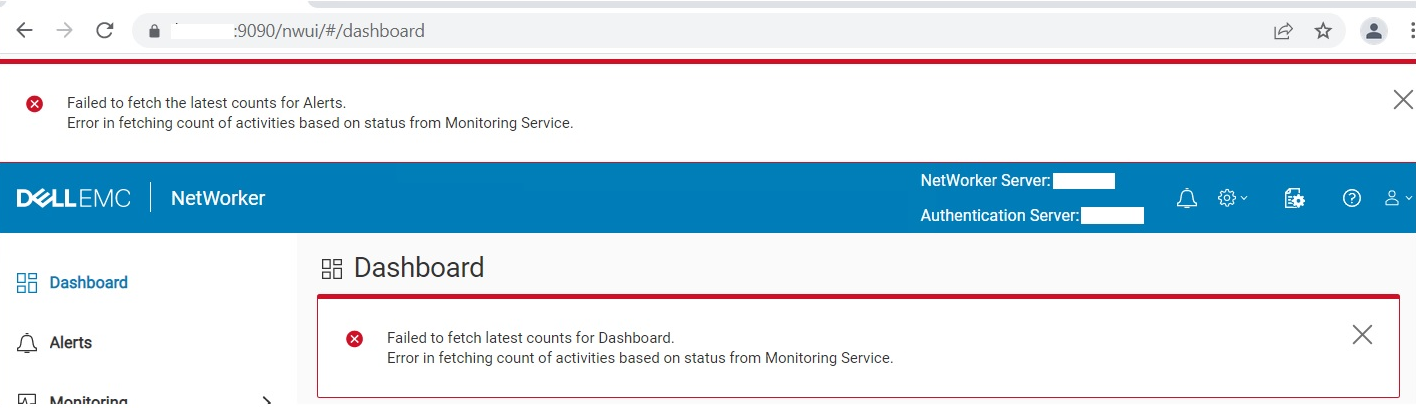
Failed to fetch latest counts for Dashboard. Error in fetching count of activities based on status from Monitoring Service
Cause
인증서 별칭 누락 emcnwuimonitoring Java cacerts 키 저장소에서.
- Linux:
/opt/nre/java/latest/lib/security/cacerts
- Windows:
%drive%:\Program Files\NRE\java\jre1.8.0_<xxx>\lib\security\cacerts
Resolution
가져오기 emcnwuimonitoring 인증서(NetWorker 서비스를 종료할 필요는 없음)
- Linux:
/opt/nre/java/latest/bin # keytool -import -alias emcnwuimonitoring -keystore /opt/nre/java/latest/lib/security/cacerts -storepass changeit -file /nsr/nwui/monitoring/app/conf/emcnwuimonitoring.cer
- Windows:
%drive%:\Program Files\NRE\java\jre1.8.0_<xxx>\bin> keytool.exe -import -alias emcnwuimonitoring -keystore "C:\Program Files\NRE\java\jre1.8.0_<xxx>\lib\security\cacerts" -storepass changeit -file "%drive%:\Program Files\EMC NetWorker\nwui\monitoring\app\conf\emcnwuimonitoring.cer"
Affected Products
NetWorkerProducts
NetWorker SeriesArticle Properties
Article Number: 000197327
Article Type: Solution
Last Modified: 01 Jul 2024
Version: 6
Find answers to your questions from other Dell users
Support Services
Check if your device is covered by Support Services.