PowerEdge: How to clear NVRAM using the Lifecycle Controller Repurpose Process
Summary: Steps on how to clear NVRAM using Lifecycle Controller remotely using the retire and repurpose process.
This article applies to
This article does not apply to
This article is not tied to any specific product.
Not all product versions are identified in this article.
Instructions
How clear NVRAM using the LifeCycle Controller
When you do not have physical access or cannot bring the system down to use the NVRAM jumper, you can follow these steps to perform the clear from the LCC using the retire or repurpose process.
•Boot to the Lifecycle controller using the F10 key during boot.
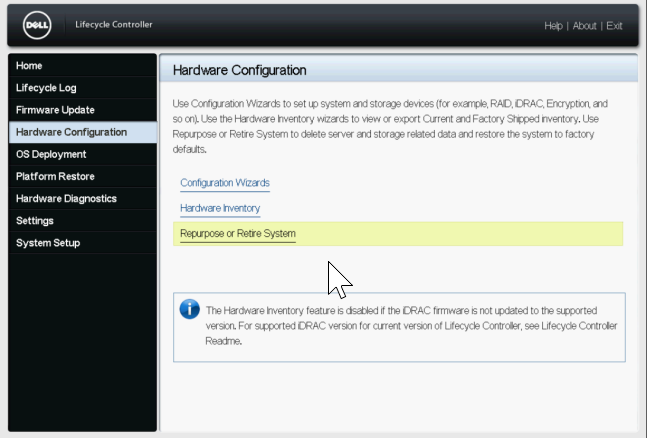
•Once in the LCC select Hardware Configuration on the left and then select Repurpose or Retire System.
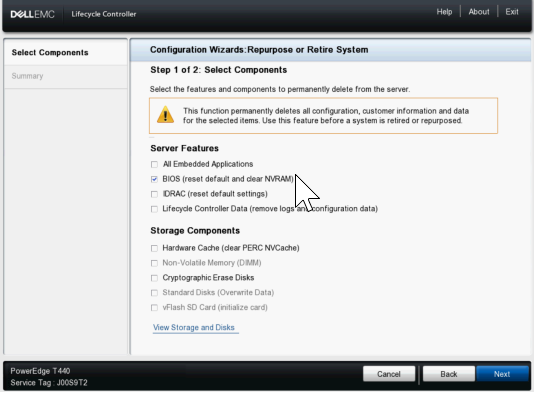
•On the Select Components screen, ONLY select the box for BIOS (reset default and clear NVRAM)
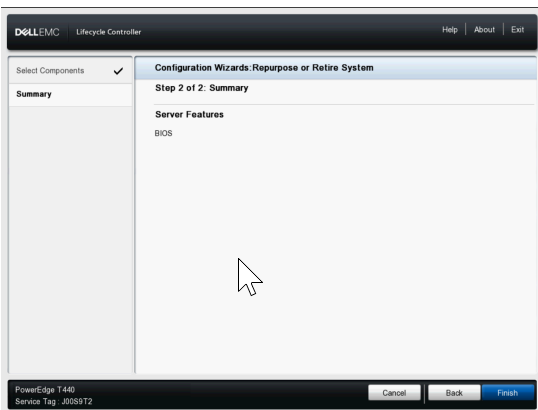
•Next click Next and confirm that only BIOS is listed on the next page and then click Finish.
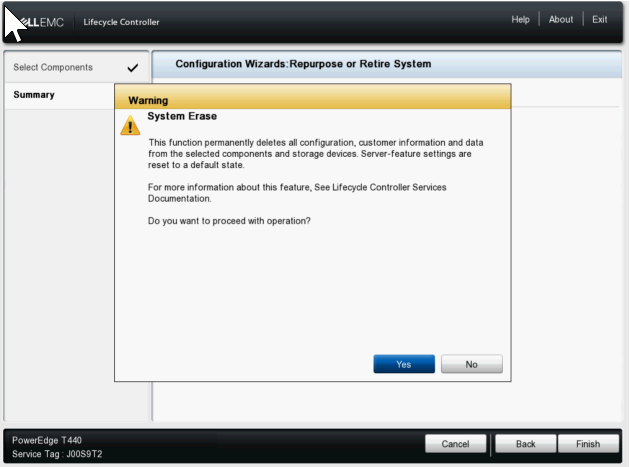
•Select Yes to proceed with the System Erase process.
•The server then proceeds to restart and enable the NVRAM clear setting, then it restarts again to do the clear and then finally it powers off.
•Next it powers back on boot back to LCC to change the NVRAM setting back to normal and then it shuts down again once completed.
•At this point you must manually power the server on. You can check the Lifecycle logs in the IDRAC to confirm an entry showing System Erase job completed successfully.
Affected Products
C Series, Modular Infrastructure, Rack Servers, XE Servers, XR Servers, OEM Server Solutions, PowerEdge T130, PowerEdge T140, PowerEdge T150, PowerEdge T160, PowerEdge T330, PowerEdge T340, PowerEdge T350, PowerEdge T360, PowerEdge T430
, PowerEdge T440, PowerEdge T550, PowerEdge T560, PowerEdge T630, PowerEdge T640
...
Products
PowerFlex appliance R650, PowerFlex appliance R6525, PowerFlex appliance R660, PowerFlex appliance R6625, Powerflex appliance R750, PowerFlex appliance R760, PowerFlex appliance R7625, PowerFlex appliance R640, PowerFlex appliance R740XD
, PowerFlex appliance R7525, PowerFlex appliance R840
...
Article Properties
Article Number: 000198446
Article Type: How To
Last Modified: 13 May 2026
Version: 5
Find answers to your questions from other Dell users
Support Services
Check if your device is covered by Support Services.