Utföra en ominstallation av operativsystemet på Windows 10 IoT Enterprise LTSC 2021
Summary: Windows 10 IoT Enterprise LTSC 2021 kan installeras om med hjälp av en USB-enhet som tillhandahålls av Dells support.
This article applies to
This article does not apply to
This article is not tied to any specific product.
Not all product versions are identified in this article.
Instructions
Berörda plattformar:
- OptiPlex 3000 tunn klient
- OptiPlex allt-i-ett 7410
- OptiPlex allt-i-ett 7420
- OptiPlex Micro 7010
- OptiPlex Micro 7020
- Latitude 3440
- Latitude 5440
- Latitude 5450
Berörda operativsystem:
- Windows 10 IoT Enterprise LTSC 2021
Installera om operativsystemet Windows 10 IoT Enterprise LTSC 2021
Installera om operativsystemet:
- Anslut den tunna klienten till en strömkälla.
- Anslut USB-enheten som tillhandahålls av Dells support till den tunna klienten.
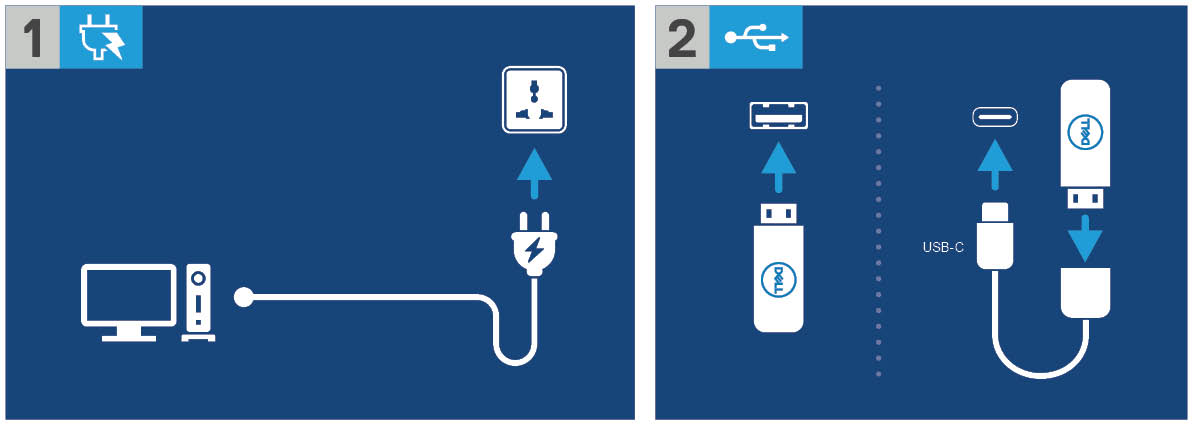
Bild 1: Anslut till strömkällan och anslut USB-enheten
- Slå på enheten och tryck sedan på F12-tangenten .
- Välj USB Storage Device på startmenyn.

Bild 2: Slå på enheten, tryck på F12 och välj USB-lagringsenhet
- Välj operativsystemsavbildningen.
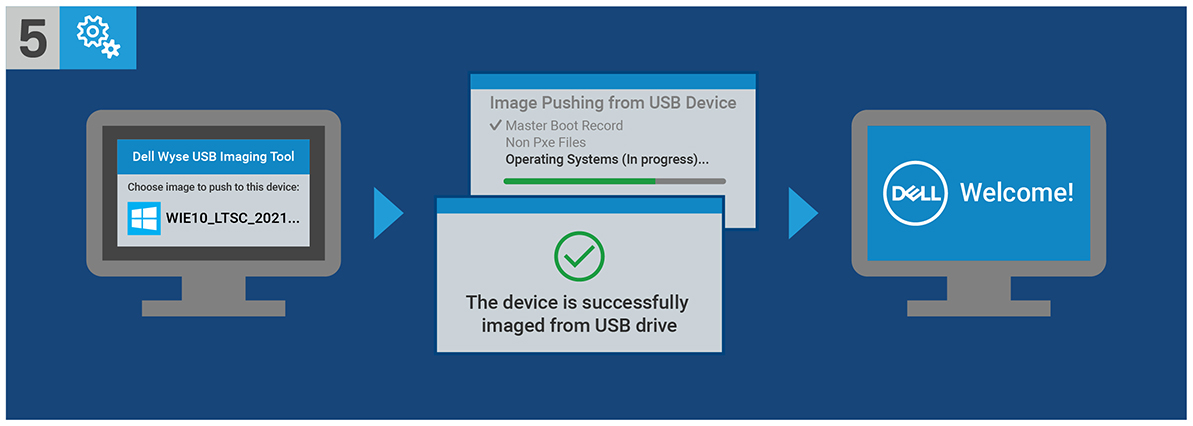
Bild 3: (Endast på engelska) Välj operativsystemsavbildning
Obs! När installationen är klar startar operativsystemet Windows 10 IoT Enterprise LTSC 2021. Se till att ta bort USB-enheten innan du startar.
Affected Products
Latitude 3440, Latitude 5440, Latitude 5450, OptiPlex 3000 Thin Client, OptiPlex Micro 7010, OptiPlex Micro 7020, OptiPlex All-In-One 7410, OptiPlex All-in-One 7420Article Properties
Article Number: 000198584
Article Type: How To
Last Modified: 14 Apr 2025
Version: 15
Find answers to your questions from other Dell users
Support Services
Check if your device is covered by Support Services.