Alienware AW3423DW/DWF 像素更新會關閉顯示器
Summary: AW3423DW/DWF 顯示器上像素重新整理功能的相關資訊。
This article applies to
This article does not apply to
This article is not tied to any specific product.
Not all product versions are identified in this article.
Symptoms
Cause
像素更新有助於減少 OLED 螢幕上的暫時影像保留。
Resolution
像素刷新功能
這是所有 OLED 顯示器的已知功能,可防止螢幕影像保留。
您可以在使用顯示器數小時後,手動啟動像素重新整理功能。如果您已使用顯示器四個小時,則會自動看到彈出式視窗。
選取像素刷新後,將顯示以下訊息: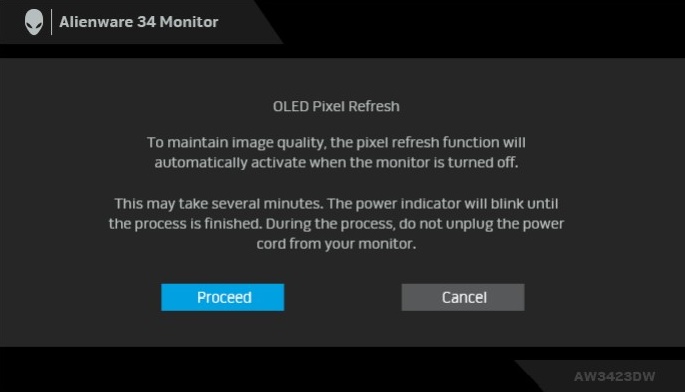
注意:如果顯示器的累計使用時間超過四小時,像素更新功能將在顯示器進入待機模式時自動啟動。
您可以從顯示器的螢幕顯示 (OSD) 功能表中關閉自動彈出訊息 (僅適用於 A-Rev 01 韌體及更新版本)。不建議這樣做,因為這有助於防止圖像在OLED螢幕上保留。
您可以從顯示器的螢幕顯示 (OSD) 功能表中關閉自動彈出訊息 (僅適用於 A-Rev 01 韌體及更新版本)。不建議這樣做,因為這有助於防止圖像在OLED螢幕上保留。
Affected Products
Alienware 34 Curved OLED Monitor AW3423DW, Alienware 34 Curved QD OLED Gaming Monitor AW3423DWFArticle Properties
Article Number: 000198595
Article Type: Solution
Last Modified: 13 Nov 2025
Version: 6
Find answers to your questions from other Dell users
Support Services
Check if your device is covered by Support Services.