Avamar / IDPA / PPDP: How to upgrade NDMP accelerator
Summary: This knowledge base article gives instructions on how to upgrade NDMP.
This article applies to
This article does not apply to
This article is not tied to any specific product.
Not all product versions are identified in this article.
Instructions
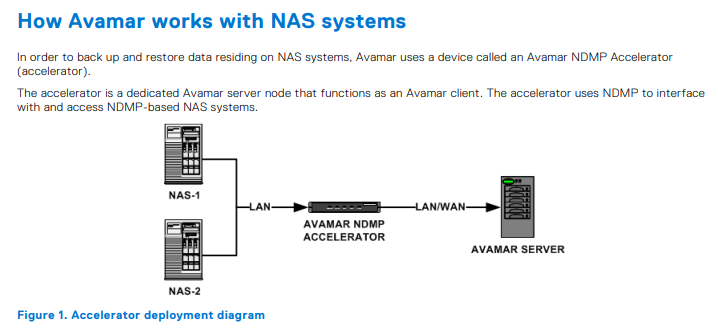
Upgrading NDMP requires three steps listed below:
- Obtaining the NDMP upgrade package.
- Uploading upgrade package to NDMP.
- Executing Upgrade.
Obtaining the NDMP upgrade package.
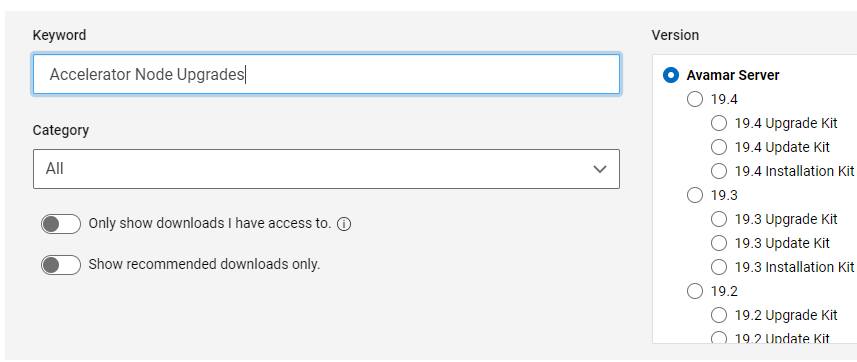
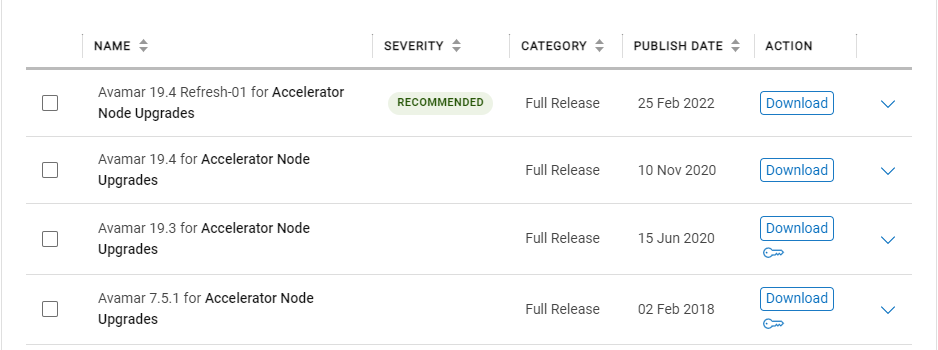
Upgrade packages for all NDMPs can be obtained from the support page of the Avamar Server product page.
Uploading Upgrade package to NDMP.
NDMP has Avamar installer (AVI) inbuilt which can be used for uploading and upgrading NDMP. To access the AVI open any web browser and follow the format provided below.
https://<avamarserver>/avi/
or
https://<avamarserver>:7543/avi/
Where <avamarserver> is the hostname or IP address of NDMP
Login with a root credential and navigate to the Repository to upload the upgrade package.
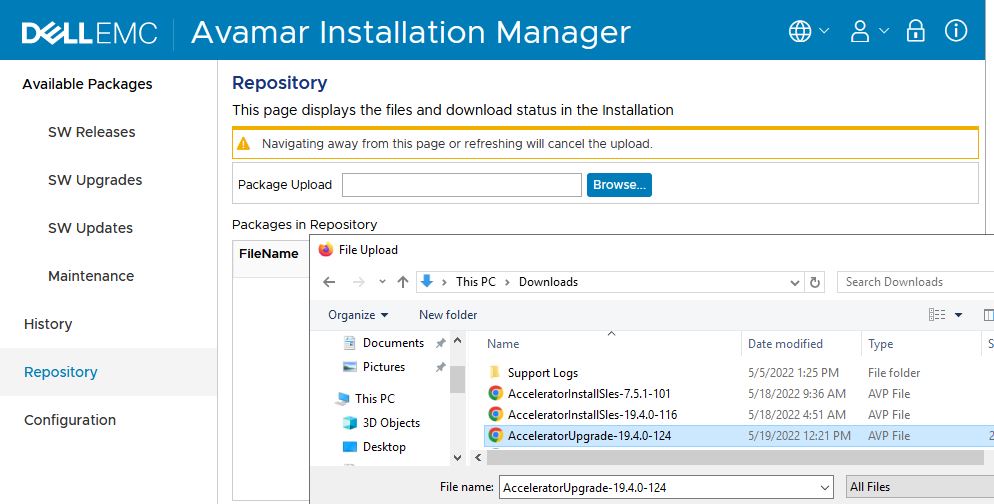
Wait till the Upgrade package is uploaded and verified. The installer would show message related to the package being accepted or rejected.
If an uploaded package is rejected check error message and open support ticket if required.
Executing Upgrade.
Once the upgrade package is uploaded it should show in the SW Upgrades tab listed on the left.
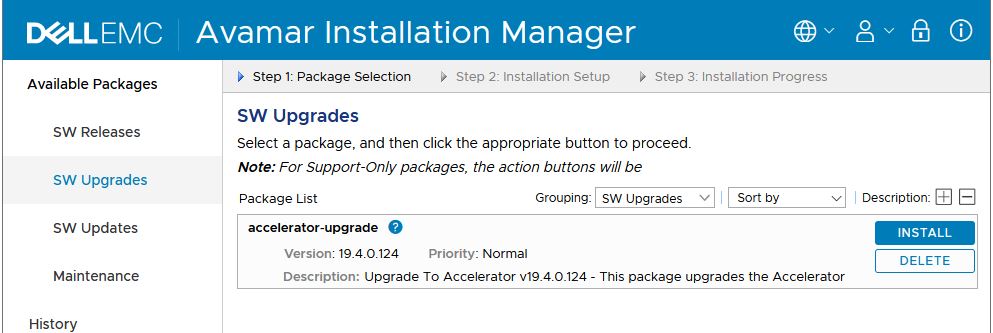
Select install and enter “ root “ password and being the upgrade process. Installer would restart while upgrading re-login and continue to monitor till the upgrade completes.
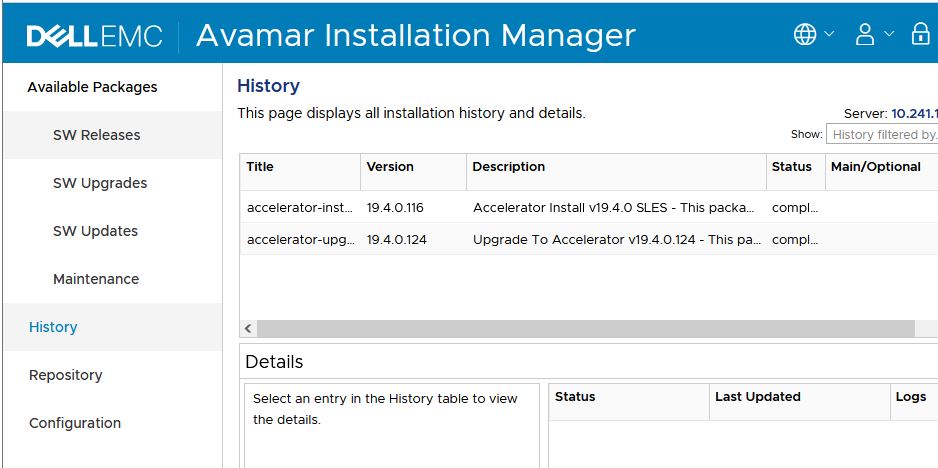
Once the upgrade is completed check the history tab to confirm the installation.
Affected Products
Avamar, PowerProtect DP4400Products
PowerProtect Data Protection Appliance, Avamar Plug-in for NDMP, Integrated Data Protection Appliance FamilyArticle Properties
Article Number: 000200020
Article Type: How To
Last Modified: 14 Dec 2022
Version: 8
Find answers to your questions from other Dell users
Support Services
Check if your device is covered by Support Services.