VxRail Manager: Upgrade Fails if Upgrading from v7.0.350, v7.0.37x to v7.0.37x or v7.0.40x
Summary: The update page on VxRail Manager plugin is stuck for a long period of time at "Temporary disconnection during this process is expected. You may be prompted to log in again after this step is complete." If the user refreshes the page, the following error is displayed, "Error: The VxRail Manager server may be unreachable, please check, and try again later." ...
This article applies to
This article does not apply to
This article is not tied to any specific product.
Not all product versions are identified in this article.
Symptoms
During a VxRail cluster upgrade, the VxRail Manager virtual machine reboots as a part of the upgrade process. This reboot may be elongated due to the issue described in this article which may cause your VxRail manager upgrade to fail.
You can detect this issue before upgrade by following the Resolution section "To detect this issue pre-upgrade" and take corrective action.
For VCF on VxRail environment, check the Resolution section "Automation script for VCF on VxRail environment"
Upgrade from 7.0.350 and up to a later version, the update page is stuck at:
Temporary disconnection during this process is expected. You may be prompted to log in again after this step is complete.
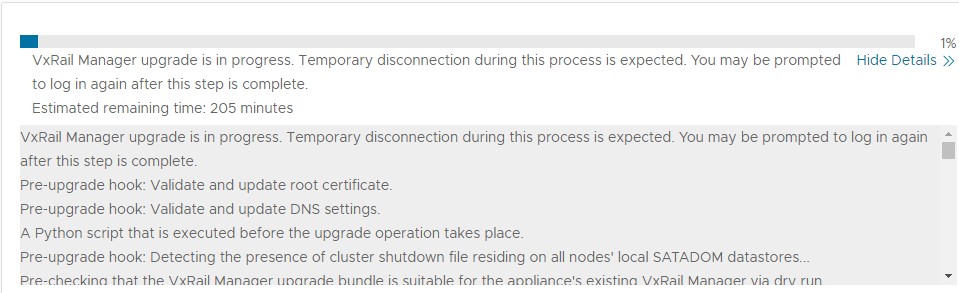
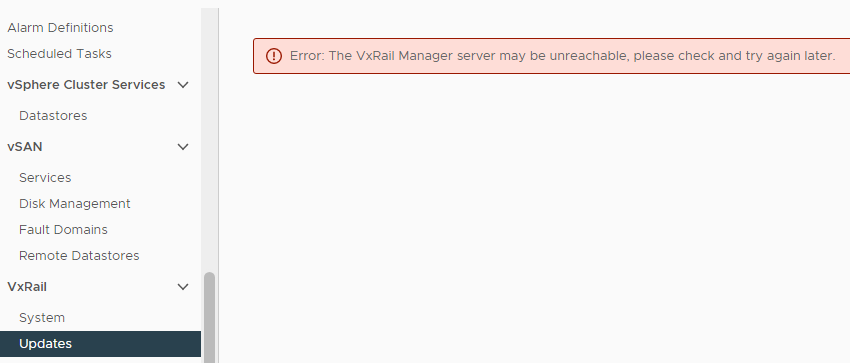
If you refresh the plugin page, you may get the following error:
Error: The VxRail Manager server may be unreachable, please check and try again later.
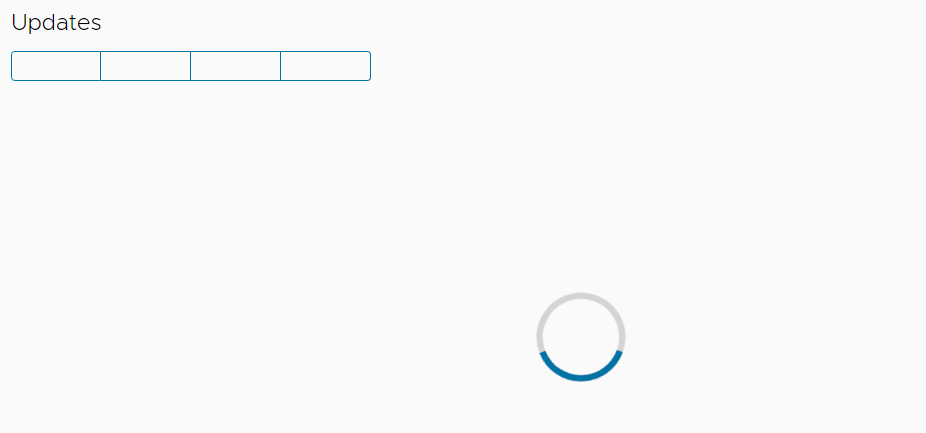
Or alternatively, the Updates page remains blank with a spinning circle.
If you check the docker status later, it is starting again. There are messages about Removing stale sandbox.
vxrm:/home/mystic # service docker status
* docker.service - Docker Application Container Engine
   Loaded: loaded (/usr/lib/systemd/system/docker.service; enabled; vendor preset: disabled)
   Active: activating (start) since Tue 2022-06-28 08:45:08 UTC; 51s ago
     Docs: http://docs.docker.com
 Main PID: 2469 (dockerd)
    Tasks: 29
   CGroup: /system.slice/docker.service
           |-2469 /usr/bin/dockerd --add-runtime oci=/usr/sbin/docker-runc
           |-2500 containerd --config /var/run/docker/containerd/containerd.toml --log-level info
           `-7618 netns-create /var/run/docker/netns/c11e1cdc45e7

Jun 28 08:45:59 vcluster101-vxrm dockerd[2469]: time="2022-06-28T08:45:59Z" level=info msg="SUSE:secrets :: enabled"
Jun 28 08:46:00 vcluster101-vxrm dockerd[2469]: time="2022-06-28T08:46:00Z" level=info msg="SUSE:secrets :: enabled"
Jun 28 08:46:00 vcluster101-vxrm dockerd[2469]: time="2022-06-28T08:46:00.067575568Z" level=info msg="Removing stale sandbox 8e691a444e77368434b3ba7f61ffa43b57ff3f5fb89a29269aea6e55ffb1c371 (1>
Jun 28 08:46:00 vcluster101-vxrm dockerd[2469]: time="2022-06-28T08:46:00Z" level=info msg="SUSE:secrets :: enabled"
Jun 28 08:46:00 vcluster101-vxrm dockerd[2469]: time="2022-06-28T08:46:00Z" level=info msg="SUSE:secrets :: enabled"
Jun 28 08:46:00 vcluster101-vxrm dockerd[2469]: time="2022-06-28T08:46:00.314790958Z" level=info msg="Removing stale sandbox de282ca0dc46bf72860c22fd109c73c2186f442731d6d7cc946ddd892d3b3042 (4>
Jun 28 08:46:00 vcluster101-vxrm dockerd[2469]: time="2022-06-28T08:46:00Z" level=info msg="SUSE:secrets :: enabled"
Jun 28 08:46:00 vcluster101-vxrm dockerd[2469]: time="2022-06-28T08:46:00Z" level=info msg="SUSE:secrets :: enabled"
Jun 28 08:46:00 vcluster101-vxrm dockerd[2469]: time="2022-06-28T08:46:00.540422680Z" level=info msg="Removing stale sandbox fce1f732f37f579aa844163aba3e52c498dfca4262d14c77c5b17fc6a470a4e3 (d>
Jun 28 08:46:00 vcluster101-vxrm dockerd[2469]: time="2022-06-28T08:46:00Z" level=info msg="SUSE:secrets :: enabled"
Cause
Starting from VxRail Manager v7.0.350, the vxm-agent runs commands in VxRail Manager OS, and each command generates a stale sandbox.
If there are many stale sandboxes, it may take a long time for VxRail Manager to clean up the stale sandboxes during reboot.
Review the resolution section to use the bbolt-inspector tool to determine how many stale sandboxes are present.
Resolution
This issue is resolved once you complete the upgrade to 7.0.400.
To detect this issue pre-upgrade:
It is recommended to use the executable tool attached to this article called bbolt-inspector which lets you detect how many sandboxes were generated before upgrading or rebooting VxRail Manager.
Usage:
- Download and upload
bbolt-inspector_csp.zipto VxRail Manager, place it under /home/mystic. - Extract it.
vxrm:/home/mystic # unzip bbolt-inspector_csp.zip
- Make the tool executable:
vxrm:/home/mystic # chmod a+x bbolt-inspector
- Switch to the root user
- Run the tool:
vxrm:/home/mystic # ./bbolt-inspector
Sample output:
Sandbox = fff73409cb4281e952668e9fc81ad56d24830e8275f322d15c8cfae17756fb36/
...
Sandbox = ingress_sbox/
Sandbox = lb_aqt17cbsa2dufkpetxt3ujt6z/
Total = 8166

Total 8166 sandboxes
If there are more than 2000 sandboxes, recommend doing a normal reboot on VxRail Manager prior to attempting an upgrade. This may take a long time, and recommend re-running the
bbolt script to monitor the reduction of stale sandboxes.
When rebooting once SSH access is restored, you can then re-run
bbolt multiple times and watch the count of the total sandboxes decreasing. It is normal for an amount of sandboxes to be present (circa 100) once the stale sandboxes are clear.
A reboot of VxRail Manager clears approximately 400 stale sandboxes per minute.
Once the stale sandboxes are clear, refresh the VxRail Manager plugin and it should appear.
It is imperative to begin your upgrade at your earliest convenience post a successful VxRail Manager reboot. This is in order to avoid encountering this same issue again.
To resolve this issue after upgrade failure:
Contact Dell Support or your Authorized Service Representative, and quote this article ID 000200622.
Automation script for VCF on VxRail environment
An automation script "vcf_vxrail_docker_stale_sandbox_cleaner.py" is designed for VCF on the VxRail environment. It clears the stale sandboxes for all VxRail managers under that same SDDC.
It is recommended to run the script before upgrade from VCF 4.4.1.x + VxRail 7.0.37x to later releases.
If this issue is already experienced during upgrade, you can also run this script as a resolution.
Steps:
- Download
vcf_vxrail_docker_stale_sandbox_cleaner_v1_csp.zipfrom the article attachment. - Upload the .zip file to the SDDC manager.
- SSH login to the SDDC manager and switch to the root user
- Extract the
vcf_vxrail_docker_stale_sandbox_cleaner_v1_csp.zipfile, and keep the extracted files under the same directory. - Run the script using the below command, and provide the SSO credentials according to the script wizard indication.
python vcf_vxrail_docker_stale_sandbox_cleaner.py
Script execution example:

Affected Products
VxRailArticle Properties
Article Number: 000200622
Article Type: Solution
Last Modified: 15 May 2025
Version: 24
Find answers to your questions from other Dell users
Support Services
Check if your device is covered by Support Services.