NetWorker: How to take backup of "Backup Catalog" of SAP HANA.
Summary: This KB details configuration procedure to take backup of "Backup Catalog" of SAP HANA.
This article applies to
This article does not apply to
This article is not tied to any specific product.
Not all product versions are identified in this article.
Instructions
Perform the below procedure by or in collaboration of Backup Admin with SAP HANA Admin. Once below configuration updated, backup catalog is backed up when full or delta backups run for the client.

Figure 1: Open SAP HANA Studio and Login to SYSTEMDB Database

Figure 2: Right Click SYSTEMDB and go to Configuration and Monitoring > Open Administration.

Figure 3: Click Configuration Tab

Figure 4: Type Catalog in Filter and Press Enter
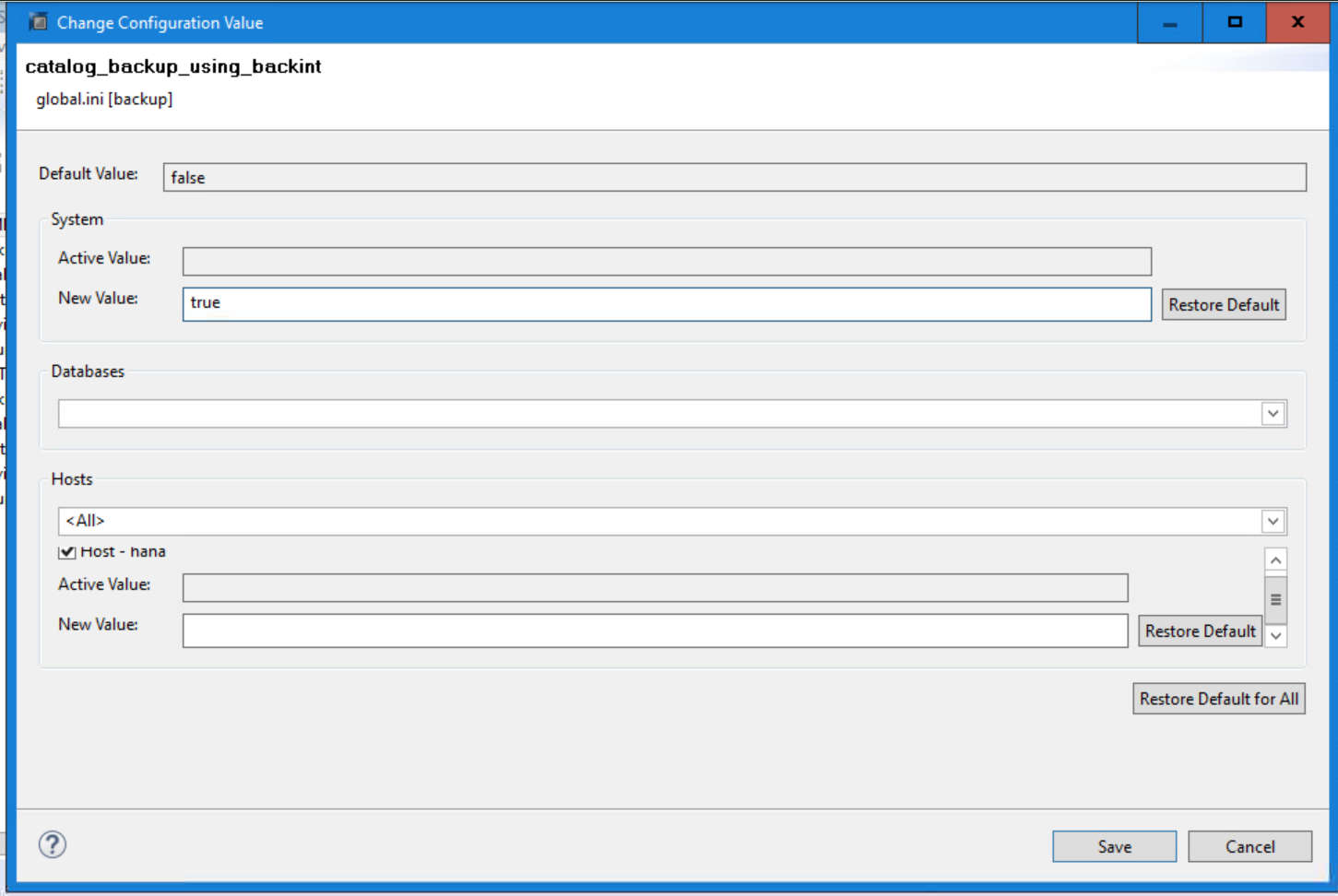
Figure 5: Double-click catalog_backup_using_backint, provide value True in New Value field, and click Save.

Figure 6: Screenshot of Updated System View
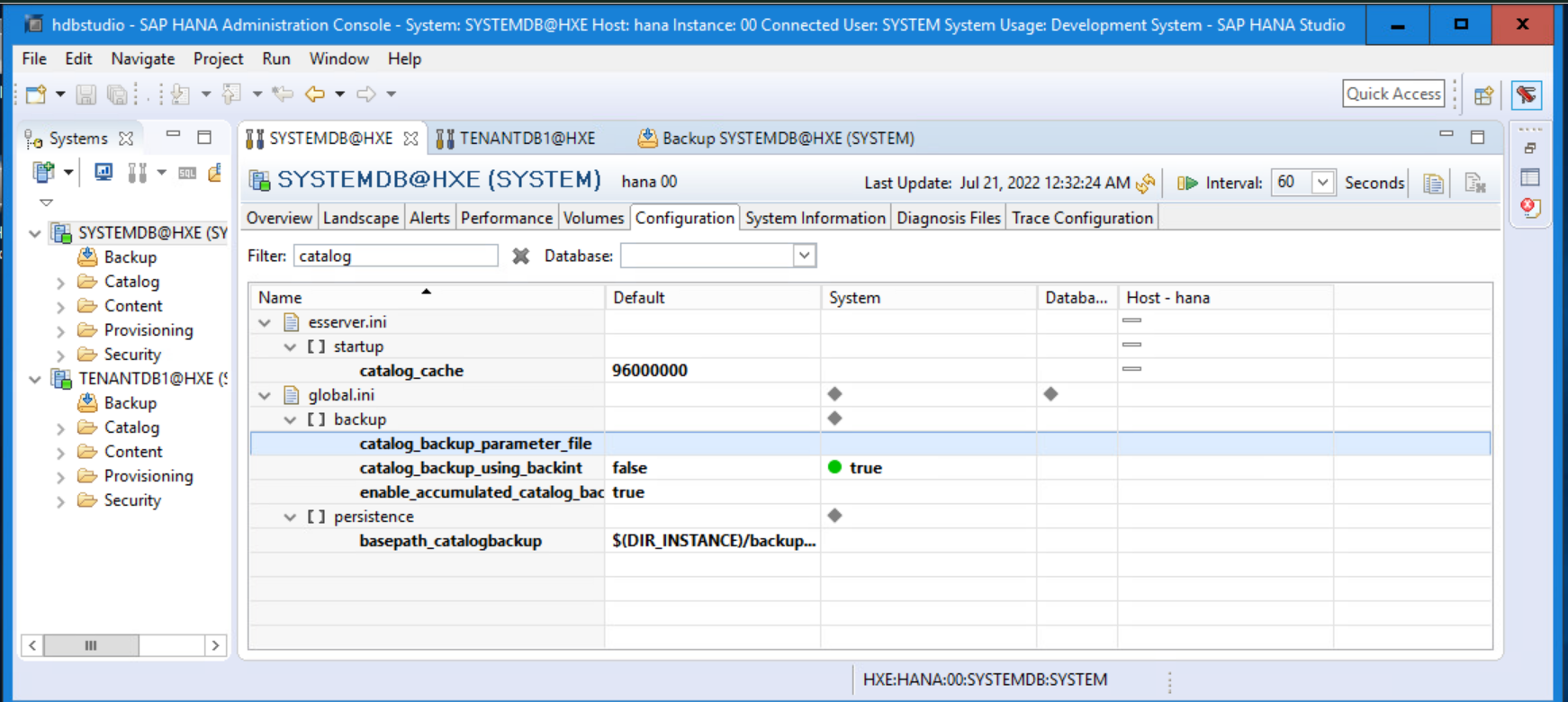
Figure 7: Double-click catalog_backup_parameter_file, provide value /etc/init_hana_nmsap.utl in New Value field, and click Save.
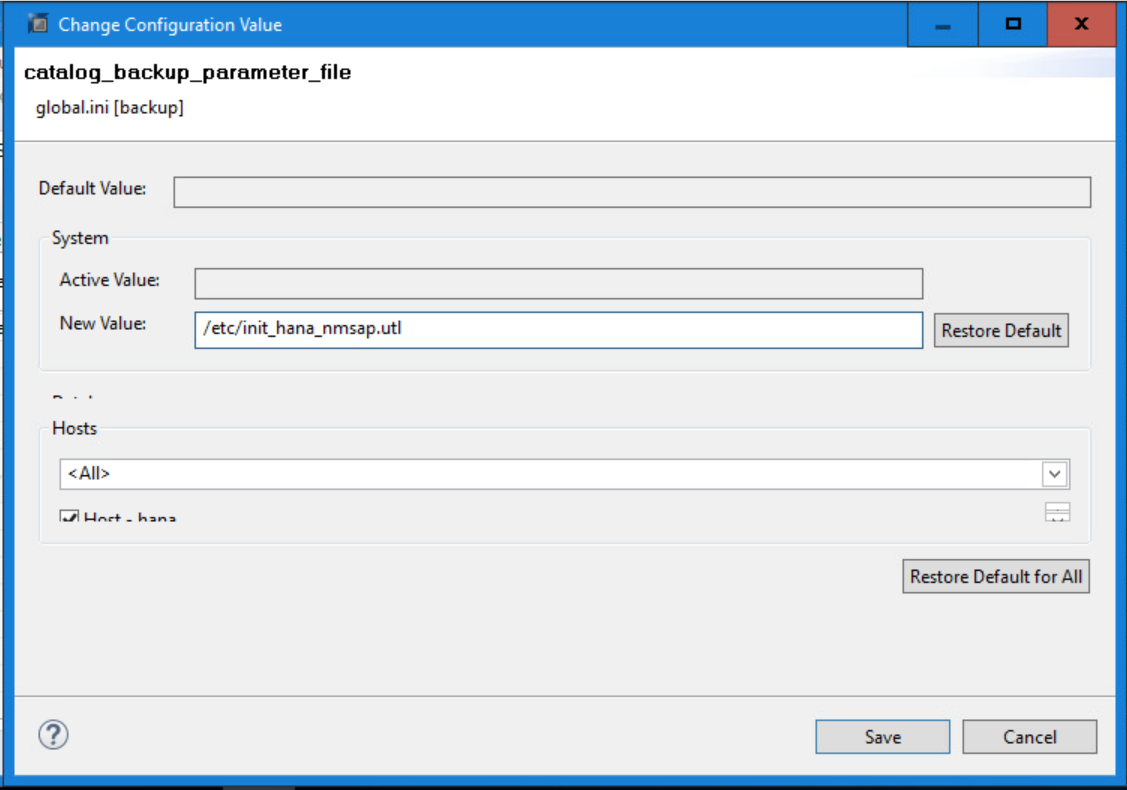
Figure 8: Adding New Value to catalog_backup_parameter_file

Figure 9: Screenshot of Updated System View with New Value

Figure 10: Screenshot of /etc/init_hana_nmsap.utl Mandatory Parameters
- Open SAP HANA Studio and login to SYSTEMDB Database
Figure 1: Open SAP HANA Studio and Login to SYSTEMDB Database
- Right Click SYSTEMDB and go to Configuration and Monitoring > Open Administration.
Figure 2: Right Click SYSTEMDB and go to Configuration and Monitoring > Open Administration.
- Click Configuration Tab
Figure 3: Click Configuration Tab
- Type Catalog in filter and press Enter.
Figure 4: Type Catalog in Filter and Press Enter
- Double-click catalog_backup_using_backint, provide value True in New Value field, and click Save.
Figure 5: Double-click catalog_backup_using_backint, provide value True in New Value field, and click Save.
Figure 6: Screenshot of Updated System View
- Double-click catalog_backup_parameter_file, provide value /etc/init_hana_nmsap.utl in New Value field, and click Save.
Figure 7: Double-click catalog_backup_parameter_file, provide value /etc/init_hana_nmsap.utl in New Value field, and click Save.
Figure 8: Adding New Value to catalog_backup_parameter_file
Figure 9: Screenshot of Updated System View with New Value
NOTE: Parameter file /etc/init_hana_nmsap.utl is available at client once NMSAP is installed and is used for log backups and for manual backups. It includes mandatory parameter NSR_SERVER with value of NetWorker server hostname and also optional parameters like NSR_CLIENT which should be populated in scale-out architecture.
Figure 10: Screenshot of /etc/init_hana_nmsap.utl Mandatory Parameters
Article Properties
Article Number: 000201745
Article Type: How To
Last Modified: 13 Jun 2023
Version: 4
Find answers to your questions from other Dell users
Support Services
Check if your device is covered by Support Services.