Komputer Latitude 5430 ma nieprawidłowy adres MAC na etykiecie kartonu
Summary: Niektóre komputery Latitude 5430 mogą mieć nieprawidłowy adres MAC na opakowaniu wysyłkowym. Poniżej opisano, jak znaleźć prawidłowe adresy MAC.
This article applies to
This article does not apply to
This article is not tied to any specific product.
Not all product versions are identified in this article.
Symptoms
Dotyczy platform:
- Latitude 5430
Cause
Nie dotyczy
Resolution
Adres MAC klienta można uzyskać w systemie BIOS lub Windows .
BIOS:

Windows:
- Naciśnij Win + R.
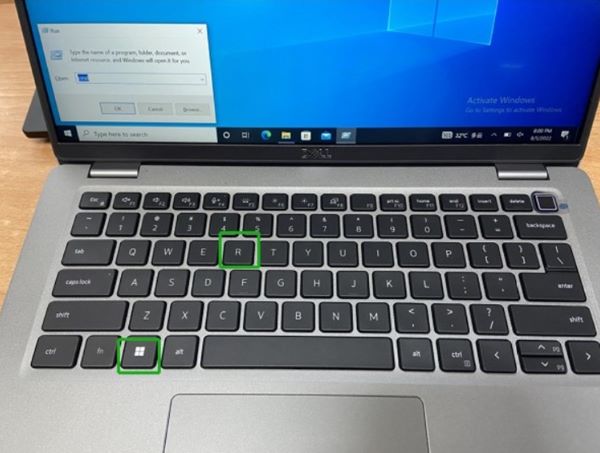
- Wpisz
cmda następnie kliknij OK.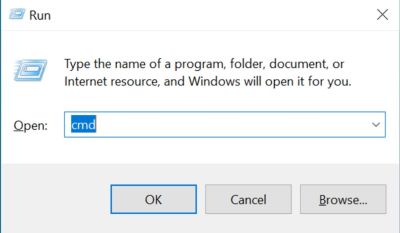
- Wpisz
getmac/v, a następnie kliknij Enter , aby sprawdzić adres MAC.
Affected Products
Latitude 5430Article Properties
Article Number: 000202419
Article Type: Solution
Last Modified: 24 Apr 2025
Version: 5
Find answers to your questions from other Dell users
Support Services
Check if your device is covered by Support Services.