Windows Server:RDSワークグループ環境でのエラー
Summary: この記事では、RDSワークグループ環境のエラーを解決します
This article applies to
This article does not apply to
This article is not tied to any specific product.
Not all product versions are identified in this article.
Symptoms
リモート デスクトップ ライセンスがワークグループ環境で機能しない。
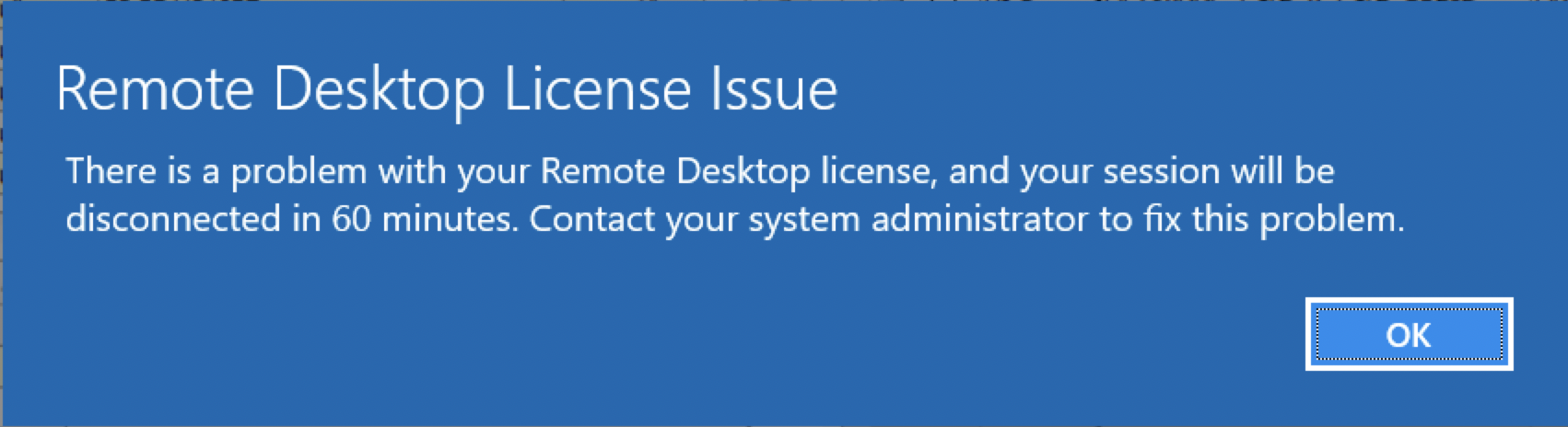
ユーザーに次のエラーが表示されます。
「There is a problem with your Remote Desktop license, and your session will be disconnected in 60 minutes.」Contact your System Administrator to fix this problem.」
 <
<
Cause
ワークグループ環境では、デバイス単位のリモート デスクトップ ライセンスのみがサポートされます。
Resolution
リモート デスクトップ ライセンスをデバイス単位に変更します。これは、リモート デスクトップ ライセンス マネージャーで[Per User]ライセンスを右クリックし、[Per Device]に変換することを選択することで実行できます。
ユーザー単位のライセンスが必要な場合は、ドメインを作成し、すべてのサーバーをドメインに参加させる必要があります
ワークグループ環境では、サーバーのライセンス モードをデバイス単位で2に設定し、リモート デスクトップ ライセンスを発行できるようにライセンス サーバー名を設定する必要があります
これは、[スタート] > [ファイル名を指定して実行]の順に進み、「regedit」と入力してEnterを押すことで、次のレジストリーの場所で設定できます。
4 = ユーザー単位
2 = デバイス単位
ライセンス サーバーは、次のレジストリーを使用して設定することもできます。
ユーザー単位のライセンスが必要な場合は、ドメインを作成し、すべてのサーバーをドメインに参加させる必要があります
ワークグループ環境では、サーバーのライセンス モードをデバイス単位で2に設定し、リモート デスクトップ ライセンスを発行できるようにライセンス サーバー名を設定する必要があります
これは、[スタート] > [ファイル名を指定して実行]の順に進み、「regedit」と入力してEnterを押すことで、次のレジストリーの場所で設定できます。
HKEY_LOCAL_MACHINE\SYSTEM\CurrentControlSet\Control\Terminal Server\RCM\Licensing Core
DWORD LicensingMode
4 = ユーザー単位
2 = デバイス単位
ライセンス サーバーは、次のレジストリーを使用して設定することもできます。
HKEY_LOCAL_MACHINE\SYSTEM\CurrentControlSet\Services\TermService\Parameters\LicenseServers

REG_MULTI_SZ SpecifiedLicenseServers = Servername
Affected Products
Microsoft Windows Server 2019, Microsoft Windows 2008 Server R2Products
Microsoft Windows Server 2016, Microsoft Windows 2008 Server Service Pack 2, Microsoft Windows 2012 Server, Microsoft Windows 2012 Server R2Article Properties
Article Number: 000203627
Article Type: Solution
Last Modified: 05 Sep 2025
Version: 7
Find answers to your questions from other Dell users
Support Services
Check if your device is covered by Support Services.