Windows Server:RDS 工作群組環境中發生錯誤
Summary: 本文解決了 RDS 工作組環境中的錯誤
This article applies to
This article does not apply to
This article is not tied to any specific product.
Not all product versions are identified in this article.
Symptoms
無法在工作群組環境中運作的遠端桌面授權。
使用者收到以下錯誤:
您的遠端桌面授權發生問題,您的工作階段將在 60 分鐘內中斷連線。請聯絡您的系統管理員以解決此問題。
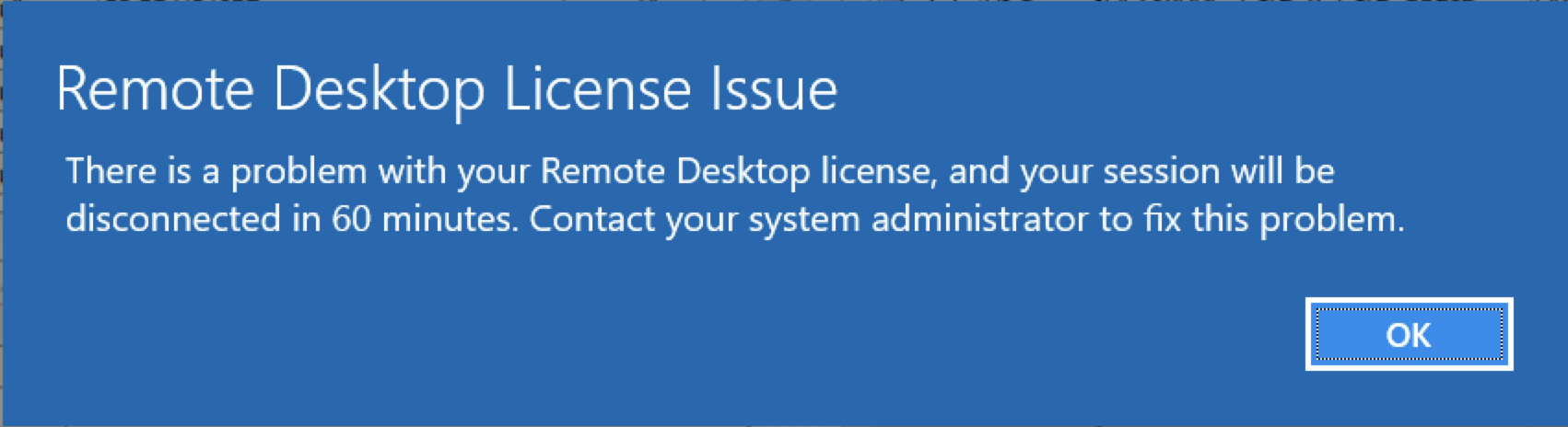 <
<
Cause
在工作群組環境中僅支援每個裝置的遠端桌面授權。
Resolution
將遠端桌面授權變更為每個裝置。您可以在遠端桌面授權管理員中,透過於每個使用者授權上按右鍵並選擇轉換為每個裝置來完成此作業。
如果需要每使用者許可證,則必須創建一個域並將所有伺服器加入該域。
在工作組環境中,伺服器的許可證模式應設置為「每個設備」的 2,並且應將許可證伺服器名稱配置為允許頒發遠端桌面許可證。
您可以在下列登錄檔位置進行設定,方法是前往開始 > 執行,然後輸入 regedit,然後按下 Enter 鍵。
4 = 每個使用者
2 = 每個裝置
授權伺服器也可透過此處的登錄檔設定:
如果需要每使用者許可證,則必須創建一個域並將所有伺服器加入該域。
在工作組環境中,伺服器的許可證模式應設置為「每個設備」的 2,並且應將許可證伺服器名稱配置為允許頒發遠端桌面許可證。
您可以在下列登錄檔位置進行設定,方法是前往開始 > 執行,然後輸入 regedit,然後按下 Enter 鍵。
HKEY_LOCAL_MACHINE\SYSTEM\CurrentControlSet\Control\Terminal Server\RCM\Licensing Core
DWORD LicensingMode
4 = 每個使用者
2 = 每個裝置
授權伺服器也可透過此處的登錄檔設定:
HKEY_LOCAL_MACHINE\SYSTEM\CurrentControlSet\Services\TermService\Parameters\LicenseServers

REG_MULTI_SZ SpecifiedLicenseServers = Servername
Affected Products
Microsoft Windows Server 2019, Microsoft Windows 2008 Server R2Products
Microsoft Windows Server 2016, Microsoft Windows 2008 Server Service Pack 2, Microsoft Windows 2012 Server, Microsoft Windows 2012 Server R2Article Properties
Article Number: 000203627
Article Type: Solution
Last Modified: 05 Sep 2025
Version: 7
Find answers to your questions from other Dell users
Support Services
Check if your device is covered by Support Services.