Unisphere for PowerMax: Die Remote-Syslog-Konfiguration schlägt mit der Fehlermeldung "java.net.SocketException: Verbindung zurücksetzen"
Summary: Die Remote-Syslog-Konfiguration schlägt mit dem Fehler "java.net.SocketException: Verbindung zurückgesetzt."
This article applies to
This article does not apply to
This article is not tied to any specific product.
Not all product versions are identified in this article.
Symptoms
Beim Versuch, Remote Syslog über Setting > Security > Remote Syslog in Unisphere for PowerMax zu konfigurieren, schlägt dies mit folgendem Fehler fehl:
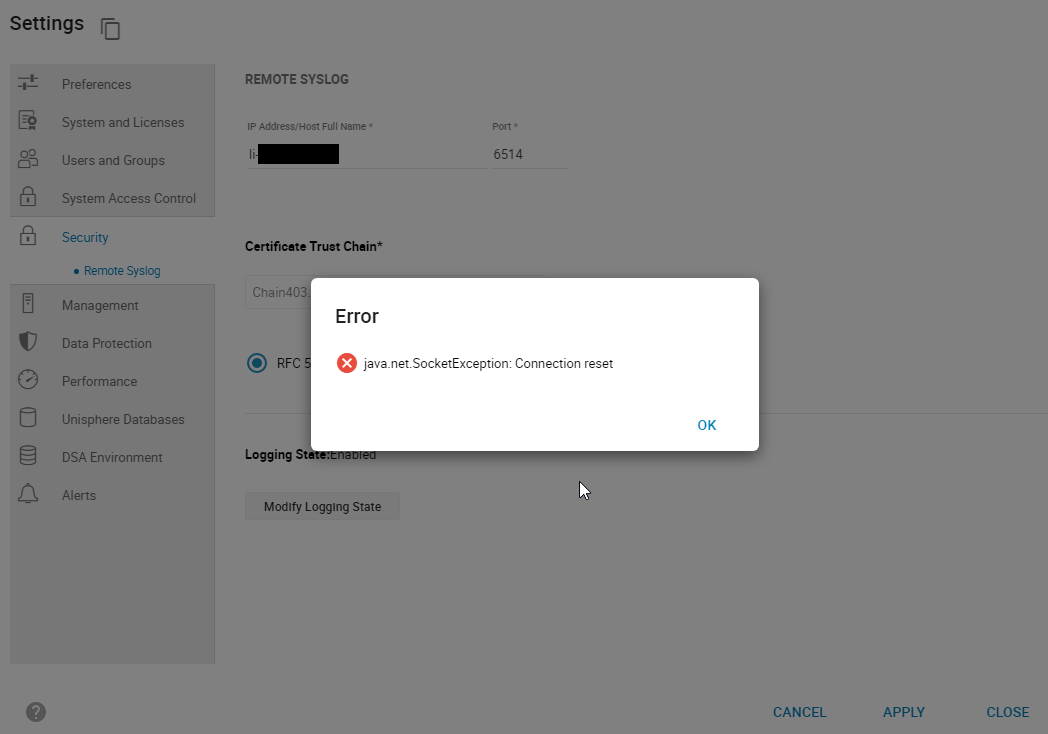
smas.log hat nur die folgenden Einträge:
java.net.SocketException: Connection reset
Abbildung 1: Error:
java.net.SocketException: Verbindung zurücksetzen
smas.log hat nur die folgenden Einträge:
2022-03-04 14:49:11,568 ERROR [em.bp.SECURITY] (default task-40) SecurityCommandProcessor.processConfigureRemoteSyslogCommand:java.net.SocketException: Connection reset
2022-03-04 14:51:39,978 ERROR [em.bp.SECURITY] (default task-14) SecurityCommandProcessor.processConfigureRemoteSyslogCommand:java.net.SocketException: Connection reset
2022-03-07 15:50:51,998 ERROR [em.bp.SECURITY] (default task-31) SecurityCommandProcessor.processConfigureRemoteSyslogCommand:java.net.SocketException: Connection reset
Cause
Dieser Fehler ist auf ein Netzwerkproblem zurückzuführen.
Resolution
Das Netzwerkteam des Nutzers hat festgestellt, dass der Datenverkehr für Port 6514 blockiert wurde. Sobald das Netzwerkproblem behoben war, konnte Remote Syslog konfiguriert werden.
Affected Products
Unisphere for PowerMaxArticle Properties
Article Number: 000204186
Article Type: Solution
Last Modified: 11 Jul 2024
Version: 3
Find answers to your questions from other Dell users
Support Services
Check if your device is covered by Support Services.