Unisphere for PowerMax: 원격 Syslog 구성이 실패하고 "java.net.SocketException: 연결 재설정"
Summary: 원격 syslog 구성이 실패하고 "java.net.SocketException: 연결 재설정됨." 오류 메시지가 표시됩니다.
This article applies to
This article does not apply to
This article is not tied to any specific product.
Not all product versions are identified in this article.
Symptoms
Unisphere for PowerMax의 보안 > 원격 syslog 설정 > 에서 원격 syslog를 구성하려고 하면 다음 오류와 함께 실패합니다.
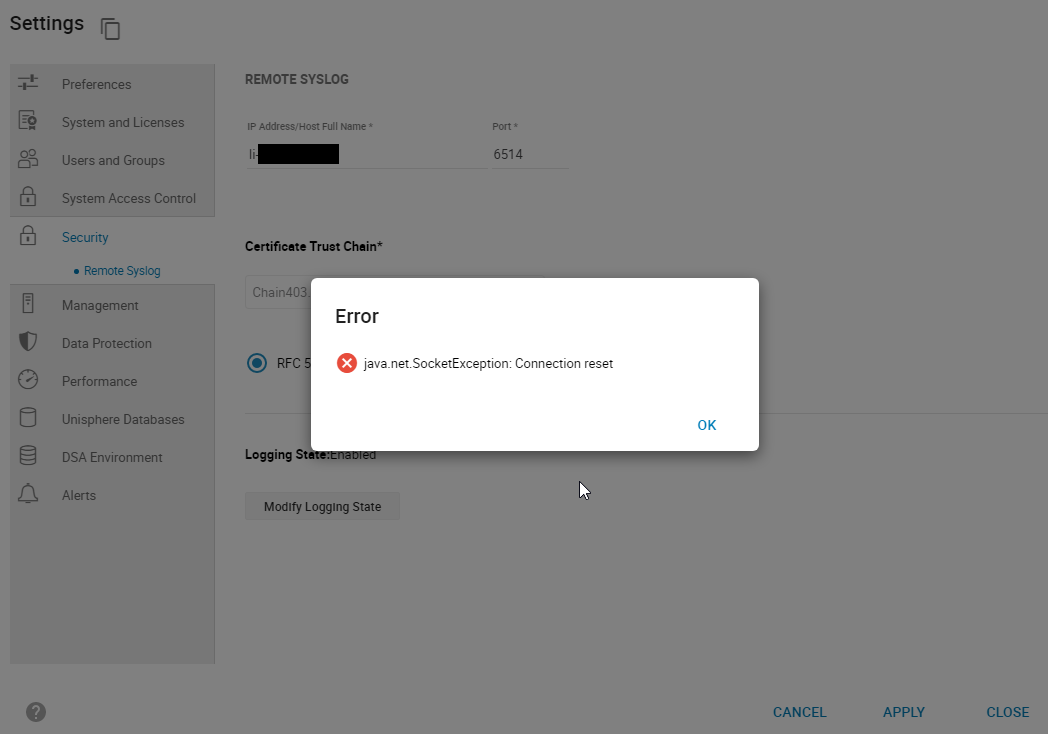
smas.log에는 다음 항목만 있습니다.
java.net.SocketException: Connection reset
그림 1: 오류:
java.net.SocketException: 연결 재설정
smas.log에는 다음 항목만 있습니다.
2022-03-04 14:49:11,568 ERROR [em.bp.SECURITY] (default task-40) SecurityCommandProcessor.processConfigureRemoteSyslogCommand:java.net.SocketException: Connection reset
2022-03-04 14:51:39,978 ERROR [em.bp.SECURITY] (default task-14) SecurityCommandProcessor.processConfigureRemoteSyslogCommand:java.net.SocketException: Connection reset
2022-03-07 15:50:51,998 ERROR [em.bp.SECURITY] (default task-31) SecurityCommandProcessor.processConfigureRemoteSyslogCommand:java.net.SocketException: Connection reset
Cause
이 오류는 네트워크 문제로 인해 발생합니다.
Resolution
사용자의 네트워크 팀이 포트 6514에 대해 트래픽이 차단된 것을 발견했습니다. 네트워크 문제가 해결되면 원격 syslog를 구성할 수 있습니다.
Affected Products
Unisphere for PowerMaxArticle Properties
Article Number: 000204186
Article Type: Solution
Last Modified: 11 Jul 2024
Version: 3
Find answers to your questions from other Dell users
Support Services
Check if your device is covered by Support Services.