VMware ESXi: Which ESXCLI commands can be used to view Host Hardware, Storage and Virtual Switch
Summary: The following article provides information about some ESXCLI commands that can be used to gather information about the configuration of the host, for example the Host Hardware Configuration, Storage, and Virtual Switch Information. ...
This article applies to
This article does not apply to
This article is not tied to any specific product.
Not all product versions are identified in this article.
Instructions
Access to the ESXi hosts through a putty session or DCUI in order to issue the ESXCLI commands.
To view the time and date on the ESXi host:
esxcli hardware clock get

To view the number of CPUs on the host:
Note: You must press the spacebar to scroll through the output. When done, press q to exit the less utility.
esxcli hardware cpu list | less

To view the Storage Configuration of the vSphere Environment issue the following ESXCLI commands:
To view the number of VMFS extents that are available to the host:
esxcli storage vmfs extent list

To view the SCSI host bus adapters:
esxcli storage core adapter list

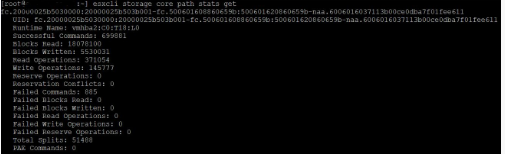
To view the SCSI path statistics:
esxcli storage core path stats get
To view a list of LUNs connected to the ESXi host:
esxcli storage core device list
To view the boot partitions and the datastores that are available to each host:
esxcli storage filesystem list

To view the virtual switch configuration of the vSphere environment issue the following ESXCLI commands:
To view the IP address of the DNS server:
esxcli network ip dns server list

To view the physical NICs:
esxcli network nic list

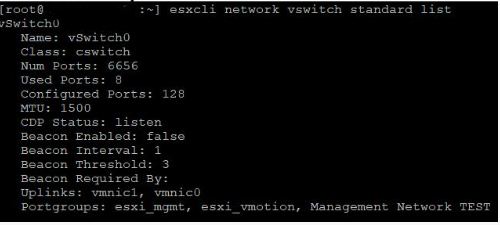
To view that two standard switches are available to the host:
esxcli network vswitch standard list
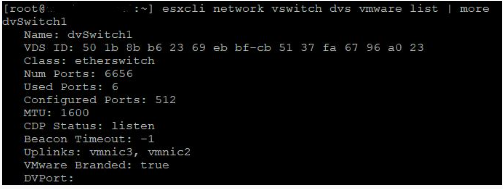
To view the available distributed switches:
esxcli network vswitch dvs vmware list | more
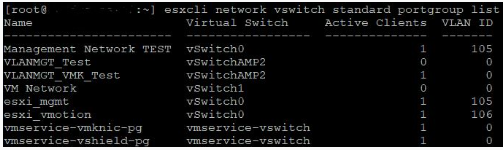
To view the standard switch port groups:
esxcli network vswitch standard portgroup list
To view the VMkernel interfaces on the host:
esxcli network ip interface list | less
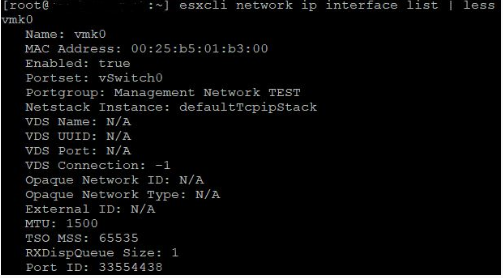
To view the IP address and subnet mask of the VMkernel interfaces on the host:
esxcli network ip interface ipv4 get
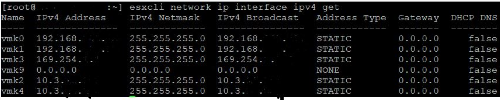
To view the default gateway address for the VMkernel interfaces on the host:
esxcli network ip route ipv4 list
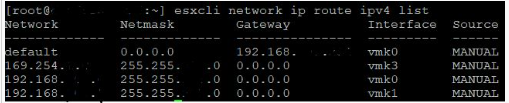
Affected Products
VMware ESXiArticle Properties
Article Number: 000204754
Article Type: How To
Last Modified: 09 Dec 2024
Version: 3
Find answers to your questions from other Dell users
Support Services
Check if your device is covered by Support Services.