VxRail: Host Connection Failure Due to Host Certificate Was Not Generated or Renewed
Summary: VxRail manager failed to connect to ESXi hosts if the hosts certificate mode is set to thumbprint mode for a prolonged time. The certificate may not be generated or renewed.
This article applies to
This article does not apply to
This article is not tied to any specific product.
Not all product versions are identified in this article.
Symptoms
In a VxRail cluster, if the ESXi host certificate mode is set to thumbprint mode for a long time, Lifecycle Manager (LCM) or node expansion will fail due to VxRail manager cannot connect to the hosts.
Cause
Thumbprint certificate mode should only be used as a fallback option or for temporary troubleshooting purpose.
In thumbprint mode, vCenter Server will not try to generate/renew ESXi host certificate or to do a proper TLS handshake with ESXi hosts.
When a user changed the certificate mode to thumbprint mode during cluster initial configuration or changed it for a long time, the ESXi hosts certificates will not be renewed and causes VxRail manager connecting to host failure.
Resolution
Change the ESXi certificate mode to VMCA mode or Custom mode based on your needs.
VMCA mode
- Open vSphere Client, select the vCenter that manages the hosts.
- Click Configure, and under Settings, click Advanced Settings.
- Click Edit Settings.
- Click the Filter icon in the Name column, and in the Filter box, enter
vpxd.certmgmtto display only certificate management parameters. - Change the value of
vpxd.certmgmt.modetovmcathen click Save.
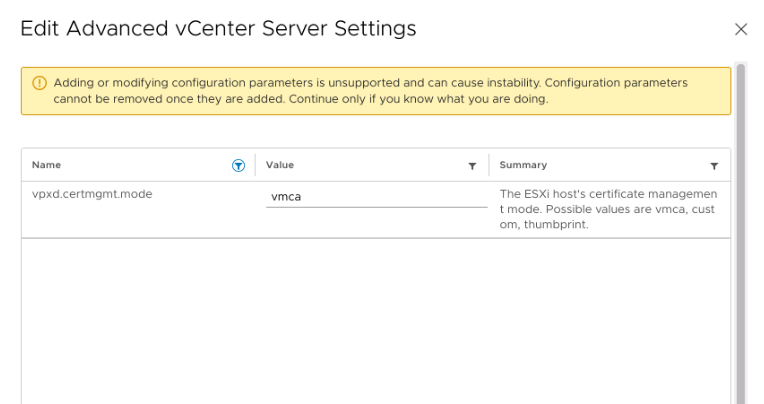
- SSH login to vCenter as root user, run below commands to restart the services
service-control --stop --all
service-control --start --all
- Disconnect and then reconnect the managed hosts using vCenter UI one by one.
Custom Mode
- Open vSphere Client, select the vCenter that manages the hosts.
- Click Configure, and under Settings, click Advanced Settings.
- Click Edit Settings.
- Click the Filter icon in the Name column, and in the Filter box, enter
vpxd.certmgmtto display only certificate management parameters. - Change the value of
vpxd.certmgmt.modeto custom then click Save.
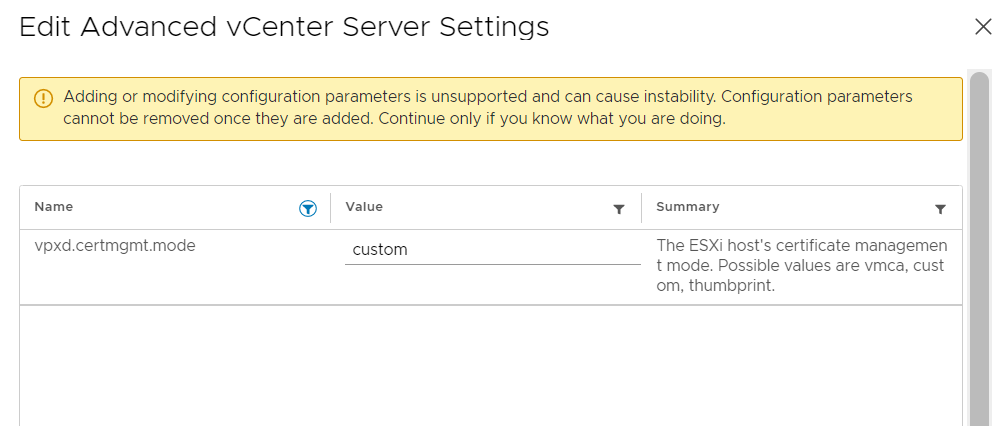
- SSH login to vCenter as root user, run below commands to restart the services
service-control --stop --all
service-control --start --all
- Disconnect and then reconnect the managed hosts using vCenter UI one by one.
Additional Information
Check VMware document (External Link) for more information about certificate management for ESXi Hosts.
Article Properties
Article Number: 000205158
Article Type: Solution
Last Modified: 22 Jan 2026
Version: 2
Find answers to your questions from other Dell users
Support Services
Check if your device is covered by Support Services.