PowerEdge: How to Configure Isolation Response Address for ESXi Hosts
Summary: The Isolation Response Address feature allows configuration of additional IP Addresses for ESXi hosts in vSphere 6 using vSphere HA.
This article applies to
This article does not apply to
This article is not tied to any specific product.
Not all product versions are identified in this article.
Instructions
How to configure Isolation Response Address for ESXi hosts that cannot communicate with the Fault domain manager (FDM) Primary host.
Facts:
-
vSphere HA
-
Isolation Response Address
-
FDM Primary Host
-
vSphere 6
Solution:
To configure the isolation response, perform the following steps:
- Connect to the vCenter Server using vSphere Web Client.
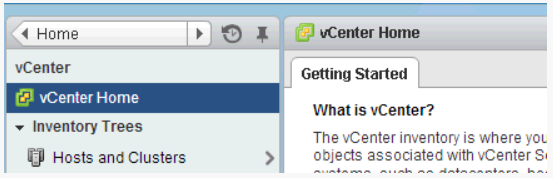
- Go to the Hosts and Clusters View.
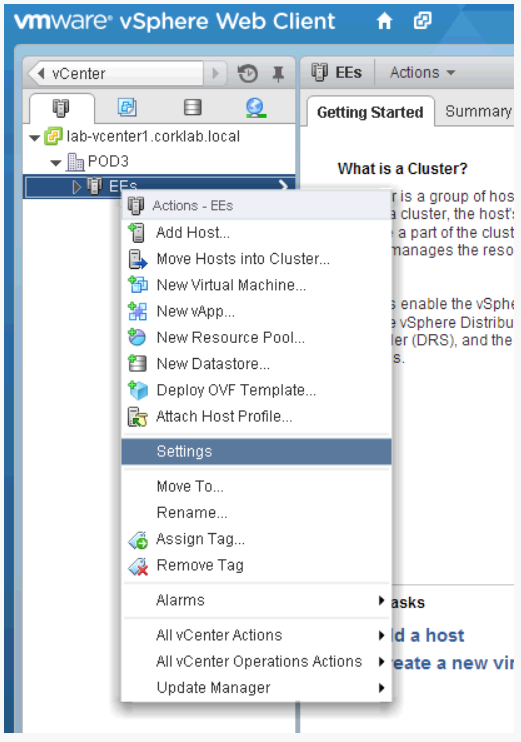
- Right-click the cluster where the Isolation Response Address is to be configured.
- Select the Settings option.
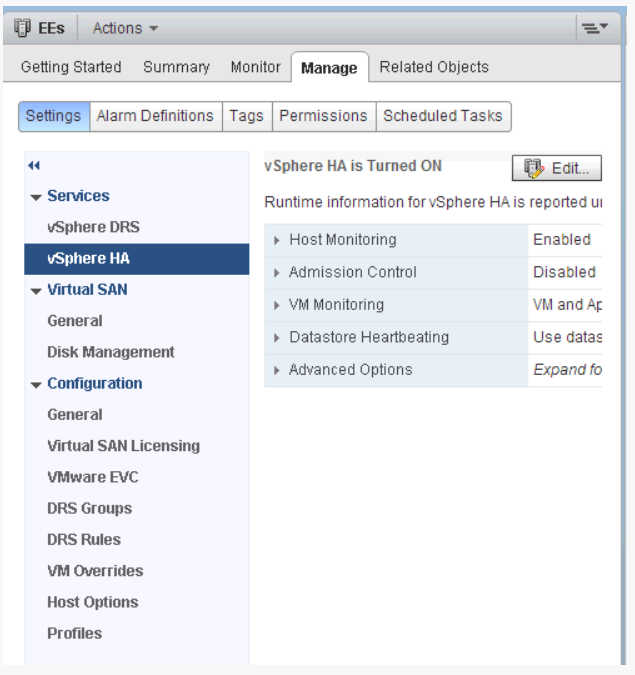
- Select the Manage tab.
- Ensure that vSphere HA is selected in the left column.
- Click the Edit button.
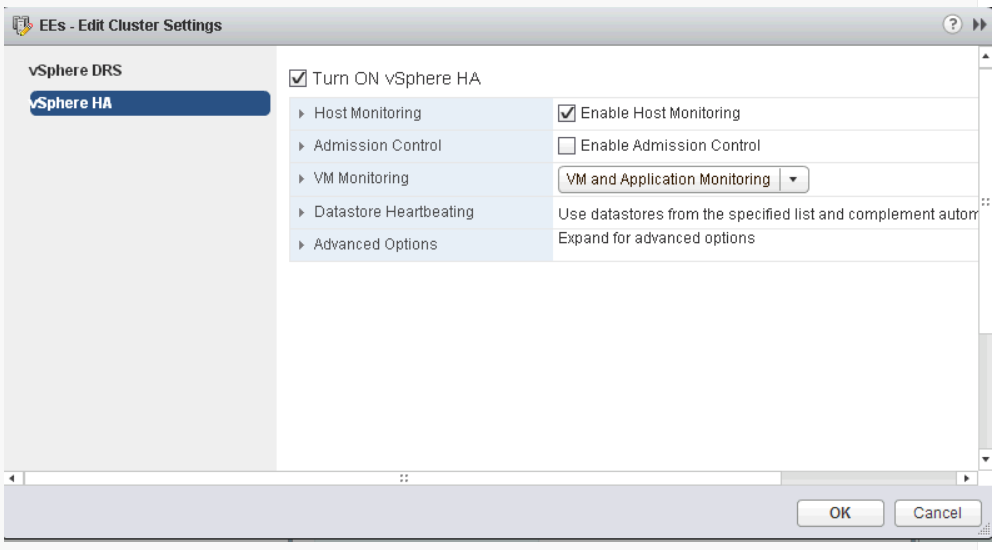
- Then expand the Advanced Options section.
- Click the Add button.
- Enter das.isolationaddress in the Option column of the Advanced Options dialog box.
- Enter the IP Address to be used as the Isolation Response Address for the ESXi hosts.
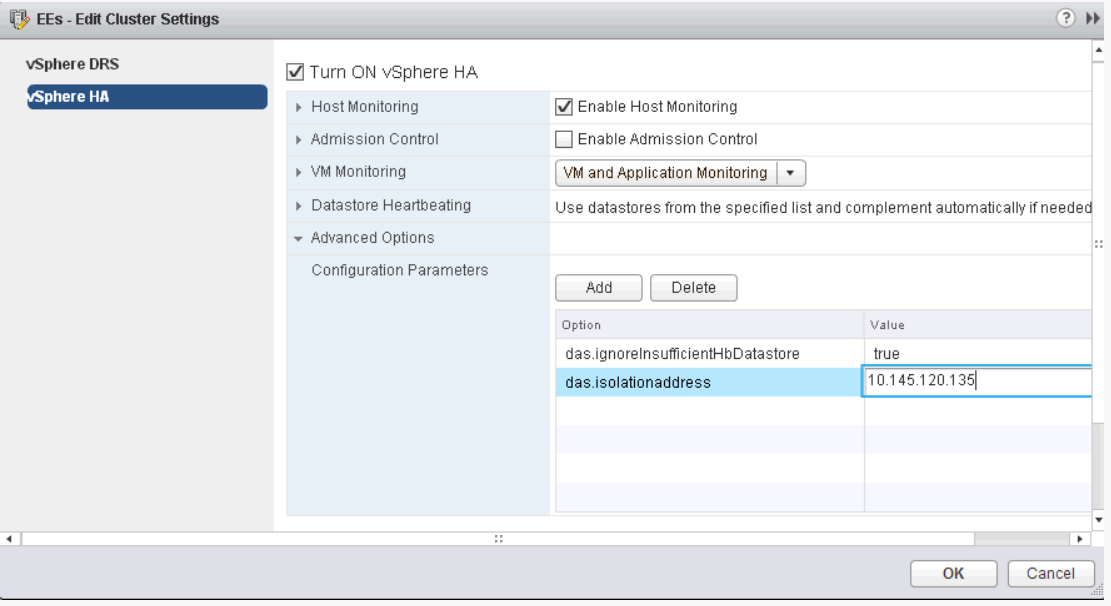
- Click the OK button.
Affected Products
PowerEdge XR2, PowerEdge R240, PowerEdge R250, PowerEdge R260, PowerEdge R340, PowerEdge R350, PowerEdge R360, PowerEdge R440, PowerEdge R450, PowerEdge R470, PowerEdge R540, PowerEdge R550, PowerEdge R640, PowerEdge R6415, PowerEdge R650
, PowerEdge R650xs, PowerEdge R6515, PowerEdge R6525, PowerEdge R660, PowerEdge R660xs, PowerEdge R6615, PowerEdge R6625, PowerEdge R670, PowerEdge R740, PowerEdge R740XD, PowerEdge R740XD2, PowerEdge R7415, PowerEdge R7425, PowerEdge R750, PowerEdge R750XA, PowerEdge R750xs, PowerEdge R7515, PowerEdge R7525, PowerEdge R760, PowerEdge R760XA, PowerEdge R760xd2, PowerEdge R760xs, PowerEdge R7615, PowerEdge R7625, PowerEdge R770, PowerEdge R7715, PowerEdge R7725, PowerEdge R840, PowerEdge R860, PowerEdge R940, PowerEdge R940xa, PowerEdge R960, PowerEdge T140, PowerEdge T150, PowerEdge T160, PowerEdge T340, PowerEdge T350, PowerEdge T360, PowerEdge T40, PowerEdge T440, PowerEdge T550, PowerEdge T560, PowerEdge T640, PowerEdge XR11, PowerEdge XR12, PowerEdge XR4000r, PowerEdge XR4000w, PowerEdge XR4000z, PowerEdge XR4510c, PowerEdge XR4520c, PowerEdge XR5610, PowerEdge XR7620, PowerEdge XR8000r, PowerEdge XR8610t, PowerEdge XR8620t
...
Article Properties
Article Number: 000205407
Article Type: How To
Last Modified: 13 Mar 2025
Version: 2
Find answers to your questions from other Dell users
Support Services
Check if your device is covered by Support Services.