How to Use the USB Wireless Receiver with a Dell Wireless Keyboard and Mouse Combo
Summary: The following article provides information about the correct way to use the USB wireless receiver with a Dell wireless keyboard and mouse combo.
This article applies to
This article does not apply to
This article is not tied to any specific product.
Not all product versions are identified in this article.
Instructions
How to use a Dell Keyboard and Mouse Combo USB wireless receiver with your computer
Owners of Dell keyboard and mouse combo devices only require the use of one paired USB wireless receiver. Some keyboard and mouse combo sets have a USB wireless receiver that is stored in both the keyboard and the mouse. Only one Radio Frequency (RF) dongle must be connected to your computer to communicate with both input devices.
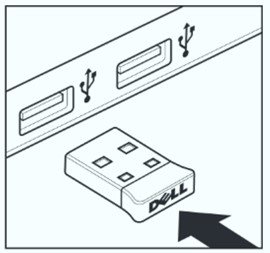
(Figure.1 Dell USB Type-A Wireless Receiver)
Dell Combo products specific to this article:
- Dell Wireless Keyboard and Mouse Manuals and Documents KM117
- Dell KM636 Keyboard Usage and Troubleshooting Guide
- Dell Keyboard and Mouse KM3322W Usage and Troubleshooting Guide
- Dell Pro Keyboard and Mouse KM5221W Usage and Troubleshooting Guide
- Dell Pro Plus Compact Keyboard and Mouse KM7120W Usage and Troubleshooting Guide
- Dell Pro Plus Keyboard and Mouse KM7321W Usage and Troubleshooting Guide
Follow the step-by-step instructions in your mouse and keyboard combo Quick Setup or User guides to install and operate your devices.
Note: The USB Wireless receiver is only required when using the wireless network. You do not need to use an RF dongle if your wireless devices also support and are connected using Bluetooth.
Affected Products
Dell Pro Plus Compact Keyboard and Mouse KM7120W, Dell Pro Plus Keyboard and Mouse KM7321W, Dell Pro Keyboard and Mouse KM5221W, Dell Wireless Keyboard and Mouse - KM117, Dell Keyboard and Mouse KM3322W
, Dell Wireless Keyboard and Mouse- KM636 (black)
...
Article Properties
Article Number: 000206144
Article Type: How To
Last Modified: 03 Jul 2025
Version: 6
Find answers to your questions from other Dell users
Support Services
Check if your device is covered by Support Services.