Dell Monitor E2723H Screen is Blurry
Summary: Dell Monitor E2723H occurs blurry screen if the font size is set to 100 percent.
This article applies to
This article does not apply to
This article is not tied to any specific product.
Not all product versions are identified in this article.
Symptoms
Affected Products:
- Dell Monitor E2723H
Cause
Font size is set to 100 percent. If the font size is set to 150 percent, everything looks good. Working as designed, it is a VA panel resolution design structure, and it is hard to recognize from the 50 cm (19.7 inches) to 70 cm (27.5 inches) viewing distance.
Resolution
Advise user to use Microsoft application Adjust Clear Type Text to enhance the text picture quality.
The instructions below show how to guide the customer to use the Microsoft application Adjust Clear Type Text to enhance the text picture quality:
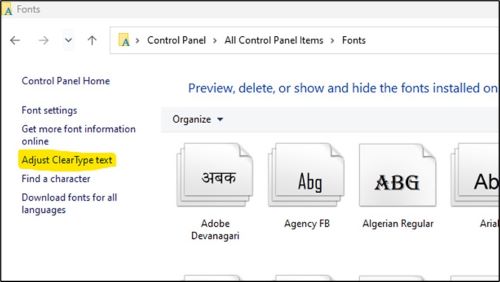
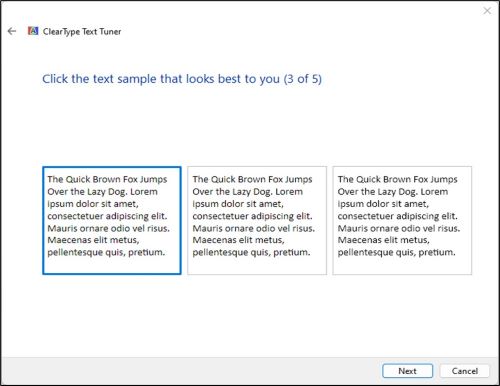
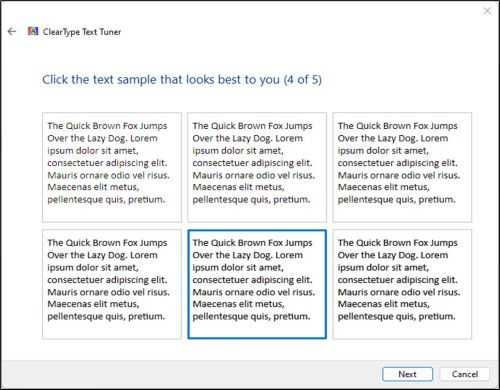
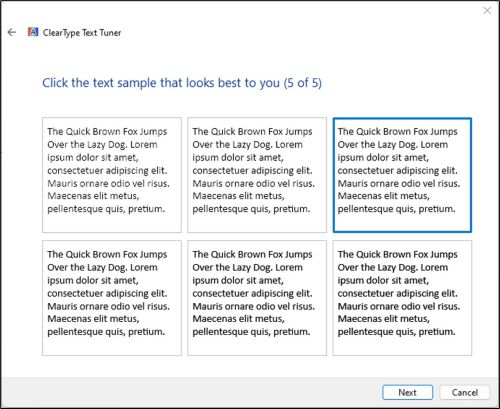
- Open ClearType Text Tuner under Control Panel > All Control Panel Items > Fonts
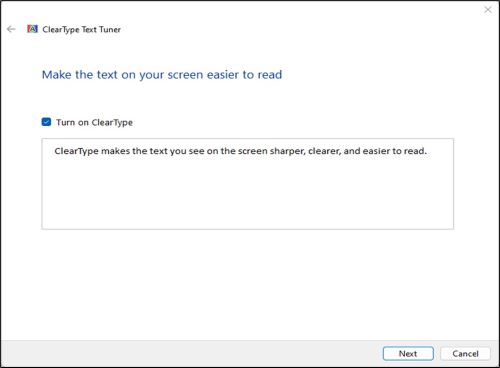
- Turn on ClearType.
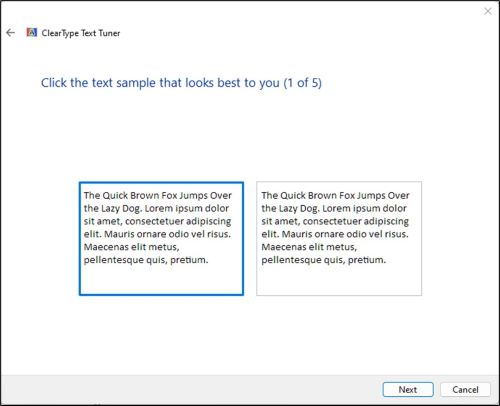
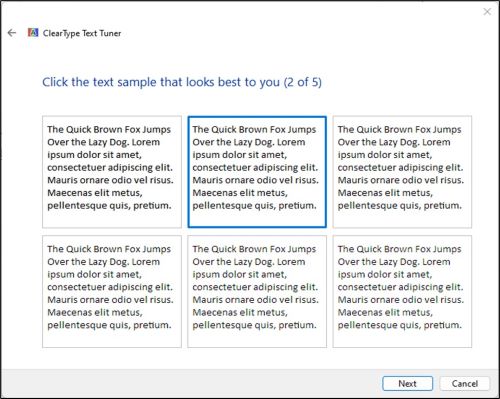
- Follow the steps one through five to select clear text and complete the ClearType setting.
Affected Products
Dell E2723HArticle Properties
Article Number: 000206279
Article Type: Solution
Last Modified: 24 Apr 2025
Version: 5
Find answers to your questions from other Dell users
Support Services
Check if your device is covered by Support Services.