PowerStore: How to check drive wear statistics of a PowerStore appliance
Summary: This knowledge base article provides several approaches that may be used to determine drive wear statistics of a PowerStore appliance
This article applies to
This article does not apply to
This article is not tied to any specific product.
Not all product versions are identified in this article.
Instructions
The following methods may be used to view drive wear statistics of a PowerStore appliance:
Note: The above output will display drive wear statistics for each drive in the PowerStore appliance twice.
In the example above, all drives in the PowerStore appliance have between 96% and 97% of their useable life remaining.

For additional information related to drive wear statistics, refer to PowerStore Alerts: Drive Wear-Level Alerts.
Viewing drive wear statistics directly from the PowerStore appliance:
- Establish a Secure Shell (SSH) session to the PowerStore appliance using the service account.
- Issue the following command at the shell prompt to display the disks in the appliance and their associated wear statistics:
svc_drive_stats list --smartData | grep -E 'Drive_|Percentage Used'
| [SVC:service@1234abc-B user]$ svc_drive_stats list --smartData | grep -E 'Drive_|Percentage Used' *** Drive_0_0_0 /dev/nvme0n1 (peer), Serial Number MWNA0RA01765 *** Percentage Used: 4% *** Drive_0_0_2 /dev/nvme1n1 (peer), Serial Number MWNA0RA01720 *** Percentage Used: 3% *** Drive_0_0_4 /dev/nvme2n1 (peer), Serial Number MWNA0RA01731 *** Percentage Used: 4% *** Drive_0_0_24 /dev/nvme3n1 (peer), Serial Number 1A43F30073A *** Percentage Used: 4% *** Drive_0_0_1 /dev/nvme4n1 (peer), Serial Number MWNA0RA01714 *** Percentage Used: 3% *** Drive_0_0_3 /dev/nvme5n1 (peer), Serial Number MWNA0RA01769 *** Percentage Used: 4% *** Drive_0_0_5 /dev/nvme6n1 (peer), Serial Number MWNA0RA01754 *** Percentage Used: 4% *** Drive_0_0_23 /dev/nvme7n1 (peer), Serial Number 1A43F30071B *** Percentage Used: 4% *** Drive_0_0_0 /dev/nvme0n1 (peer), Serial Number MWNA0RA01765 *** Percentage Used: 4% *** Drive_0_0_2 /dev/nvme1n1 (peer), Serial Number MWNA0RA01720 *** Percentage Used: 3% *** Drive_0_0_4 /dev/nvme2n1 (peer), Serial Number MWNA0RA01731 *** Percentage Used: 4% *** Drive_0_0_24 /dev/nvme3n1 (peer), Serial Number 1A43F30073A *** Percentage Used: 4% *** Drive_0_0_1 /dev/nvme4n1 (peer), Serial Number MWNA0RA01714 *** Percentage Used: 3% *** Drive_0_0_3 /dev/nvme5n1 (peer), Serial Number MWNA0RA01769 *** Percentage Used: 4% *** Drive_0_0_5 /dev/nvme6n1 (peer), Serial Number MWNA0RA01754 *** Percentage Used: 4% *** Drive_0_0_23 /dev/nvme7n1 (peer), Serial Number 1A43F30071B *** Percentage Used: 4% |
Note: The above output will display drive wear statistics for each drive in the PowerStore appliance twice.
In the example above, all drives in the PowerStore appliance have between 96% and 97% of their useable life remaining.
Viewing drive wear statistics using CloudIQ for the PowerStore appliance:
- Login to the CloudIQ console using the following URL: https://cloudiq.emc.com
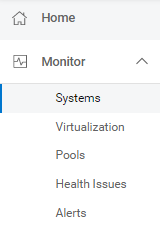
- Display the list of Dell Technologies products actively managed by CloudIQ by navigating to Monitor > Systems in the menu.
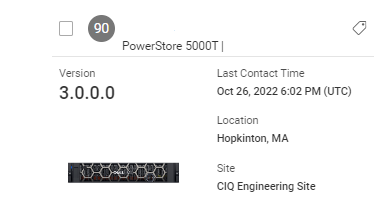
- Locate the PowerStore appliance of interest in the Inventory displayed and click on the System Name to view its details.
- On the Inventory tab, click the Drives sub-tab to view a summary of the drives in the PowerStore appliance.
In the example above, all drives in the PowerStore appliance have 100% of their useable life remaining.
For additional information related to drive wear statistics, refer to PowerStore Alerts: Drive Wear-Level Alerts.
Affected Products
PowerStore, PowerStore 1000X, PowerStore 1000T, PowerStore 1200T, PowerStore 3000X, PowerStore 3000T, PowerStore 3200T, PowerStore 5000X, PowerStore 5000T, PowerStore 500TProducts
PowerStore 5200T, PowerStore 7000X, PowerStore 7000T, PowerStore 9000X, PowerStore 9000T, PowerStore 9200TArticle Properties
Article Number: 000206542
Article Type: How To
Last Modified: 04 Sep 2023
Version: 2
Find answers to your questions from other Dell users
Support Services
Check if your device is covered by Support Services.