RHEL: Procedura per creare un repository locale YUM su RHEL 8 utilizzando il file ISO del sistema operativo montato tramite IDRAC Virtual Media
Summary: Fare riferimento alla procedura riportata di seguito per creare e configurare un repository YUM locale da un'immagine ISO RHEL montata tramite IDRAC Virtual Media in un'ambiente del sistema operativo RHEL 8. ...
This article applies to
This article does not apply to
This article is not tied to any specific product.
Not all product versions are identified in this article.
Instructions
Montare il file ISO del sistema operativo RHEL tramite il supporto virtuale IDRAC nella WebGUI o utilizzare il comando CLI RACADM riportato di seguito per montare l'immagine ISO del sistema operativo remoto.
Consultare la guida ai comandi della CLI RACADM per configurare il file multimediale in un server remoto (pagina 111) Guida della CLI RACADM di Integrated Dell Remote Access Controller 9.
# racadm remoteimage -c [-u <username> -p <password> -l <image_path>]

Creare una directory per montare l'immagine ISO del sistema operativo in questa directory:
# mkdir /root/DVD
# mount /dev/sr0 /root/DVD/
# lsblk
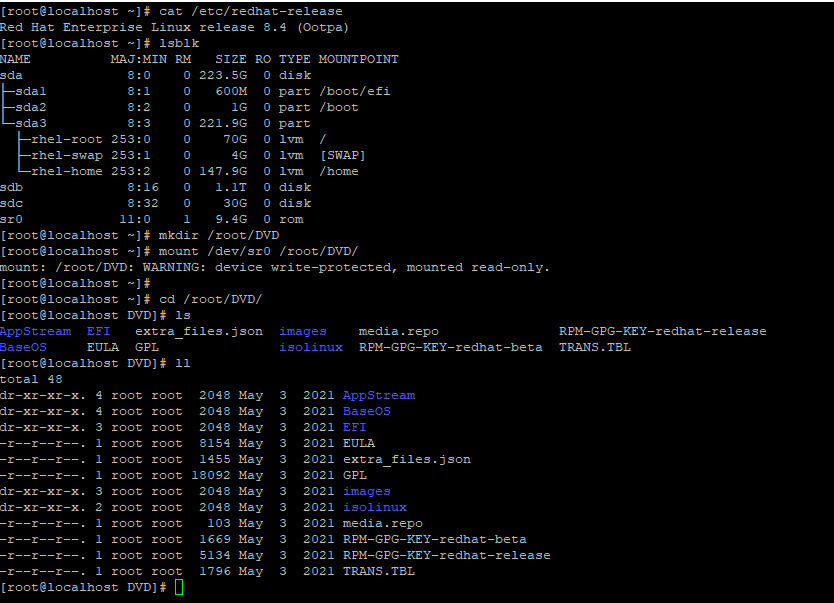
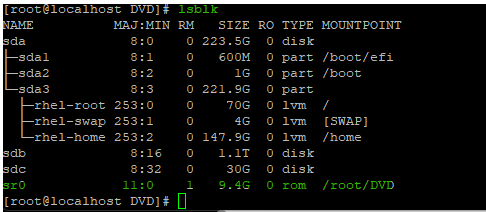
Creare un file repository locale (local.repo) nella directory /etc/yum.repos.d :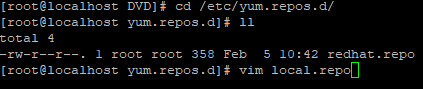
Aggiungere i seguenti parametri nel file local.repo per configurare il repository YUM locale dall'immagine ISO del sistema operativo montata:
# vi local.repo
[InstallMedia-BaseOS]
name=Red Hat Enterprise Linux 8 - BaseOS
baseurl=file:///root/DVD/BaseOS
gpgcheck=0
enabled=1

[InstallMedia-AppStream]
name=Red Hat Enterprise Linux 8 - AppStream
baseurl=file:///root/DVD/AppStream
gpgcheck=0
enabled=1
![[InstallMedia-BaseOS]](https://supportkb.dell.com/img/ka0Do000000Zd27IAC/ka0Do000000Zd27IAC_it_4.png)
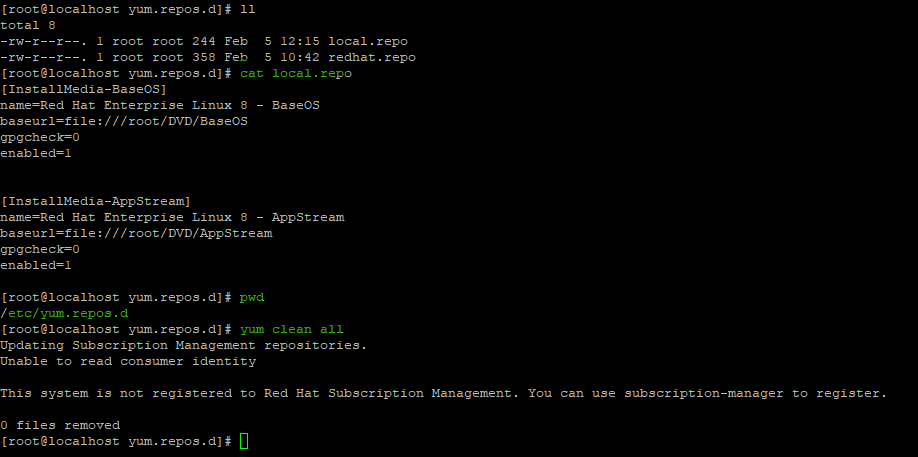
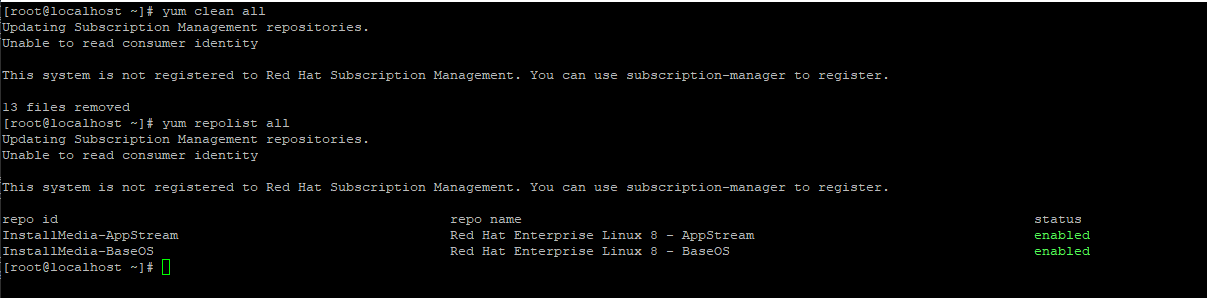
# yum clean all #yum repolist all
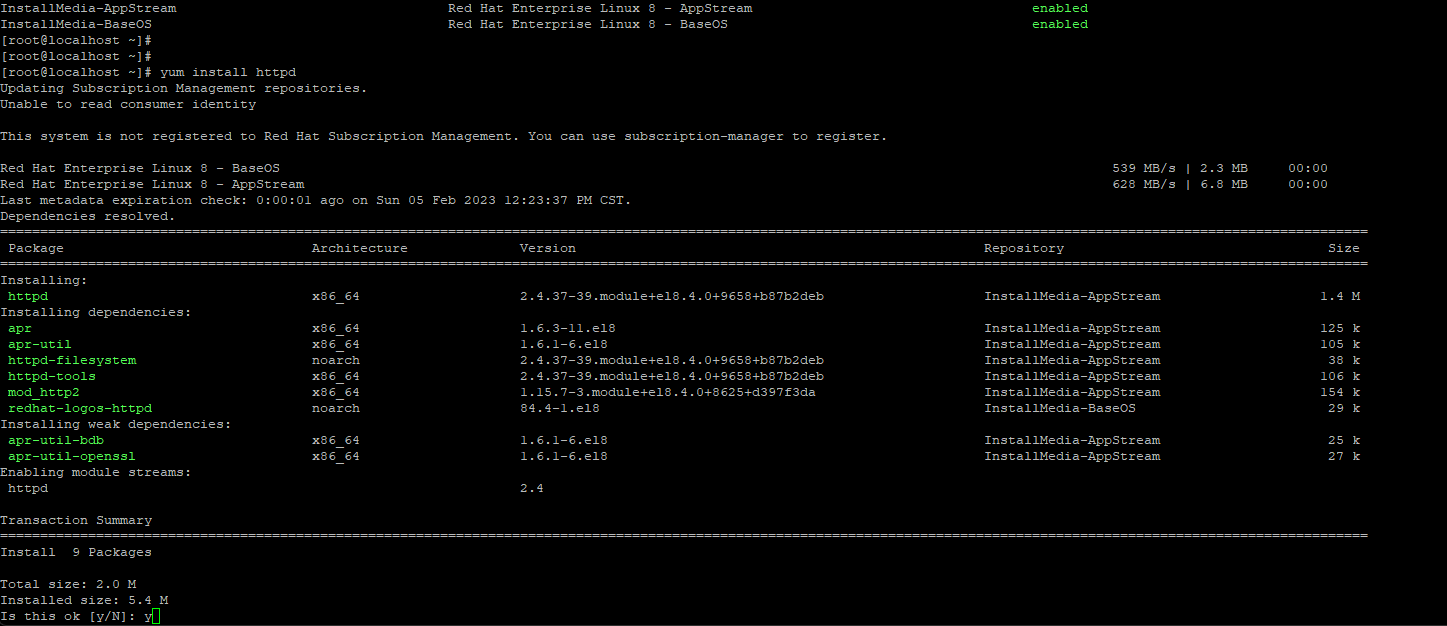
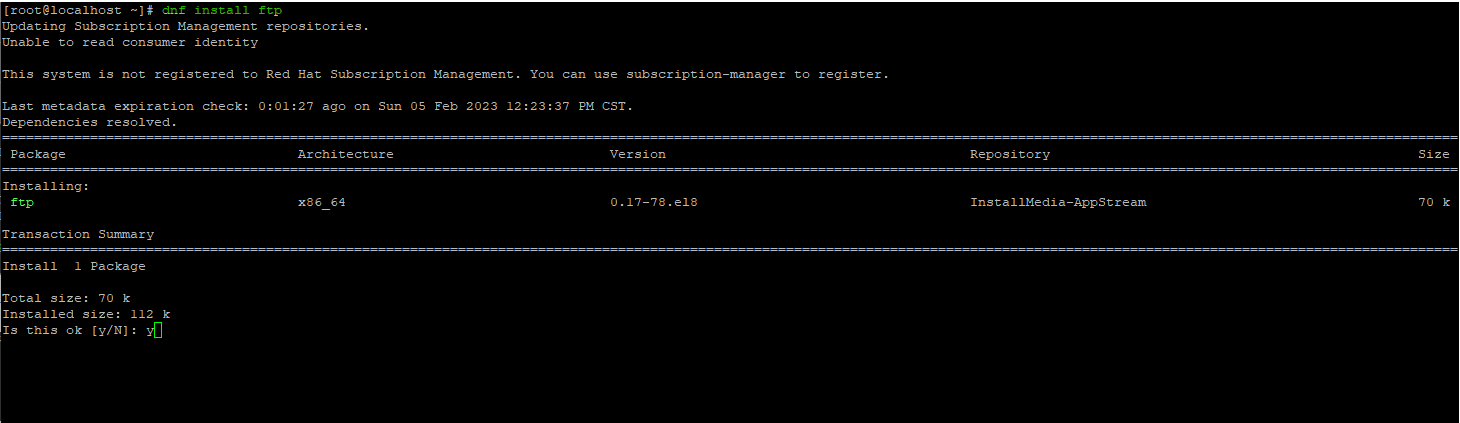
# yum install <package-name>
Affected Products
Red Hat Enterprise Linux Version 9, Red Hat Enterprise Linux Version 8Products
PowerEdge FC640, PowerEdge M640, PowerEdge M640 (for PE VRTX), PowerEdge MX740C, PowerEdge MX750c, PowerEdge MX760c, PowerEdge MX840C, PowerEdge R240, PowerEdge R250, PowerEdge R260, PowerEdge R340, PowerEdge R350, PowerEdge R360, PowerEdge R440
, PowerEdge R450, PowerEdge R540, PowerEdge R550, PowerEdge R640, PowerEdge R6415, PowerEdge R650, PowerEdge R650xs, PowerEdge R6515, PowerEdge R6525, PowerEdge R660, PowerEdge R660xs, PowerEdge R6615, PowerEdge R6625, PowerEdge R740, PowerEdge R740XD, PowerEdge R740XD2, PowerEdge R7415, PowerEdge R7425, PowerEdge R750, PowerEdge R750XA, PowerEdge R750xs, PowerEdge R7515, PowerEdge R7525, PowerEdge R760, PowerEdge R760XA, PowerEdge R760xd2, PowerEdge R760xs, PowerEdge R7615, PowerEdge R7625, PowerEdge R840, PowerEdge R860, PowerEdge R940, PowerEdge R940xa, PowerEdge R960, PowerEdge T140, PowerEdge T150, PowerEdge T160, PowerEdge T340, PowerEdge T350, PowerEdge T360, PowerEdge T440, PowerEdge T550, PowerEdge T560, PowerEdge T640, PowerEdge XE2420, PowerEdge XE7100, PowerEdge XE7420, PowerEdge XE7440, PowerEdge XE8545, PowerEdge XE8640, PowerEdge XE9640, PowerEdge XE9680
...
Article Properties
Article Number: 000208302
Article Type: How To
Last Modified: 09 Dec 2024
Version: 5
Find answers to your questions from other Dell users
Support Services
Check if your device is covered by Support Services.