Dell VxRail: NSX-Tマネージャー ノードがダウンし、クラスター内でリカバリーできない場合に再導入する方法 |NSX-T 3.2
Summary: このKBを使用して、クラスター内でNSX-Tマネージャー ノードがダウンし、リカバリーできない場合に再導入できます 。 |NSX-T 3.2。
This article applies to
This article does not apply to
This article is not tied to any specific product.
Not all product versions are identified in this article.
Instructions
このKBを使用する前に、現在のNSX-Tマネージャー ノードが回復不能であり、NSX-Tクラスター内の他のノードがまだサービスを提供していることを確認してください。
1.NSX-Tマネージャーにログインし、問題のあるノードを既存のクラスターから接続解除します。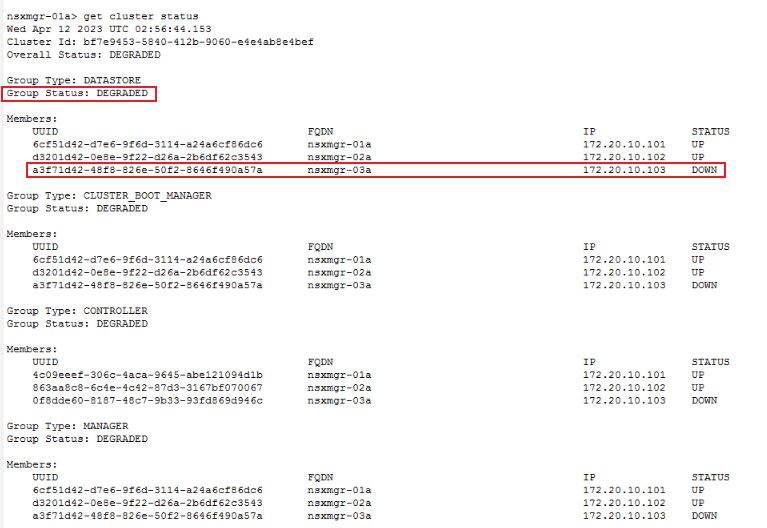
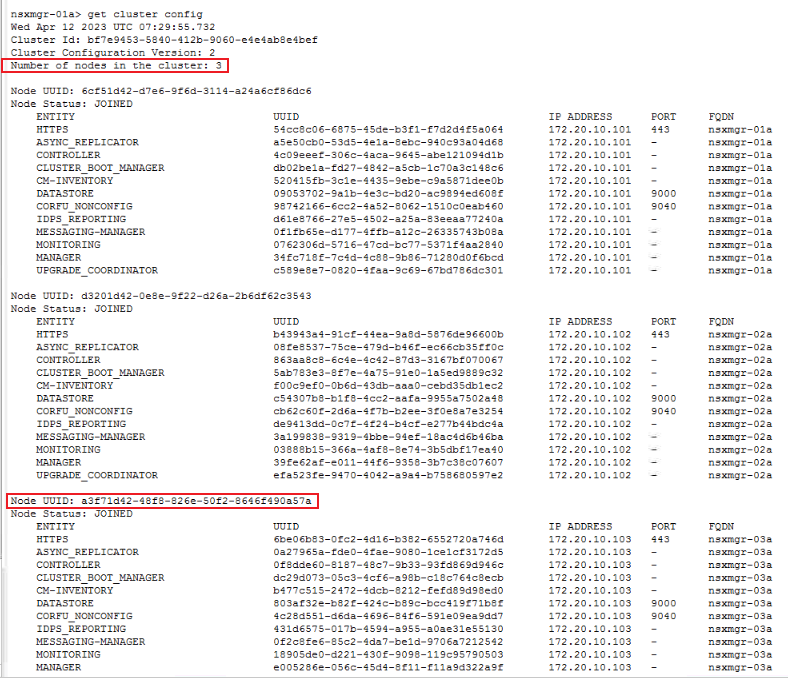
2.NSX Managerクラスターから問題のあるノードを削除します。
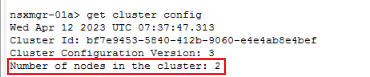
B。コマンド「detach node 」を使用して、問題のあるノードをクラスターから削除します。uuidは前述のUUIDです。

3.新しいNSX-Tノードを再導入します。新しいNSX-Tマネージャーを導入するには、公式のVMwareドキュメントを参照してください。
https://docs.vmware.com/en/VMware-Validated-Design/6.0.1/sddc-backup-and-restore/GUID-9D125AA7-202E-442E-874D-77D303389A11.html4.新しいNSX-Tノードを既存のクラスターに追加します。
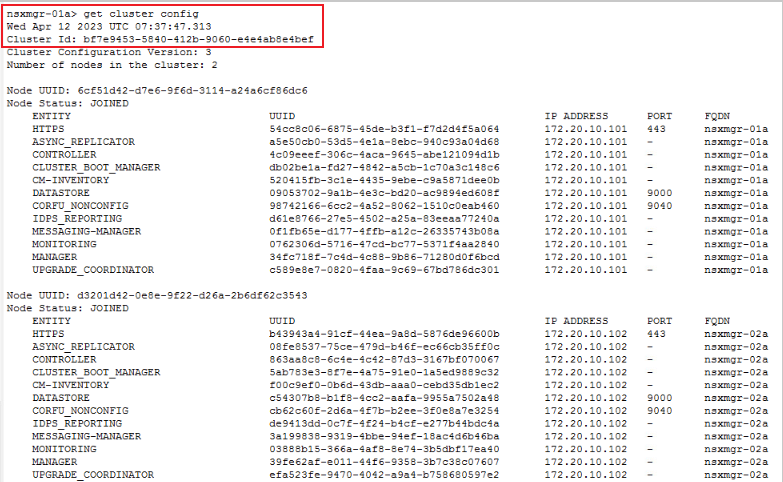

B。既存のクラスターにノードを追加します。

c. クラスターのステータスを確認します。すべてのサービスが起動するのに約10分かかります。
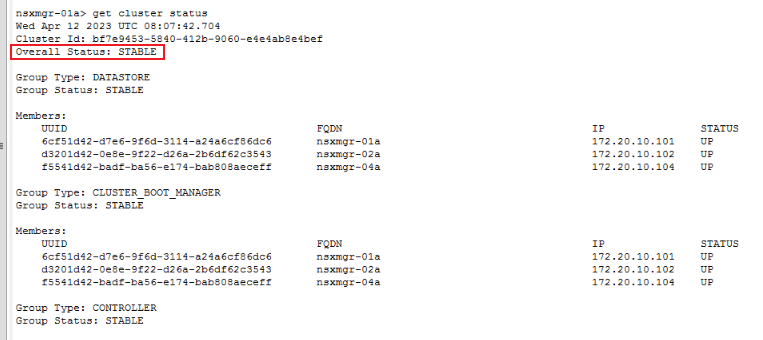
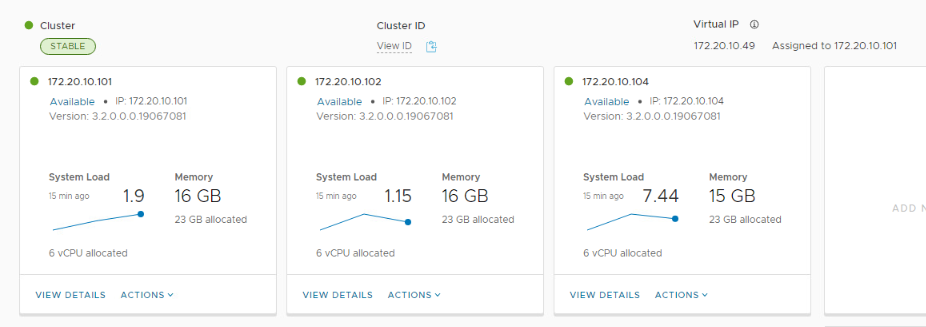
1.NSX-Tマネージャーにログインし、問題のあるノードを既存のクラスターから接続解除します。
A。SSHにログインし、「get cluster status」コマンドを実行します。
get cluster status
B。ダウンまたは障害が発生しているノードを特定します。
2.NSX Managerクラスターから問題のあるノードを削除します。
A。問題のあるノードUUIDを「get cluster config」でクエリーします。
get cluster config
B。コマンド「detach node 」を使用して、問題のあるノードをクラスターから削除します。uuidは前述のUUIDです。
detach node
3.新しいNSX-Tノードを再導入します。新しいNSX-Tマネージャーを導入するには、公式のVMwareドキュメントを参照してください。
https://docs.vmware.com/en/VMware-Validated-Design/6.0.1/sddc-backup-and-restore/GUID-9D125AA7-202E-442E-874D-77D303389A11.html4.新しいNSX-Tノードを既存のクラスターに追加します。
A。新しいNSX-Tマネージャー ノードを既存のクラスターに追加する前に、既存のNSX-Tクラスター情報を準備します。
get cluster config | find cluster id
get certificate api thumbprint | NSX-T Manager API certificate
B。既存のクラスターにノードを追加します。
ssh to new NSX-T manager
join existing_manager_node_ip cluster-id cluster_id thumbprint api_thumbprint username admin
c. クラスターのステータスを確認します。すべてのサービスが起動するのに約10分かかります。
get cluster status
Affected Products
VxRailArticle Properties
Article Number: 000209841
Article Type: How To
Last Modified: 12 Apr 2023
Version: 1
Find answers to your questions from other Dell users
Support Services
Check if your device is covered by Support Services.