Dell VxRail: NSX-T Manager 노드가 다운되고 클러스터에서 복구할 수 없을 때 다시 배포하는 방법 | NSX-T 3.2
Summary: 이 KB는 NSX-T Manager 노드가 다운되어 클러스터에서 복구할 수 없는 경우 재구매하는 데 사용할 수 있습니다. | NSX-T 3.2.
This article applies to
This article does not apply to
This article is not tied to any specific product.
Not all product versions are identified in this article.
Instructions
이 KB를 사용하기 전에 현재 NSX-T 관리자 노드를 복구할 수 없고 NSX-T 클러스터의 다른 노드가 여전히 서비스를 제공하는지 확인합니다.
1. NSX-T 관리자에 로그인하고 기존 클러스터에서 문제 노드를 분리합니다.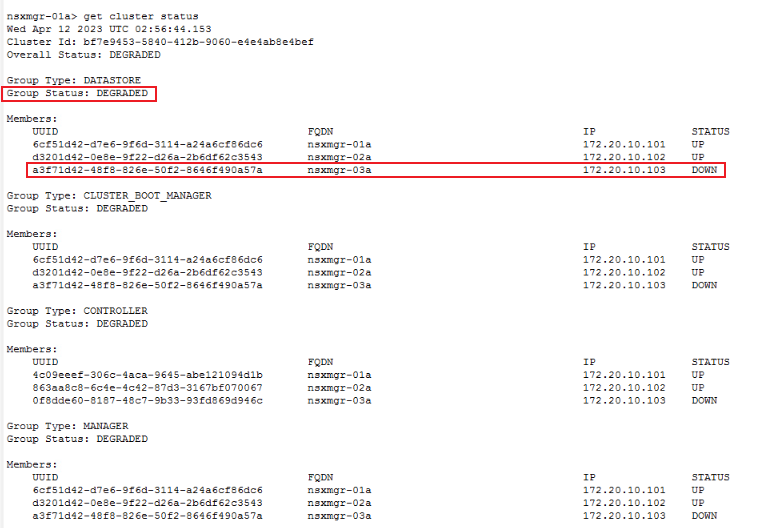
2. NSX Manager 클러스터에서 문제 노드를 제거합니다.
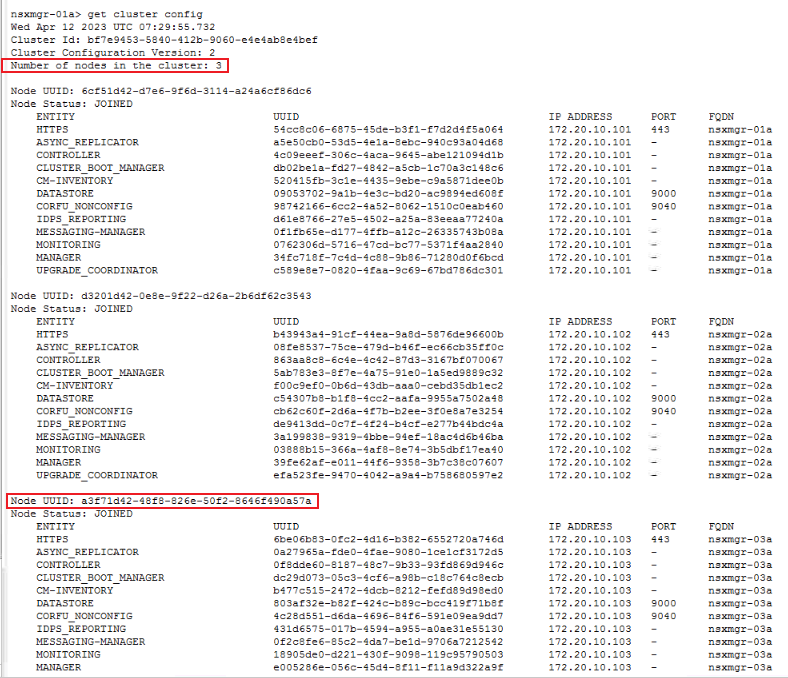
B. uuid가 위에서 식별한 UUID인 "detach node " 명령을 사용하여 클러스터에서 문제 노드를 제거합니다.

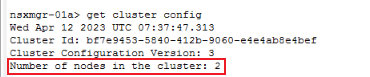
3. 새 NSX-T 노드를 다시 배포합니다. 새로운 NSX-T 관리자를 배포하려면 공식 VMware 문서를 참조하십시오.
https://docs.vmware.com/en/VMware-Validated-Design/6.0.1/sddc-backup-and-restore/GUID-9D125AA7-202E-442E-874D-77D303389A11.html4. 새 NSX-T 노드를 기존 클러스터에 추가합니다.
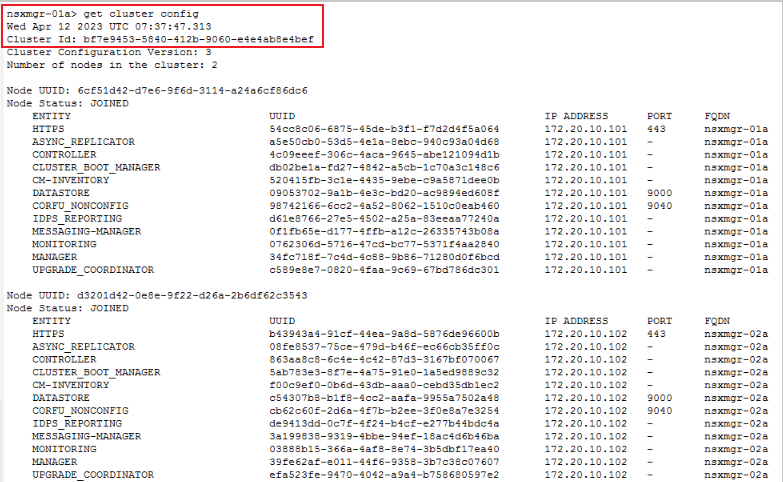

B. 기존 클러스터에 노드를 추가합니다.

c. 클러스터 상태를 확인합니다. 모든 서비스가 제공될 경우 약 10분이 소요됩니다.
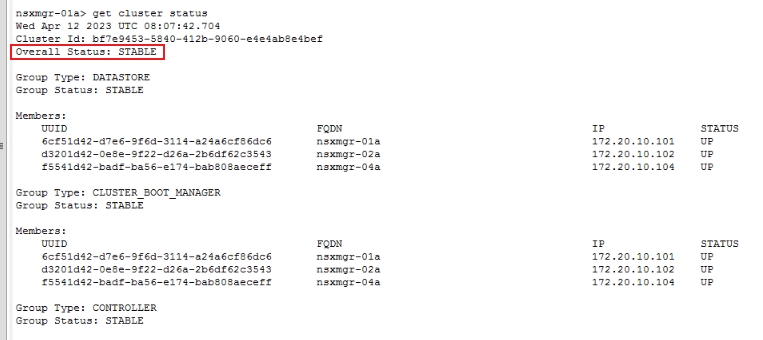
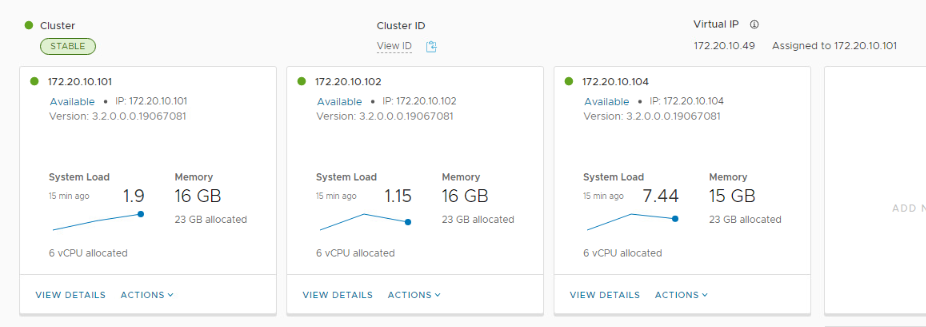
1. NSX-T 관리자에 로그인하고 기존 클러스터에서 문제 노드를 분리합니다.
a. SSH에 로그인하고 "get cluster status" 명령을 실행합니다.
get cluster status
B. 중단되었거나 장애가 발생한 노드를 식별합니다.
2. NSX Manager 클러스터에서 문제 노드를 제거합니다.
a. "get cluster config"로 문제 노드 UUID를 쿼리합니다.
get cluster config
B. uuid가 위에서 식별한 UUID인 "detach node " 명령을 사용하여 클러스터에서 문제 노드를 제거합니다.
detach node
3. 새 NSX-T 노드를 다시 배포합니다. 새로운 NSX-T 관리자를 배포하려면 공식 VMware 문서를 참조하십시오.
https://docs.vmware.com/en/VMware-Validated-Design/6.0.1/sddc-backup-and-restore/GUID-9D125AA7-202E-442E-874D-77D303389A11.html4. 새 NSX-T 노드를 기존 클러스터에 추가합니다.
a. 새 NSX-T 관리자 노드를 기존 클러스터에 추가하기 전에 기존 NSX-T 클러스터 정보를 준비합니다.
get cluster config | find cluster id
get certificate api thumbprint | NSX-T Manager API certificate
B. 기존 클러스터에 노드를 추가합니다.
ssh to new NSX-T manager
join existing_manager_node_ip cluster-id cluster_id thumbprint api_thumbprint username admin
c. 클러스터 상태를 확인합니다. 모든 서비스가 제공될 경우 약 10분이 소요됩니다.
get cluster status
Affected Products
VxRailArticle Properties
Article Number: 000209841
Article Type: How To
Last Modified: 12 Apr 2023
Version: 1
Find answers to your questions from other Dell users
Support Services
Check if your device is covered by Support Services.