Dell VxRail: No networks on the host Cannot proceed with the installation. Occurs during an external vCenter 6.7 to 7.0 upgrade
Summary: Dell VxRail: No networks on the host. Cannot proceed with the installation. Occurs during an external vCenter 6.7 to 7.0 upgrade
This article applies to
This article does not apply to
This article is not tied to any specific product.
Not all product versions are identified in this article.
Symptoms
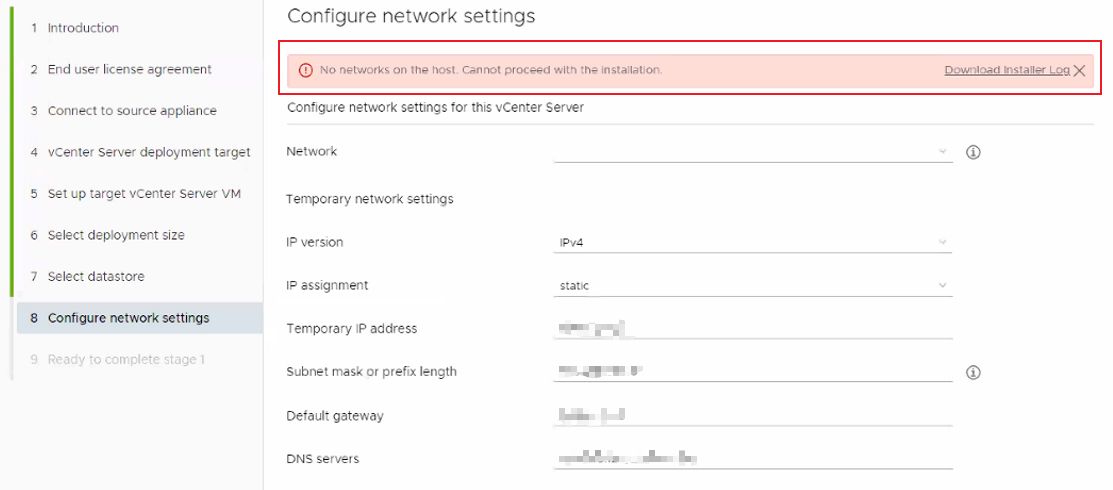
Error: No networks on the host. Cannot proceed with the installation.
When a customer is trying to upgrade an external vCenter from 6.7 to 7.0, the upgrade is stuck on deploying the new vCenter 7.0.
When you select networking for the new vCenter, the network drop list is empty.
Cause
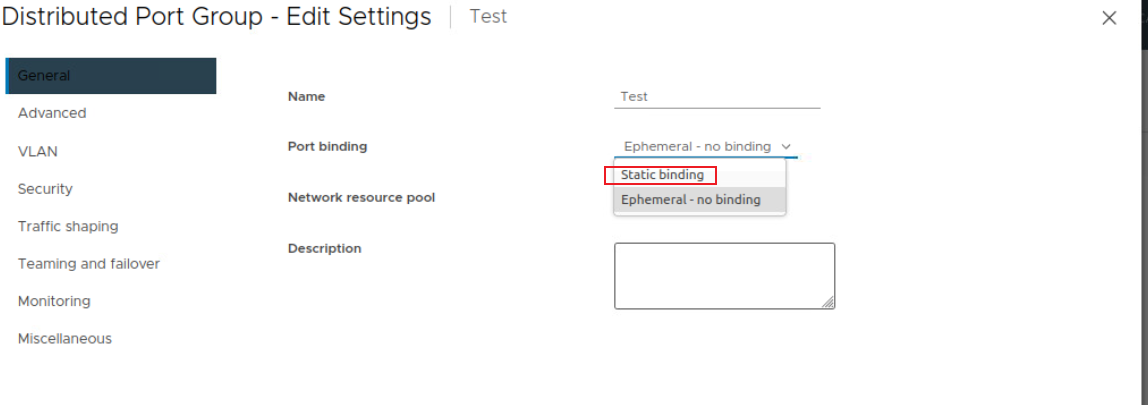
Before deploying a new vCenter 7.0, the customer needs prepare a new port group on the existing vDS or vSS.
By default, the new port group sets "Static binding" for port binding, the upgrade requires "Ephemeral" mode.
Resolution
To resolve this issue:
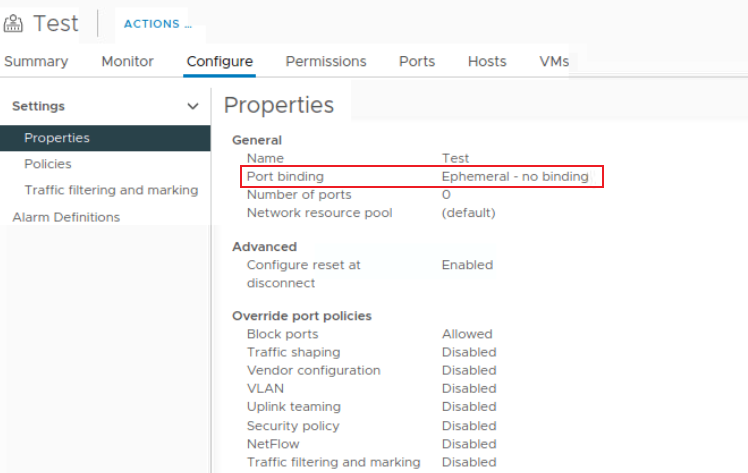
- Set the Port binding to "Ephemeral" of the newly created port group.
- Run the upgrade job again.
Affected Products
VxRailArticle Properties
Article Number: 000210777
Article Type: Solution
Last Modified: 07 Mar 2023
Version: 1
Find answers to your questions from other Dell users
Support Services
Check if your device is covered by Support Services.