NetWorker: How to create an NMC user with the privilege to view only NMC reports.
Summary: Steps to create an NMC user with the privilege to view only NMC reports.
This article applies to
This article does not apply to
This article is not tied to any specific product.
Not all product versions are identified in this article.
Instructions
To create an NMC user with only the privilege to view NMC reports:
- Log in to the Network Management Console (NMC) using your administrative account.
- Click on the setup window. Expand 'Users and Roles'. Right click on "Users" tab on the left of the screen. Create a new user.
- From the Create user wizard, enter the user's details such as name, email, and password. Ensure that the user is not a part of any group
- Under "Groups," do not select any group. This user need not be a part of any user group.
- Under "NMC role," select "console user "
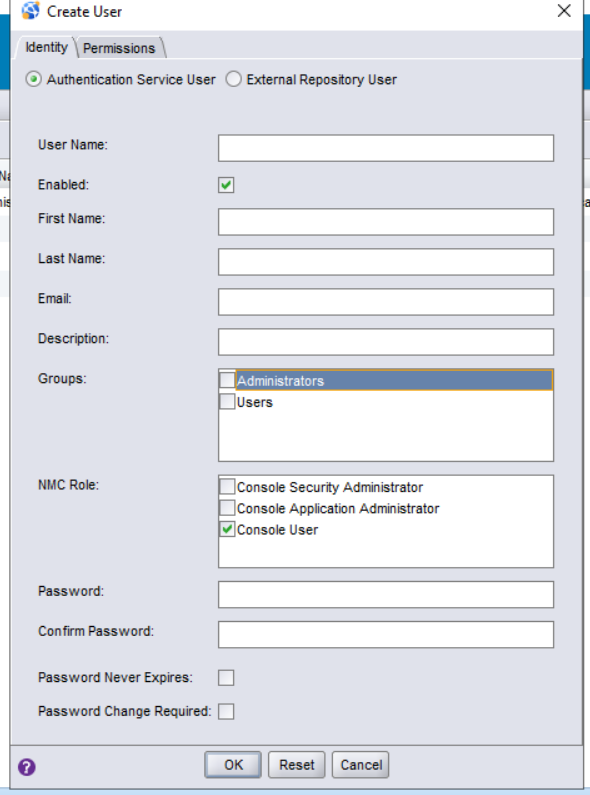
- Click on the "ok" button to create the new user account.
Article Properties
Article Number: 000211683
Article Type: How To
Last Modified: 29 Aug 2025
Version: 3
Find answers to your questions from other Dell users
Support Services
Check if your device is covered by Support Services.