PowerProtect Data Manager: 400: Bad Request error when attempting to edit a Protection Rule in the PowerProtect UI
Summary: PowerProtect Data Manager: 400: Bad Request error when attempting to edit a Protection Rule.
This article applies to
This article does not apply to
This article is not tied to any specific product.
Not all product versions are identified in this article.
Symptoms
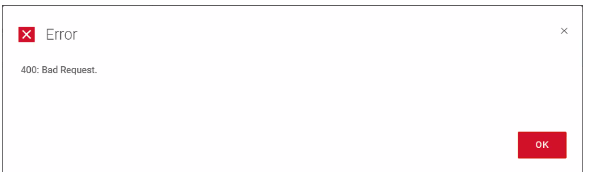
When attempting to edit a PPDM Protection Rule, the following error is displayed:
Cause
Within the rule, the customer had created a single entry for every single VM that they had in their environment.
In this case, the total entries exceeded 4300 characters.
The large rule generates a large payload which causes the error.
In this case, the total entries exceeded 4300 characters.
The large rule generates a large payload which causes the error.
Resolution
To resolve the issue, modify the protection rule to have fewer entries, or break it into multiple, smaller rules.
For example, use regular expression where possible for match "VM Names" or use "VM Folder Name" or another entry that groups the VMs together in batches.
For example, use regular expression where possible for match "VM Names" or use "VM Folder Name" or another entry that groups the VMs together in batches.
Additional Information
The issue was identified by enabling developer mode in Chrome. This shows that the "Request URL" that is sent to PPDM exceeds 4300 characters.
Article Properties
Article Number: 000211695
Article Type: Solution
Last Modified: 06 Jun 2023
Version: 4
Find answers to your questions from other Dell users
Support Services
Check if your device is covered by Support Services.