vProtect: The "restore to hypervisor" option is not visible in the Virtual Environment
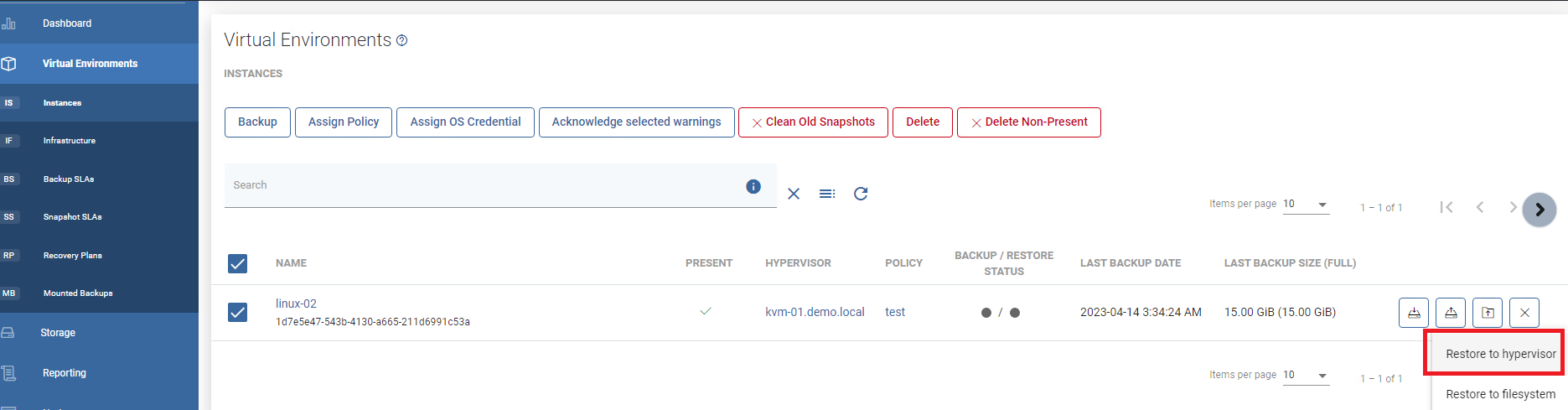
Summary: In the vProtect Virtual Environments screen, the "restore to hypervisor" option is not visible.
This article applies to
This article does not apply to
This article is not tied to any specific product.
Not all product versions are identified in this article.
Symptoms
In the vProtect Virtual Environments screen, the "restore to file system" is shown, but there is no option to "restore to hypervisor".
Cause
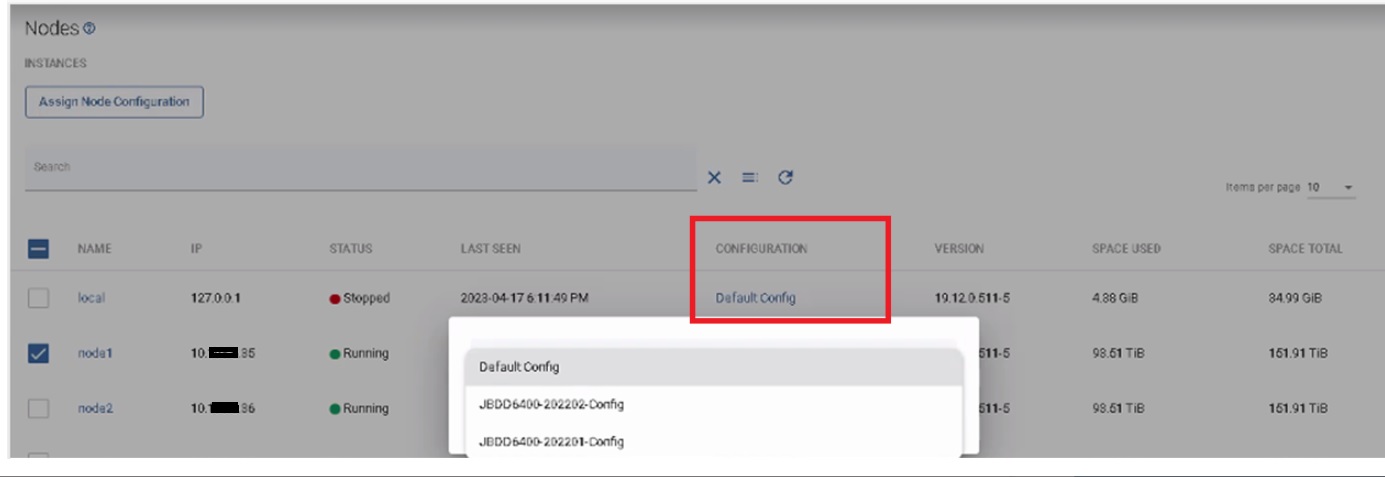
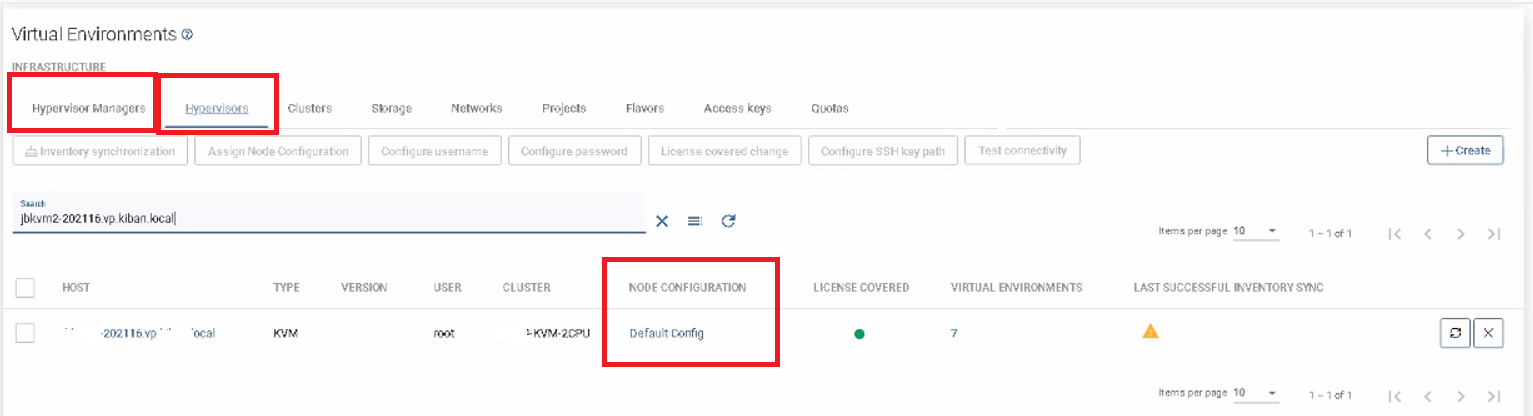
If the customer uses an alternative "Node Configuration" for the node, this must also be changed in the Hypervisor and Hypervisor Manager.
This is by design, otherwise "restore to hypervisor" is not provided as an option.
This is by design, otherwise "restore to hypervisor" is not provided as an option.
Resolution
Use the same node configuration across the Nodes, Hypervisors, and Hypervisor Managers configuration screens.
Affected Products
vProtectArticle Properties
Article Number: 000212903
Article Type: Solution
Last Modified: 18 Sep 2025
Version: 3
Find answers to your questions from other Dell users
Support Services
Check if your device is covered by Support Services.