PowerFlex 3.X: PowerFlex Manager (PFxM) -lokipaketin luominen
Summary: PowerFlex-lokipaketin keräämisen vaiheet.
This article applies to
This article does not apply to
This article is not tied to any specific product.
Not all product versions are identified in this article.
Instructions
PowerFlex-lokipaketin luonti -
1. Kirjaudu PowerFlex Manageriin ja valitse Asetukset.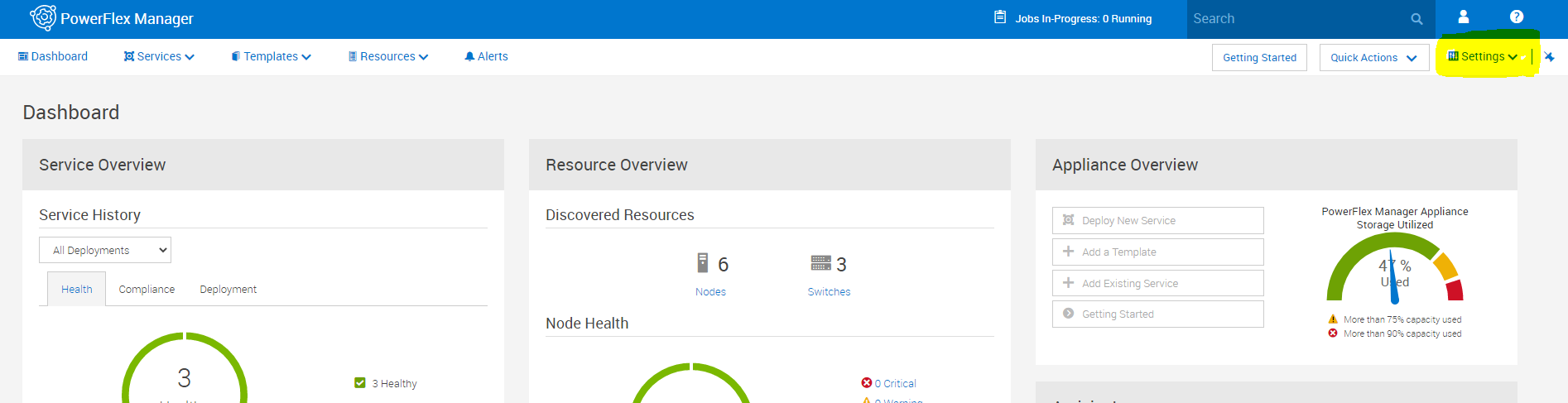
2. Valitse Asetukset-valikosta Virtual Appliance Management.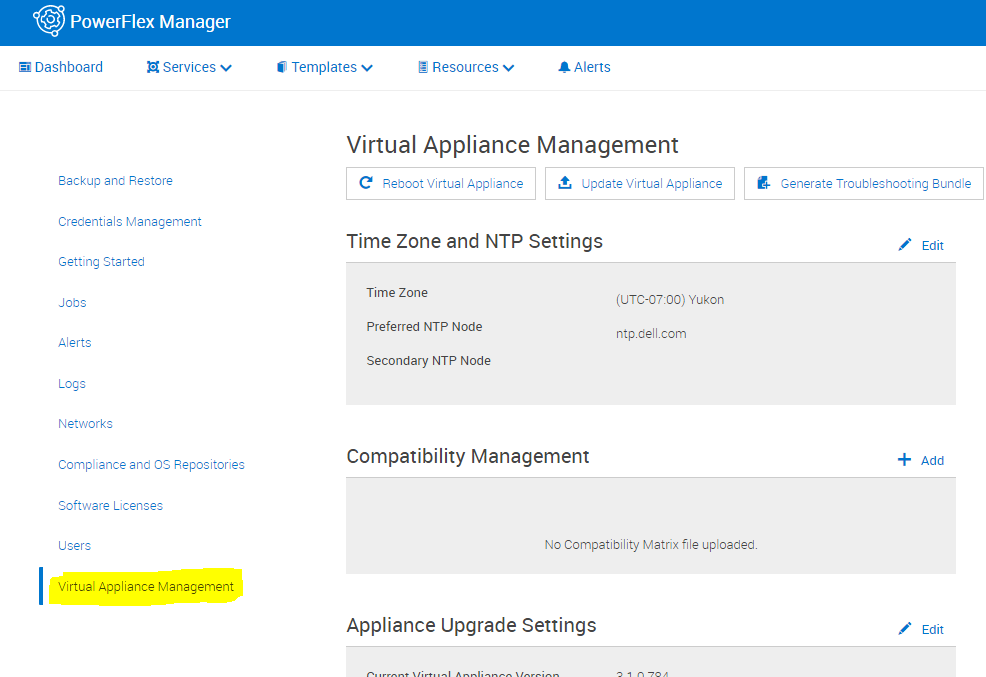
3. Valitse Luo vianmäärityspaketti.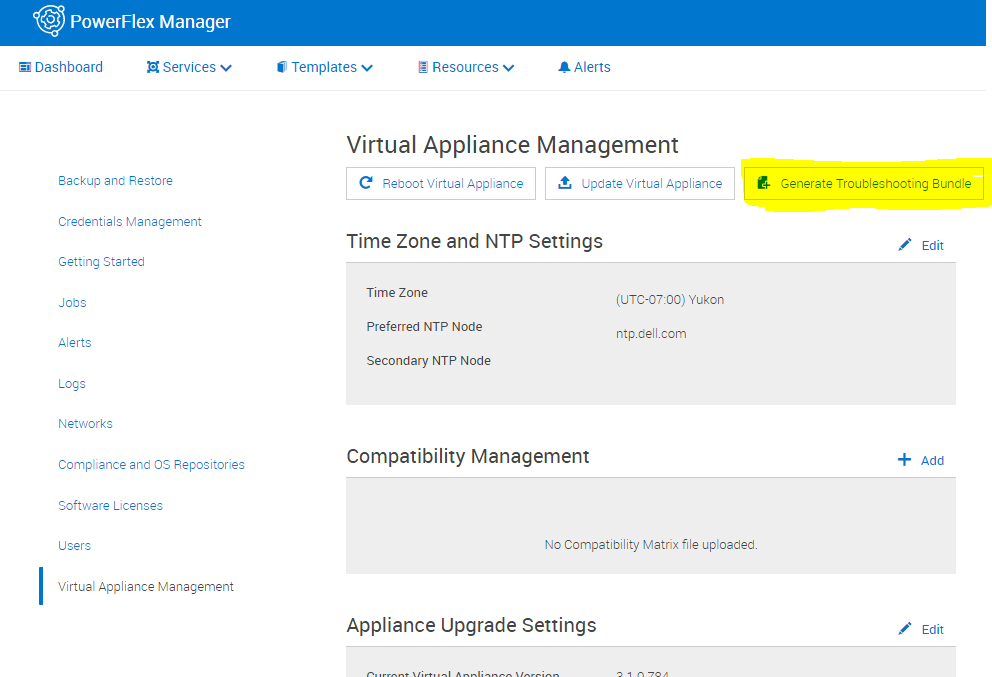
4. Valitse ponnahdusikkunassa joko lähettää osoitteeseen Configured Secure Remote Services (Secure Remote Services) tai ladata paikallisesti. Jos lataat paikallisesti, valitse latauspolku ja anna asianmukaiset kirjautumistiedot ja napsauta sitten Luo.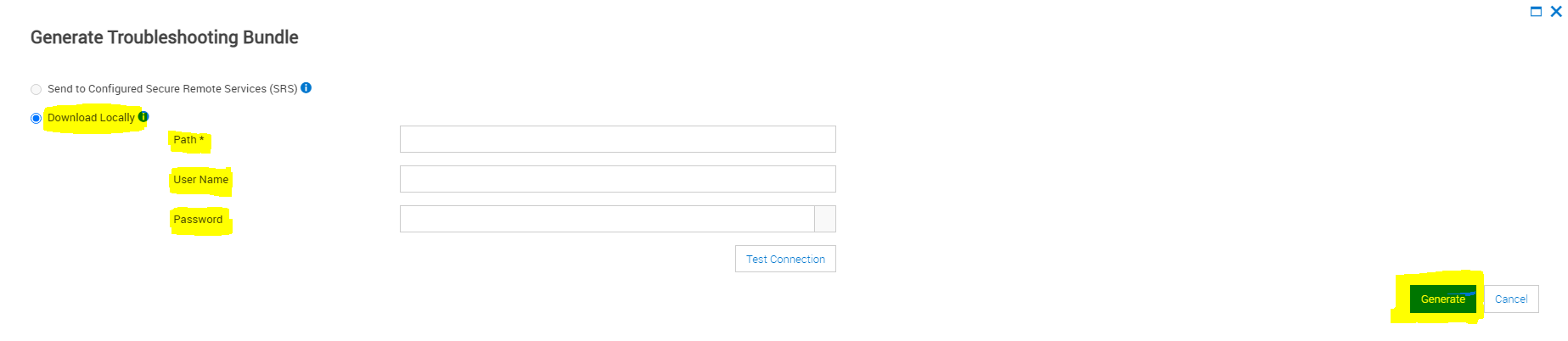
Affected Products
PowerFlex rack connectivity, PowerFlex rack HWArticle Properties
Article Number: 000213029
Article Type: How To
Last Modified: 08 Dec 2025
Version: 4
Find answers to your questions from other Dell users
Support Services
Check if your device is covered by Support Services.