PowerFlex 3.X: PowerFlex Manager (PFxM)ログ バンドルの生成
Summary: PowerFlexログ バンドルを収集する手順について詳しく説明します。
This article applies to
This article does not apply to
This article is not tied to any specific product.
Not all product versions are identified in this article.
Instructions
PowerFlexログ バンドルの生成 -
1.PowerFlex Managerにログインし、[Settings]を選択します。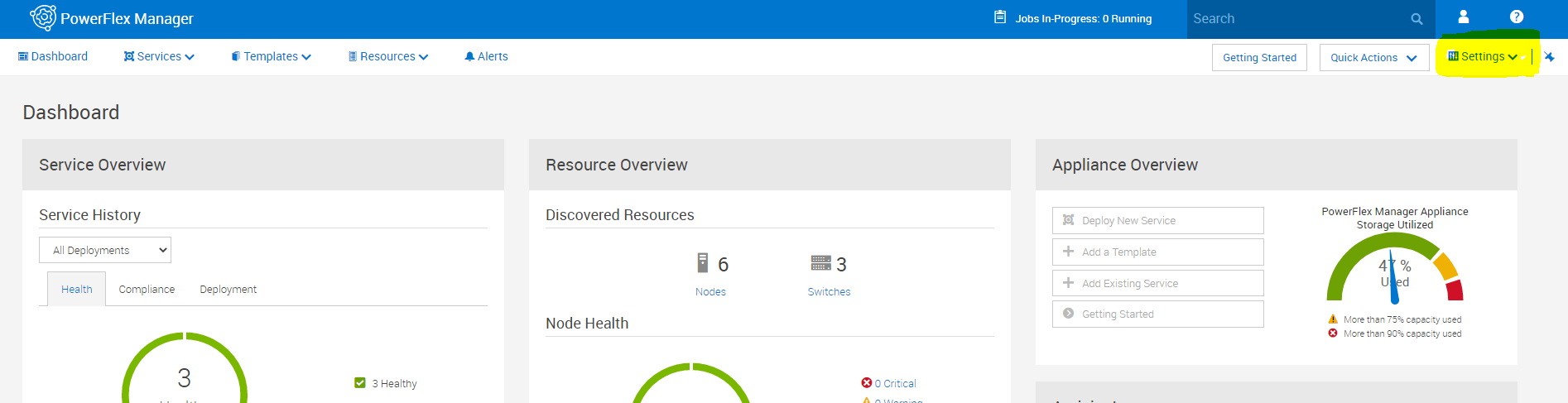
2.[Settings]メニューで、[Virtual Appliance Management]を選択します。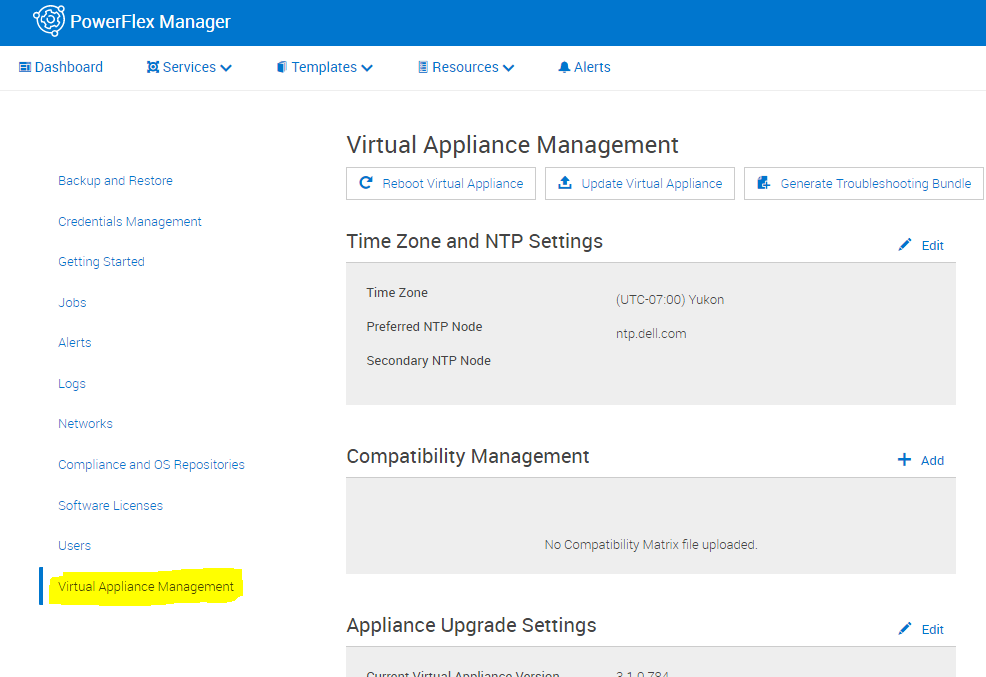
3.[Generate Troubleshooting Bundle]を選択します。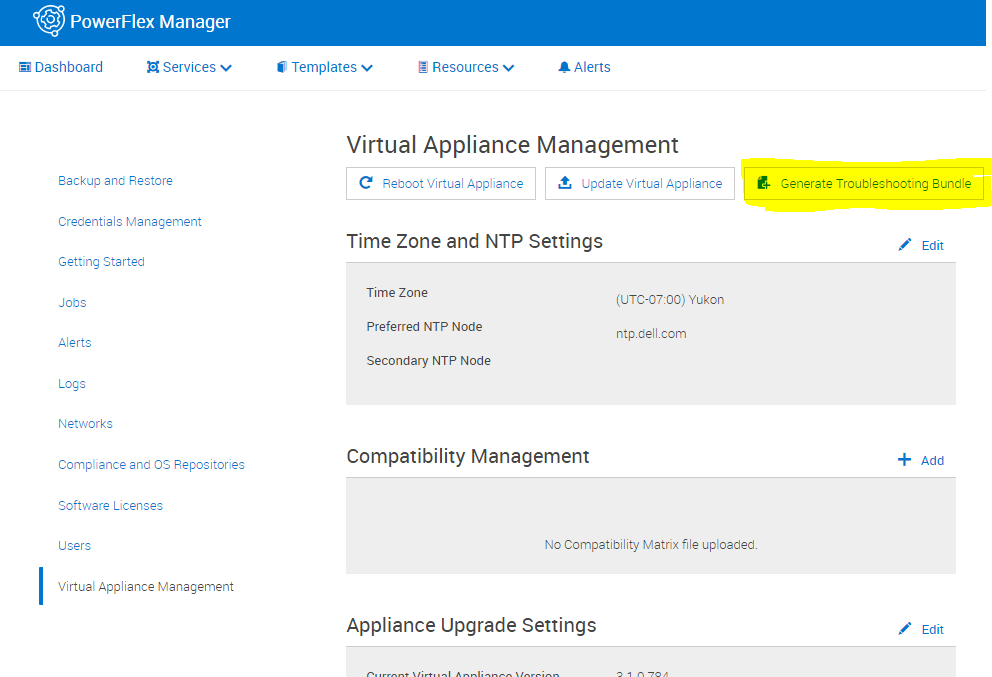
4.ポップアップで、構成済みSecure Remote Services(Secure Remote Services)に送信するか、ローカルにダウンロードするかを選択します。ローカルにダウンロードする場合は、ダウンロードのパスを選択し、適切なログイン情報を入力してから[生成]をクリックします。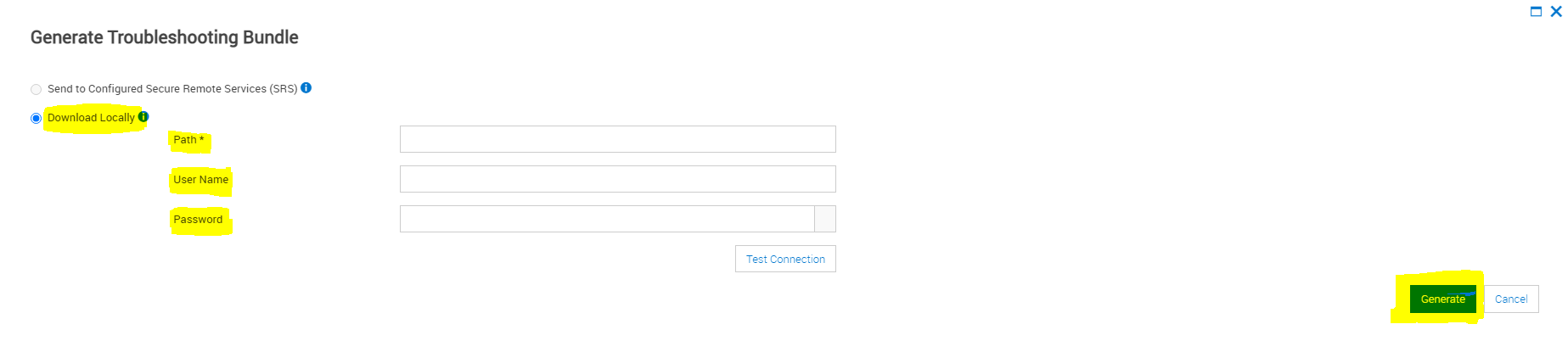
Affected Products
PowerFlex rack connectivity, PowerFlex rack HWArticle Properties
Article Number: 000213029
Article Type: How To
Last Modified: 08 Dec 2025
Version: 4
Find answers to your questions from other Dell users
Support Services
Check if your device is covered by Support Services.