PowerFlex 3.X: PFxM(PowerFlex Manager) 로그 번들 생성
Summary: PowerFlex 로그 번들을 수집하는 단계를 자세히 설명합니다.
This article applies to
This article does not apply to
This article is not tied to any specific product.
Not all product versions are identified in this article.
Instructions
PowerFlex 로그 번들 생성 -
1. PowerFlex Manager에 로그인하고 'Settings'를 선택합니다.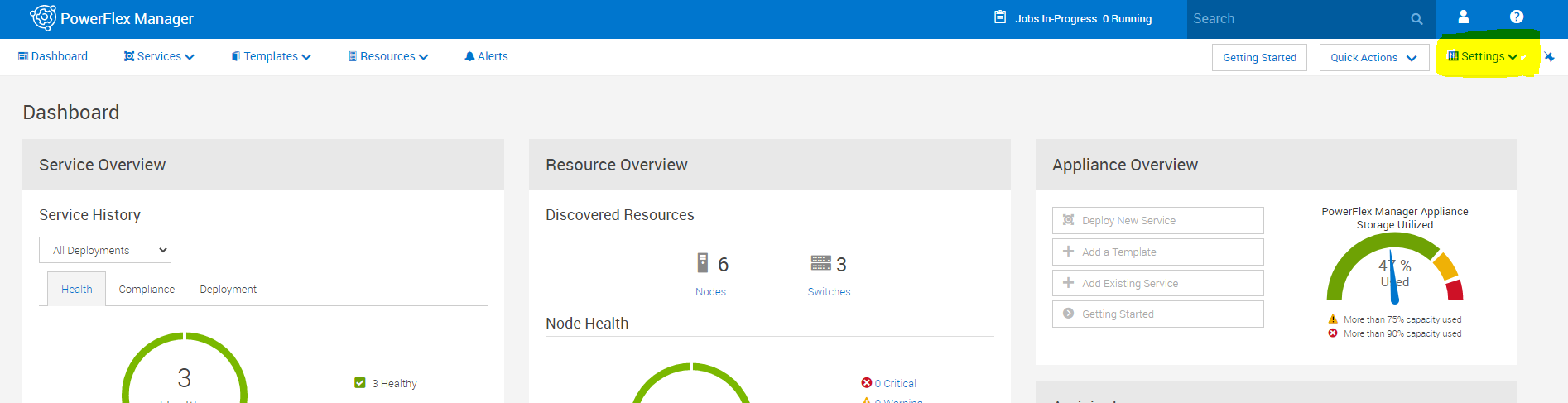
2. 설정 메뉴에서 '가상 어플라이언스 관리'를 선택합니다.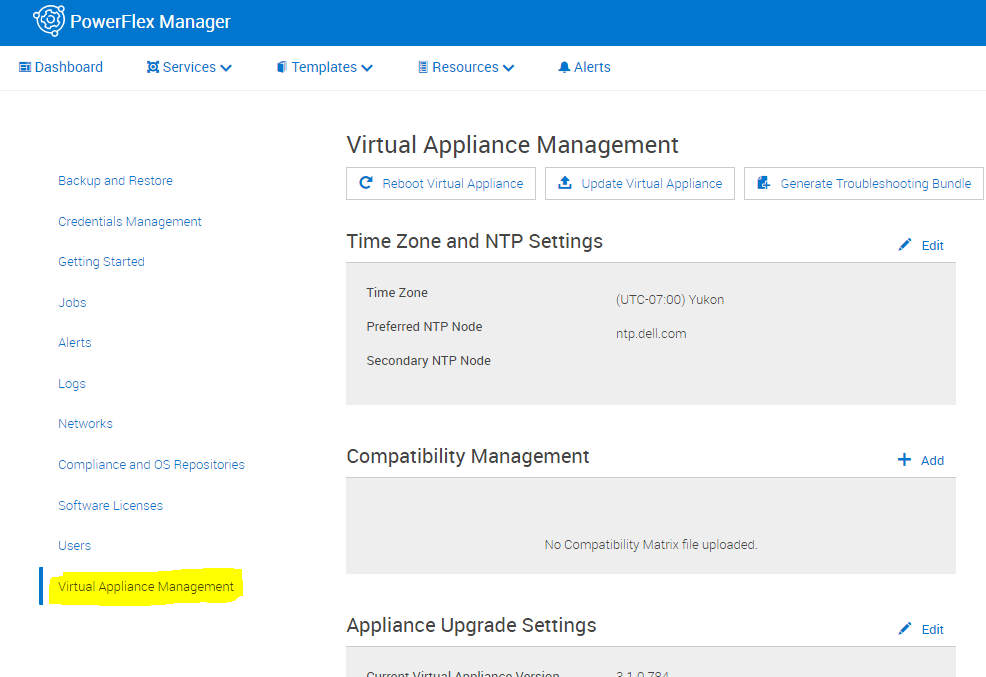
3. 'Generate Troubleshooting Bundle'을 선택합니다.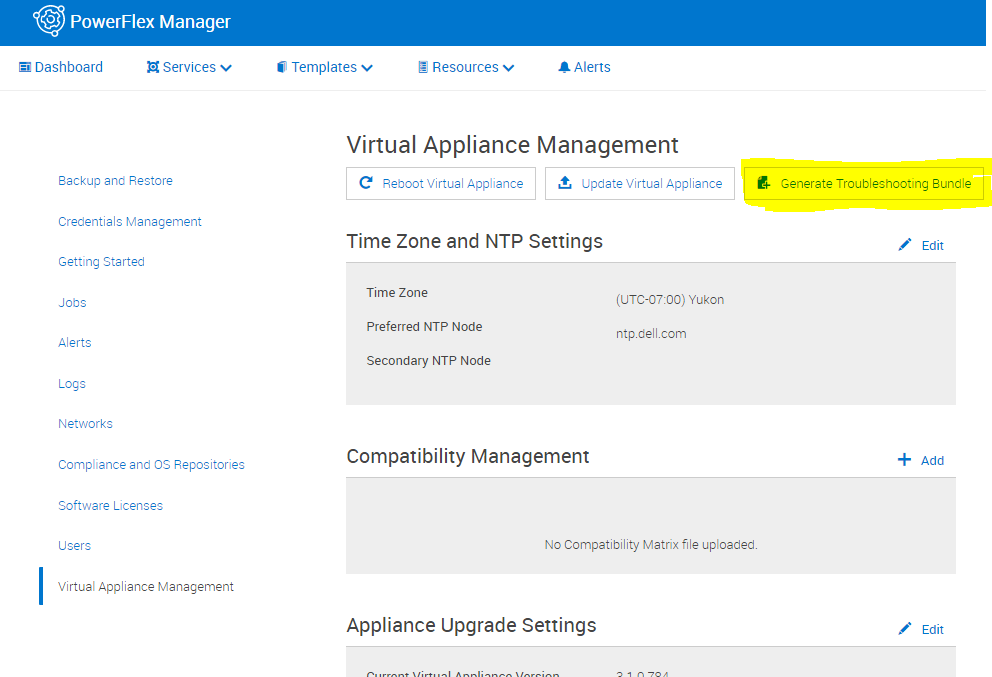
4. 팝업에서 구성된 Secure Remote Services(Secure Remote Services)로 전송하거나 로컬로 다운로드하도록 선택합니다. 로컬로 다운로드하는 경우 다운로드 경로를 선택하고 적절한 로그인 정보를 입력한 다음 생성 을 클릭합니다.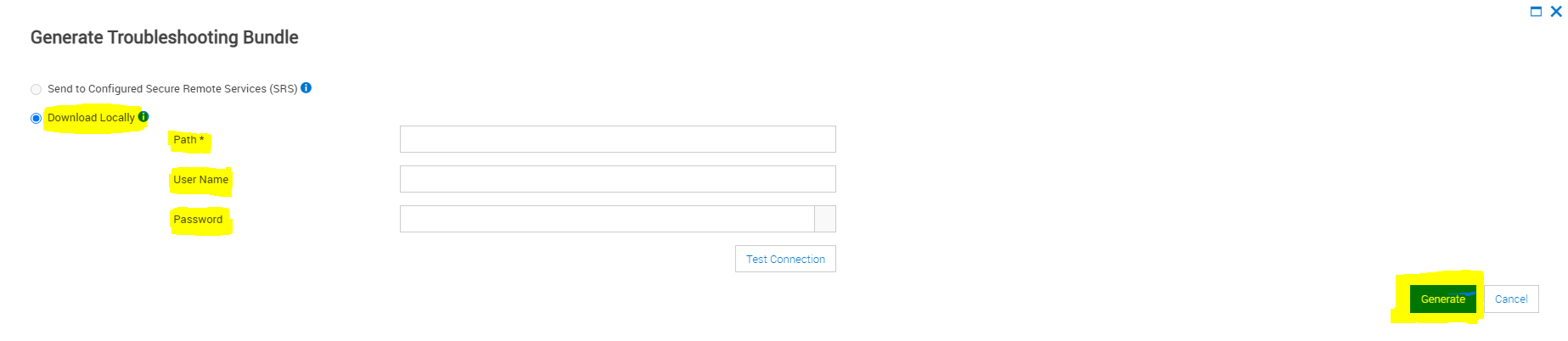
Affected Products
PowerFlex rack connectivity, PowerFlex rack HWArticle Properties
Article Number: 000213029
Article Type: How To
Last Modified: 08 Dec 2025
Version: 4
Find answers to your questions from other Dell users
Support Services
Check if your device is covered by Support Services.