PowerFlex 3.X:產生 PowerFlex Manager (PFxM) 記錄套裝
Summary: 詳述收集 PowerFlex 記錄套裝的步驟。
This article applies to
This article does not apply to
This article is not tied to any specific product.
Not all product versions are identified in this article.
Instructions
產生 PowerFlex 記錄套裝 -
1.登入 PowerFlex Manager,然後選擇「設定」。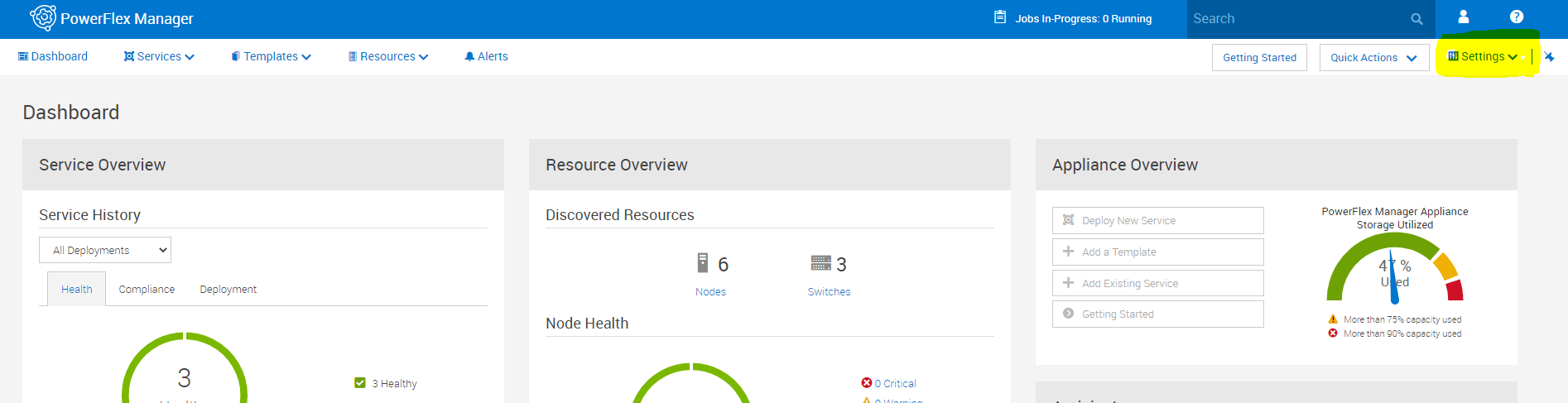
2.在「設定」功能表中,選擇「Virtual Appliance Management」
3.選擇「產生故障診斷套裝」。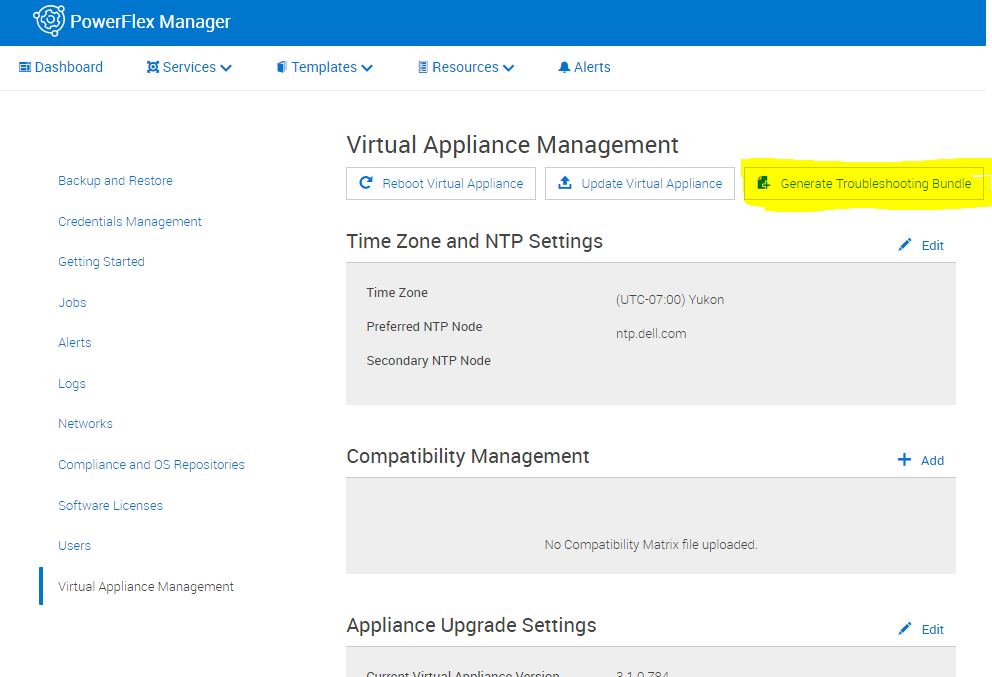
4.在彈出式視窗中,選擇傳送至已設定的安全遠端服務 (Secure Remote Services),或選擇在本機下載。如果下載是本機,請選擇下載路徑,然後輸入適當的登入資訊,然後按一下「產生」。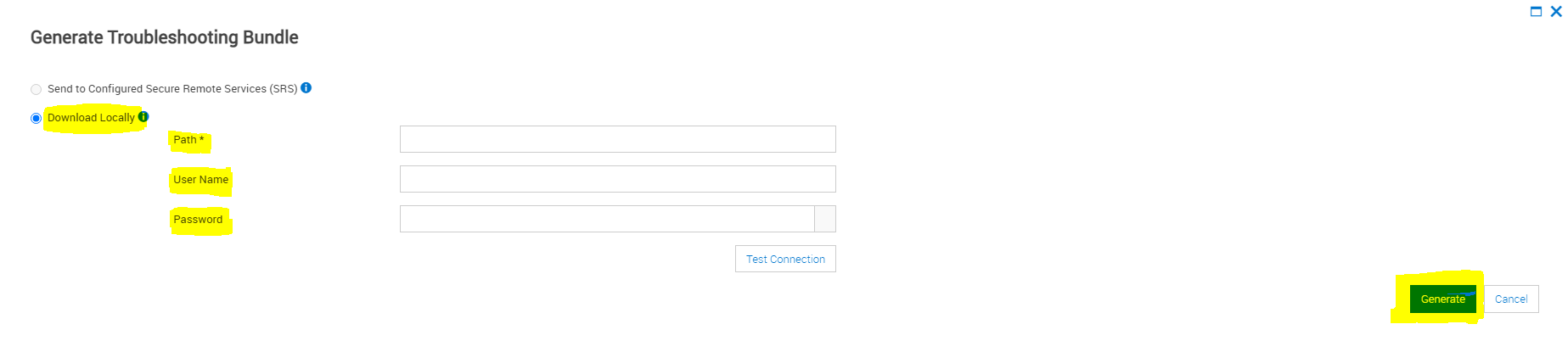
Affected Products
PowerFlex rack connectivity, PowerFlex rack HWArticle Properties
Article Number: 000213029
Article Type: How To
Last Modified: 08 Dec 2025
Version: 4
Find answers to your questions from other Dell users
Support Services
Check if your device is covered by Support Services.