PowerFlex 3.X:生成 PowerFlex Manager (PFxM) 日志包
Summary: 详细了解收集 PowerFlex 日志包的步骤。
This article applies to
This article does not apply to
This article is not tied to any specific product.
Not all product versions are identified in this article.
Instructions
生成 PowerFlex 日志包 -
1.登录到 PowerFlex Manager,然后选择“Settings”。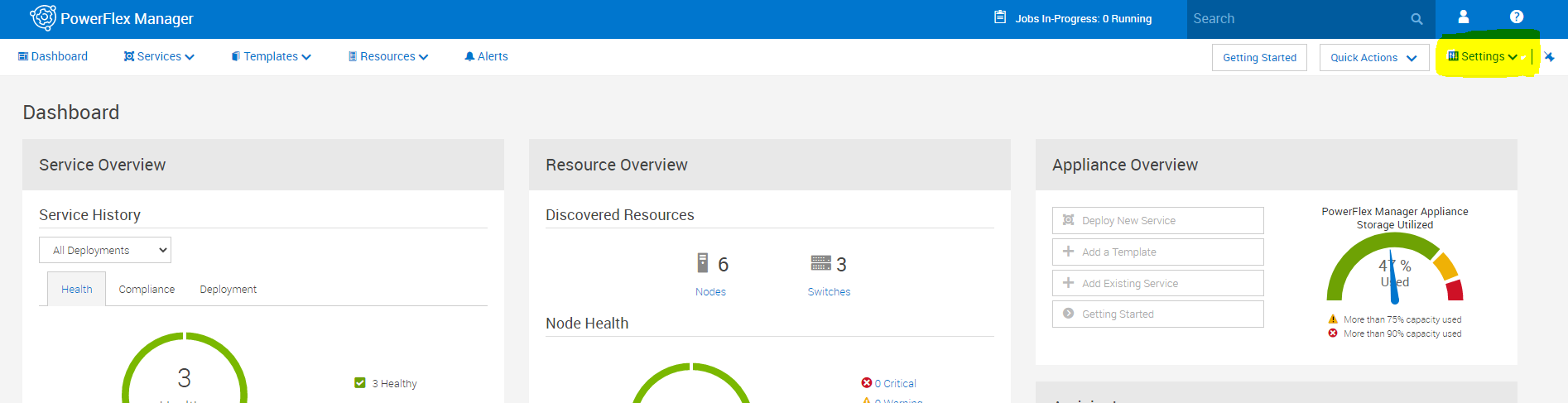
2.在“Settings”菜单中,选择“Virtual Appliance Management”。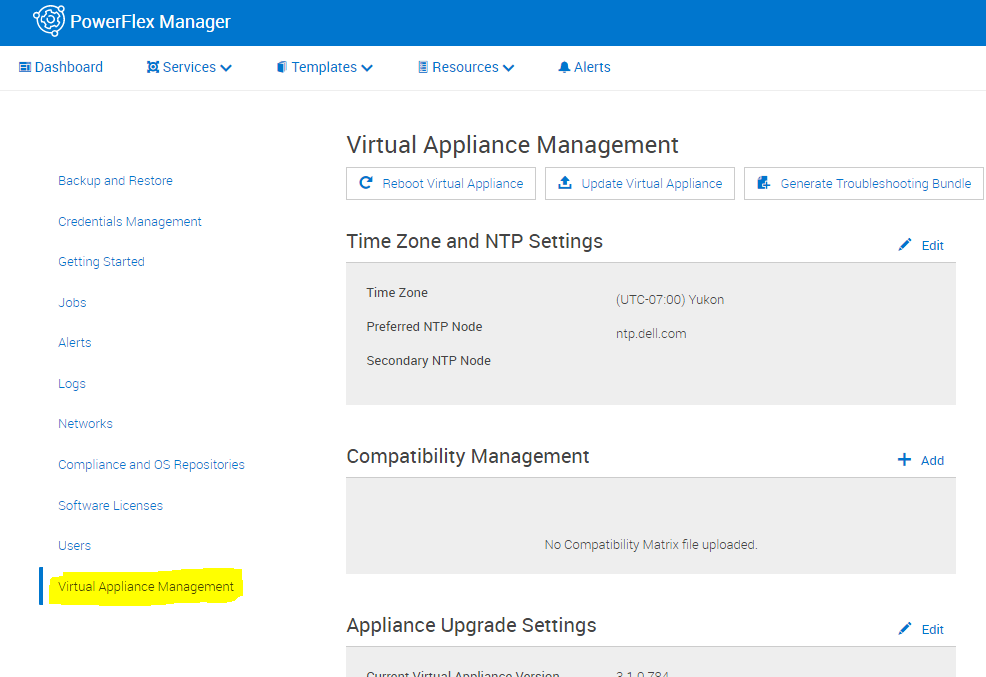
3.选择“Generate Troubleshooting Bundle”。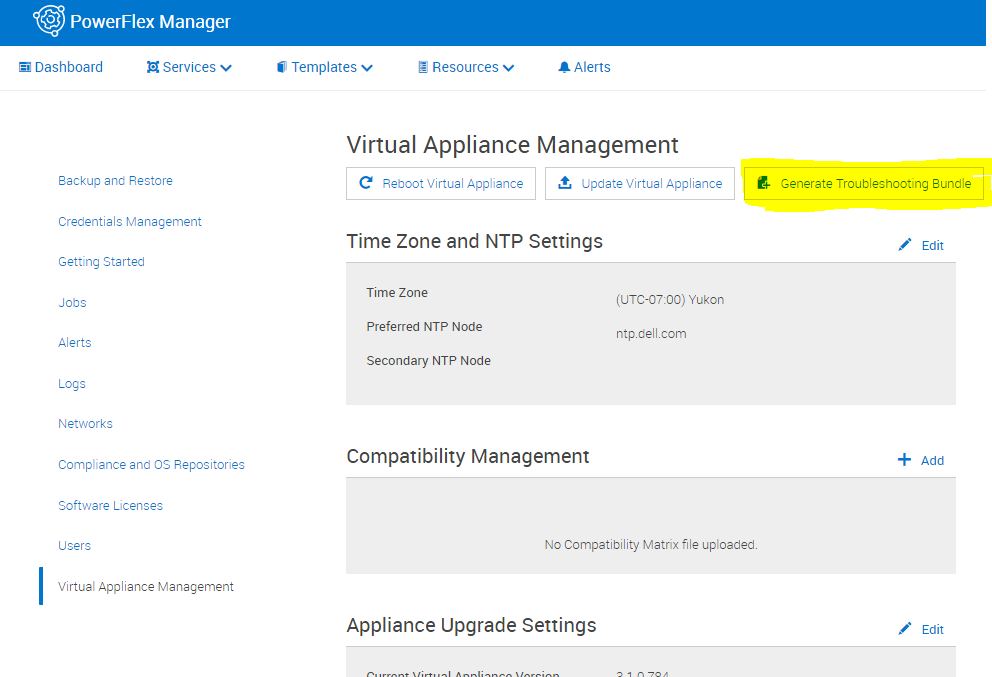
4.在弹出窗口中,选择发送到配置的 Secure Remote Services (Secure Remote Services) 或选择本地下载。如果在本地下载,则选择下载路径并输入相应的登录信息,然后单击“Generate”。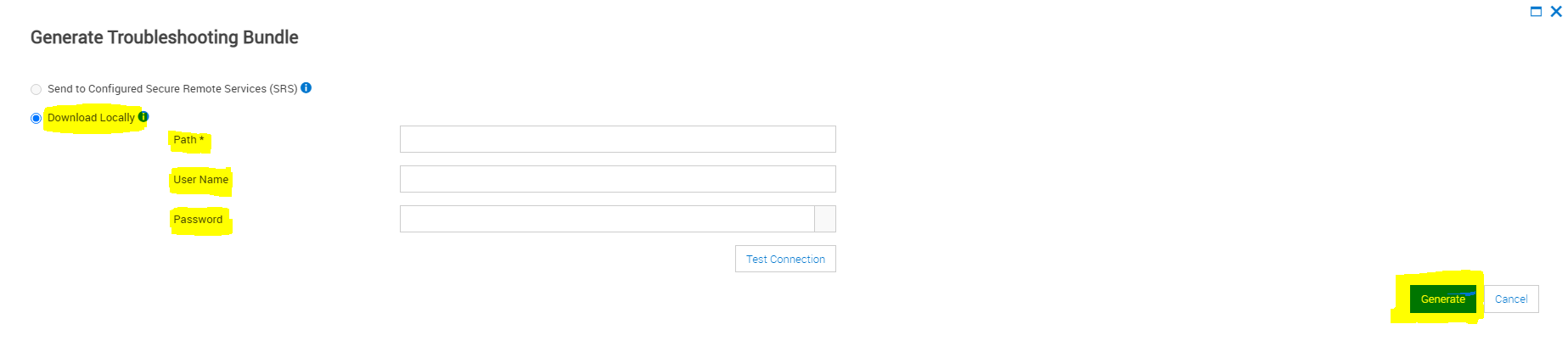
Affected Products
PowerFlex rack connectivity, PowerFlex rack HWArticle Properties
Article Number: 000213029
Article Type: How To
Last Modified: 08 Dec 2025
Version: 4
Find answers to your questions from other Dell users
Support Services
Check if your device is covered by Support Services.