PowerFlex 3.X: View PowerFlex Compliance and RCM Info
Summary: This article includes steps to view PowerFlex Compliance and RCM information.
This article applies to
This article does not apply to
This article is not tied to any specific product.
Not all product versions are identified in this article.
Instructions
Viewing PowerFlex Compliance and RCM Information -
1. Log in to PowerFlex Manager and choose 'Settings'.
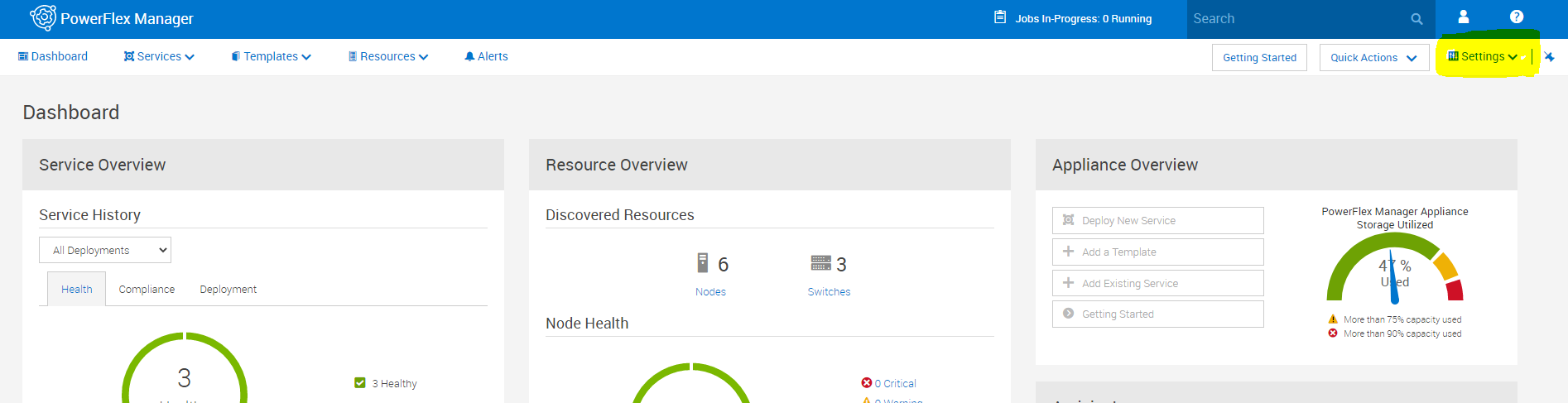
2. In the Settings section, choose 'Compliance and operating system Repositories'.
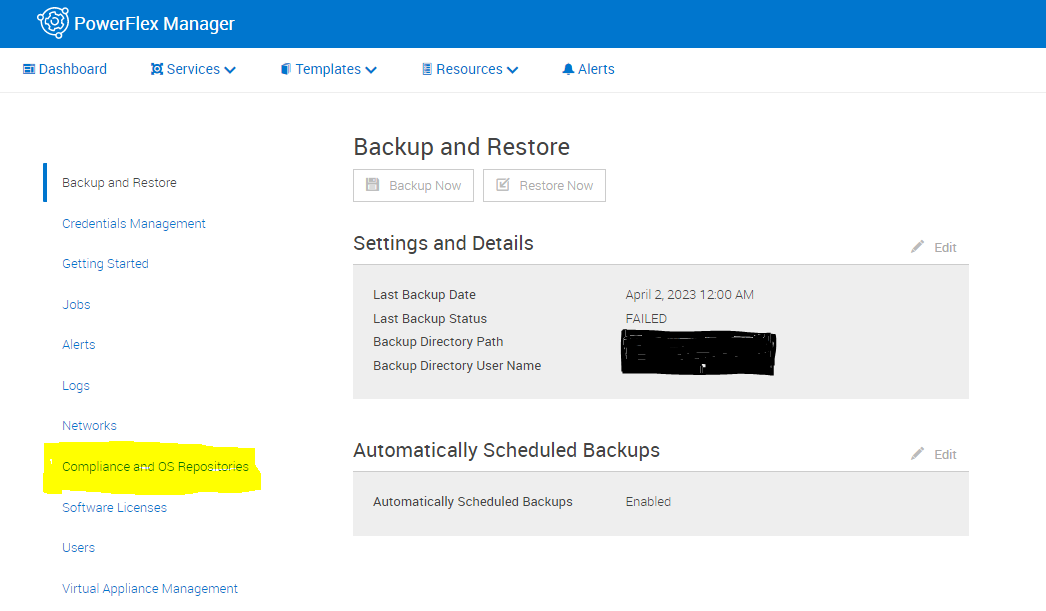
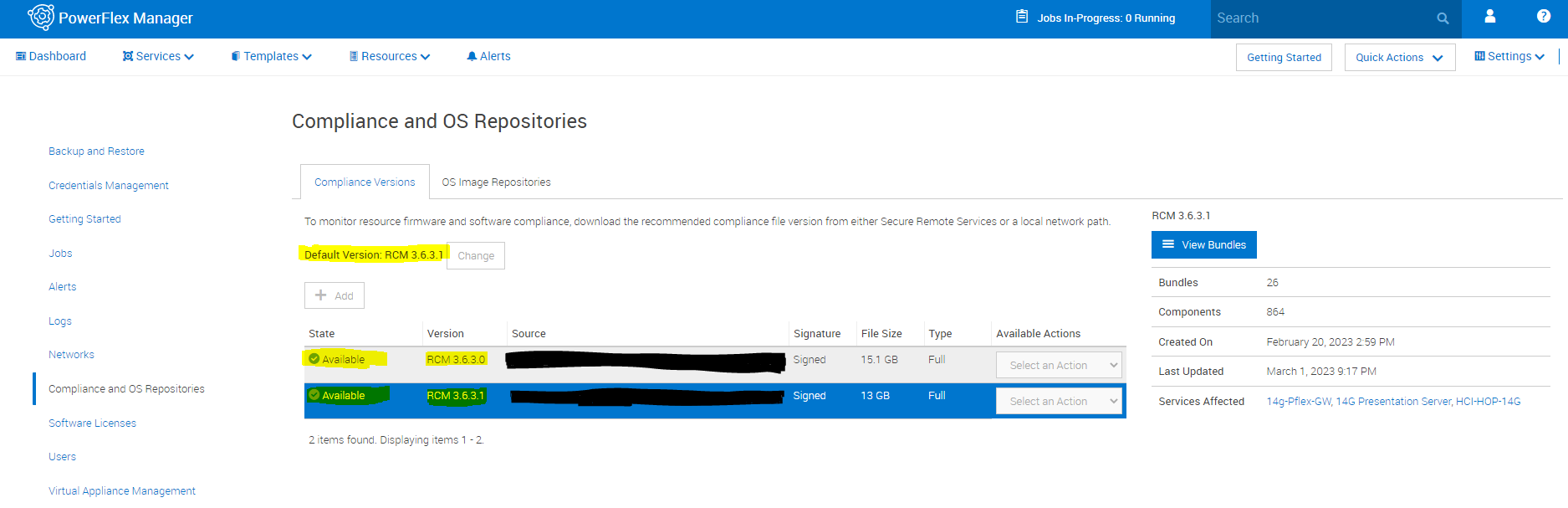
3. In the Compliance and operating system Repositories section, the current RCM information is listed as well as the current state of the RCM compliance.
Affected Products
PowerFlex rack connectivity, PowerFlex rack HWArticle Properties
Article Number: 000213053
Article Type: How To
Last Modified: 10 Dec 2025
Version: 4
Find answers to your questions from other Dell users
Support Services
Check if your device is covered by Support Services.