VxRail: How to Download the Latest Precheck File and Manifest File to Generate Update Advisor Report
Summary: How to download the latest precheck file and manifest file to generate an update advisor report.
This article applies to
This article does not apply to
This article is not tied to any specific product.
Not all product versions are identified in this article.
Instructions
Update Advisor Report was introduced in the VxRail 7.0.450 release, back then it was needed to upload a full LCM bundle to generate the report.
VxRail 7.0.480 release introduces a new feature to allow user only to upload the latest precheck file and manifest file to generate an update advisor report.
- Navigate to VxRail plugin Updates page, under "LOCAL UPDATES" tab.
- Click "SELECT" button to upload the required files from your local personal computer.
- After the files are uploaded, click "CREATE REPORT" button to generate update advisor report.
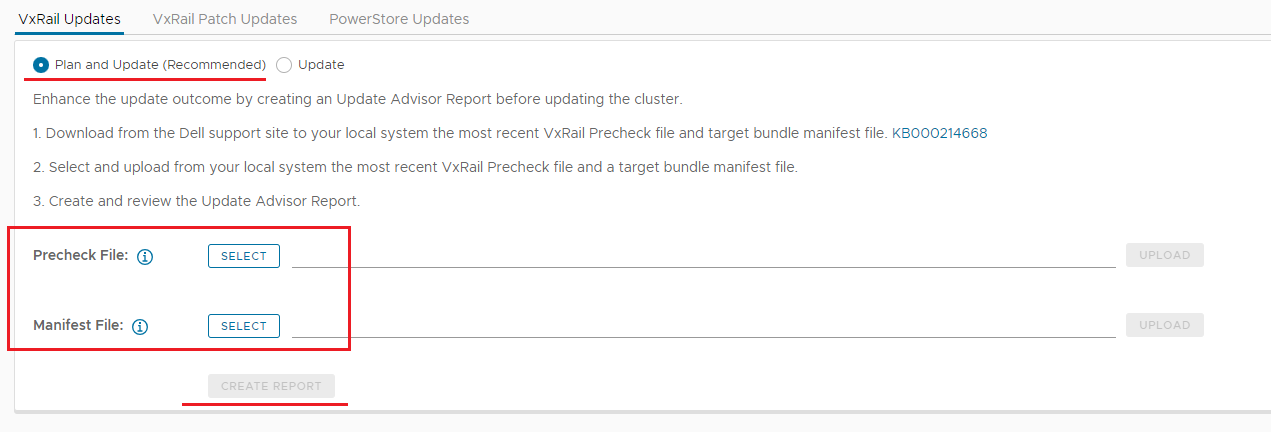
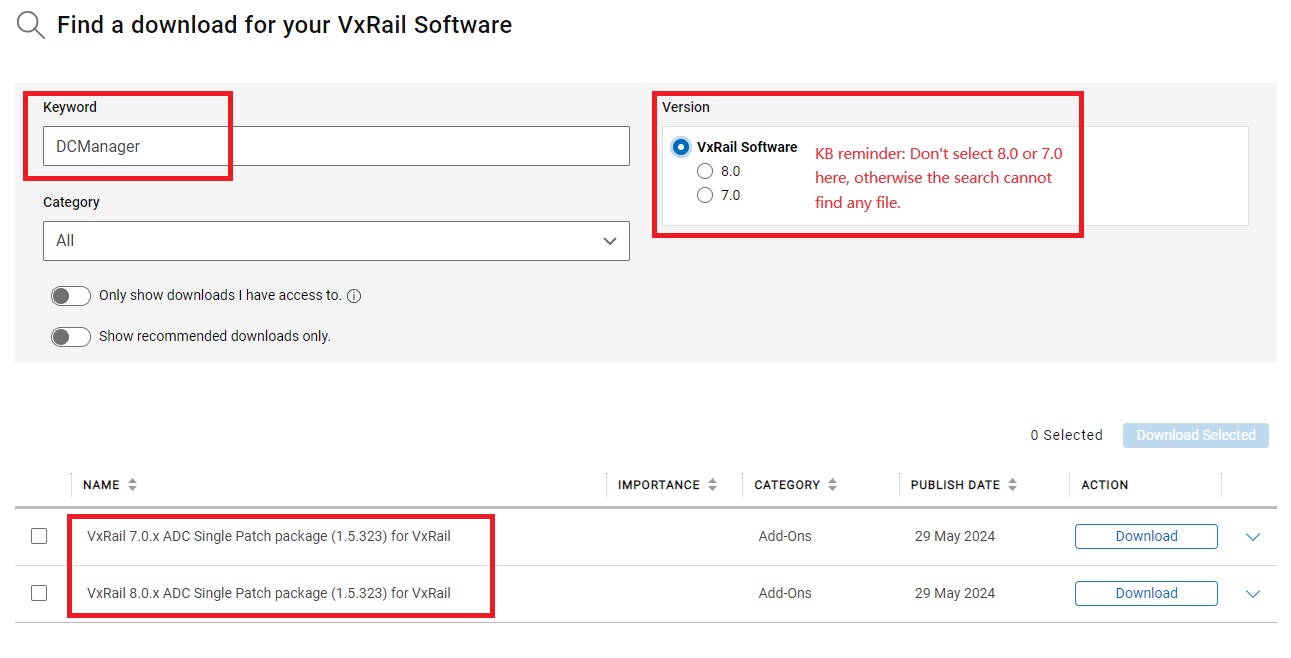
You can download the latest precheck file and manifest file from the Dell Support Site (Login with your support account is required.)
- Precheck file: Search "DCManager" and select the latest version of "ADC Single Patch package" to download.
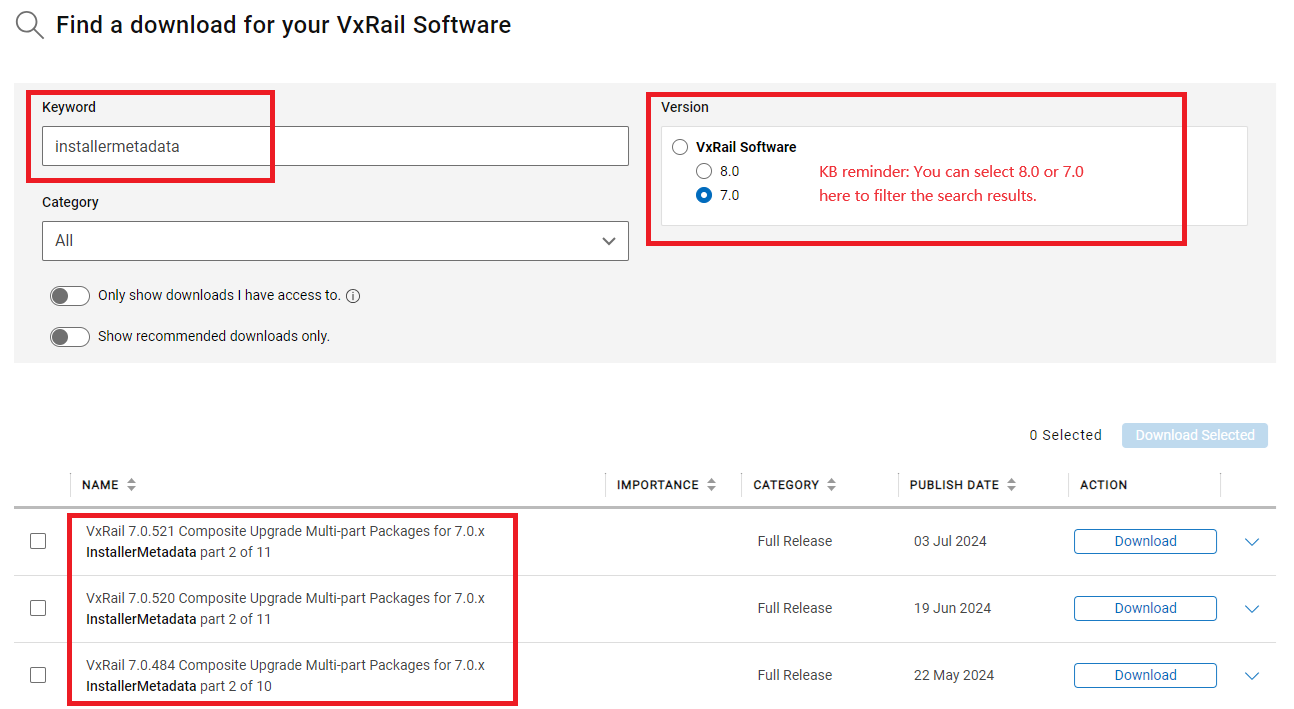
- Manifest file: Search "installermetadata" and select the upgrade target version "Installermetadata" file to download.
Additional Information
- It is recommended to upload the latest precheck file and manifest file to generate an update advisor report before cluster upgrade. The new Update Advisor Report enhances update planning and increases success rates by providing the following features:
- Cluster update readiness status
- Direct link to release notes
- Recommendations for resolving issues before updating
- Analysis of component-level drift
- Custom component information
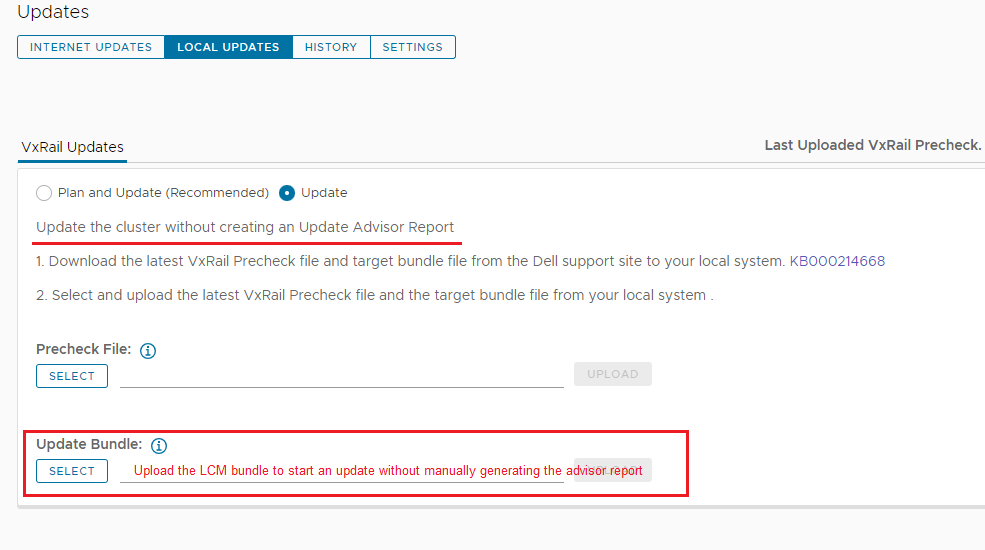
If you do not want to manually generate the update advisor report, you can directly choose the "Update" radio button, and only upload the full LCM bundle to start the cluster upgrade.
Check KB "VxRail: Introduction of Update Advisor Report in VxRail 7.0.450" for more details about Update Advisor Report.
Article Properties
Article Number: 000214668
Article Type: How To
Last Modified: 26 Mar 2026
Version: 7
Find answers to your questions from other Dell users
Support Services
Check if your device is covered by Support Services.