MHC 14G Azure Stack HUB | Error: One or more guest Azure Active Directory (AAD) Tenants need to be configured
Summary: Microsoft Hybrid Cloud (MHC) 14G Azure Stack HUB | Error: One or more guest Azure Active Directory (AAD) Tenants need to be configured.
This article applies to
This article does not apply to
This article is not tied to any specific product.
Not all product versions are identified in this article.
Symptoms
A new account was registered. During the creation of AAD, we are not able to register the new directory.
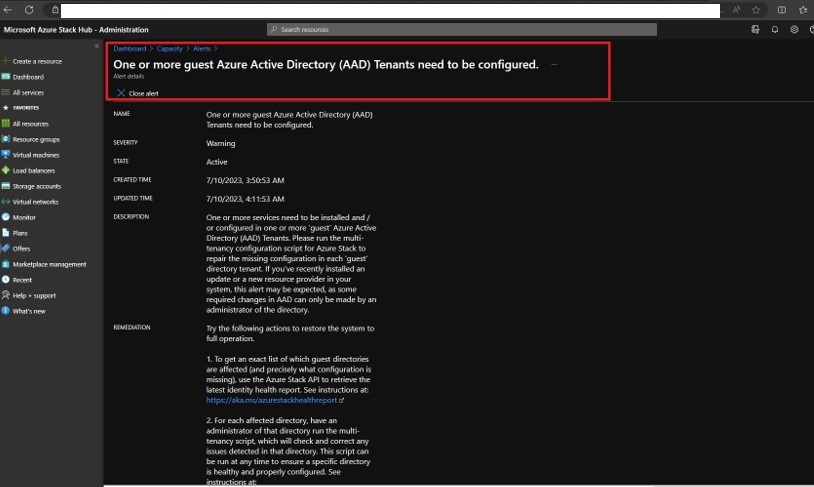
The user is not able to register the new AAD, it is always prompting for "Update Required'.
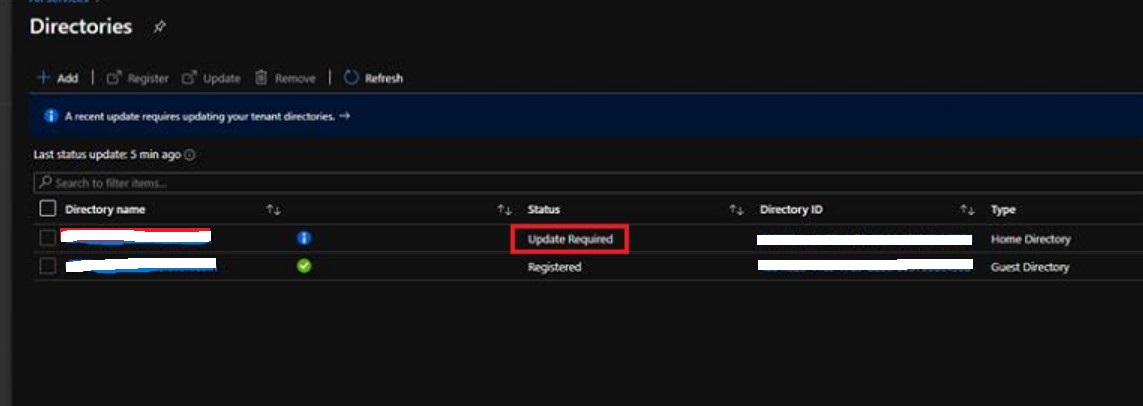
Error: One or more guest Azure Active Directory (AAD) Tenants need to be configured.
The user is not able to register the new AAD, it is always prompting for "Update Required'.
Cause
This is a problem in Azure Stack 2301.
Resolution
To resolve this issue, follow the steps below:
1. Make your Azure Stack Hub system aware of the guest directory.
2. Select Directories in Microsoft Azure Stack Hub - Administration.

3. Click on Add and enter the Guest Directory information.

4. The new Directory is added.
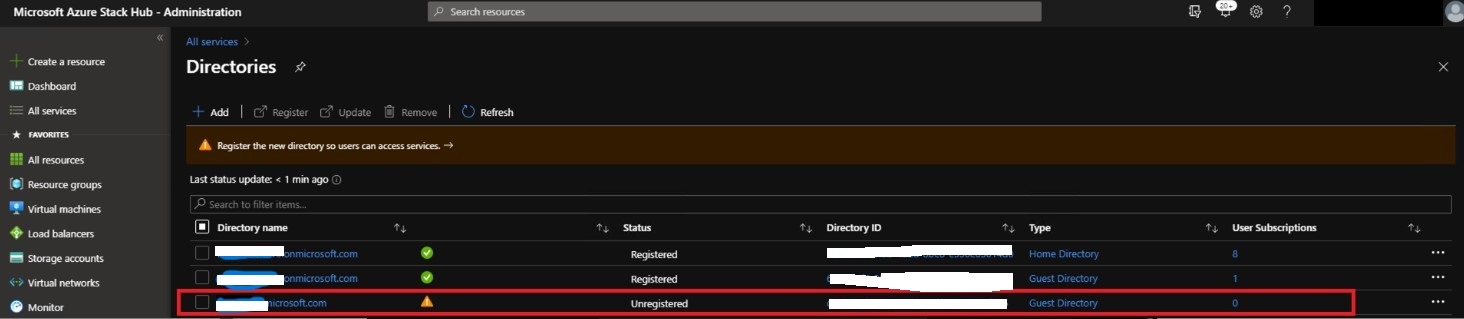
5. Click on Register with the new Directory selected.

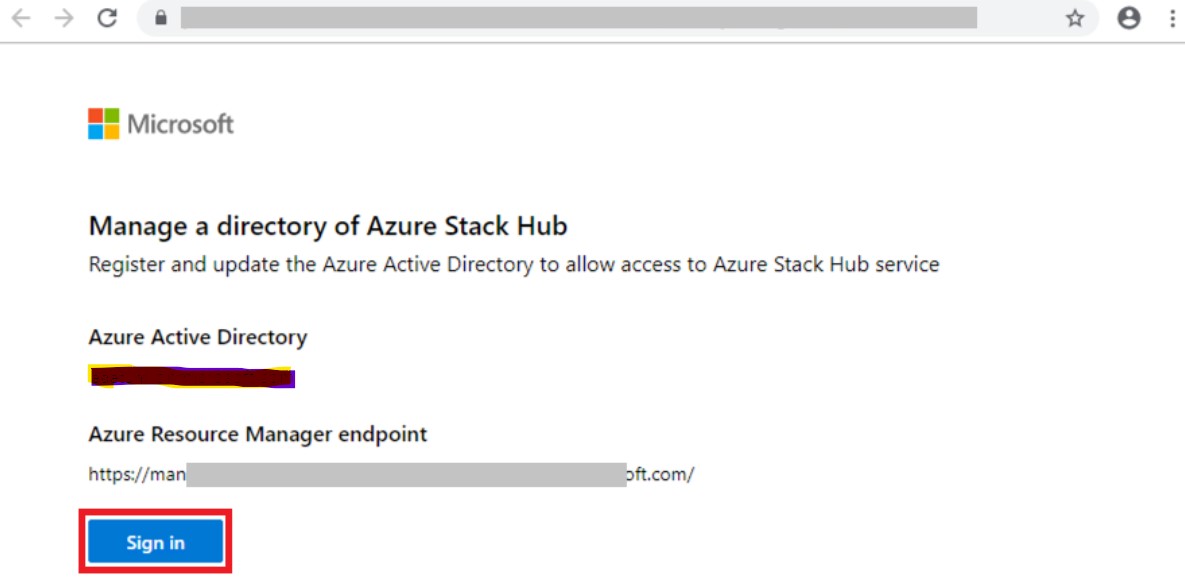
6. A new browser tab opens.
7. Select Copy link at the bottom of the page.
8. If you have the credentials for the guest directory, you can complete the registration yourself by selecting Sign-in.

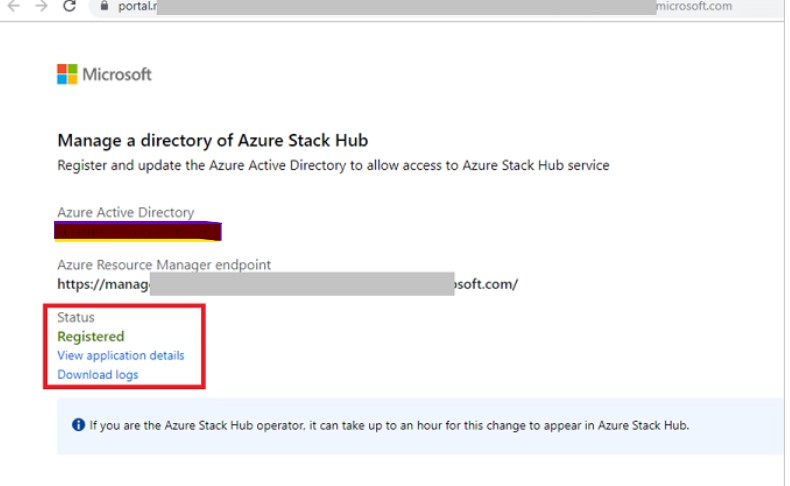
1. Make your Azure Stack Hub system aware of the guest directory.
2. Select Directories in Microsoft Azure Stack Hub - Administration.
3. Click on Add and enter the Guest Directory information.
4. The new Directory is added.
5. Click on Register with the new Directory selected.
6. A new browser tab opens.
7. Select Copy link at the bottom of the page.
8. If you have the credentials for the guest directory, you can complete the registration yourself by selecting Sign-in.
Affected Products
Integrated System for Microsoft Azure Stack Hub 14GArticle Properties
Article Number: 000216547
Article Type: Solution
Last Modified: 11 Dec 2023
Version: 2
Find answers to your questions from other Dell users
Support Services
Check if your device is covered by Support Services.