PPDM NAS restore fails with error Code 36 - File name too long
Summary: PPDM NAS restore fails with error "Code 36: File name too long" PPDM 19.14
This article applies to
This article does not apply to
This article is not tied to any specific product.
Not all product versions are identified in this article.
Symptoms
PPDM NAS restore fails with error "Code 36: File name too long" PPDM 19.14
The behavior varies depending on the filer and its operating system versions:
1. When the file is on filer Unity version 5.2.2.0.5.004, the recovery of files with long names (400 characters) fails with the error:
Unable to create files during restore (Code 36: File name too long)
Screenshot:
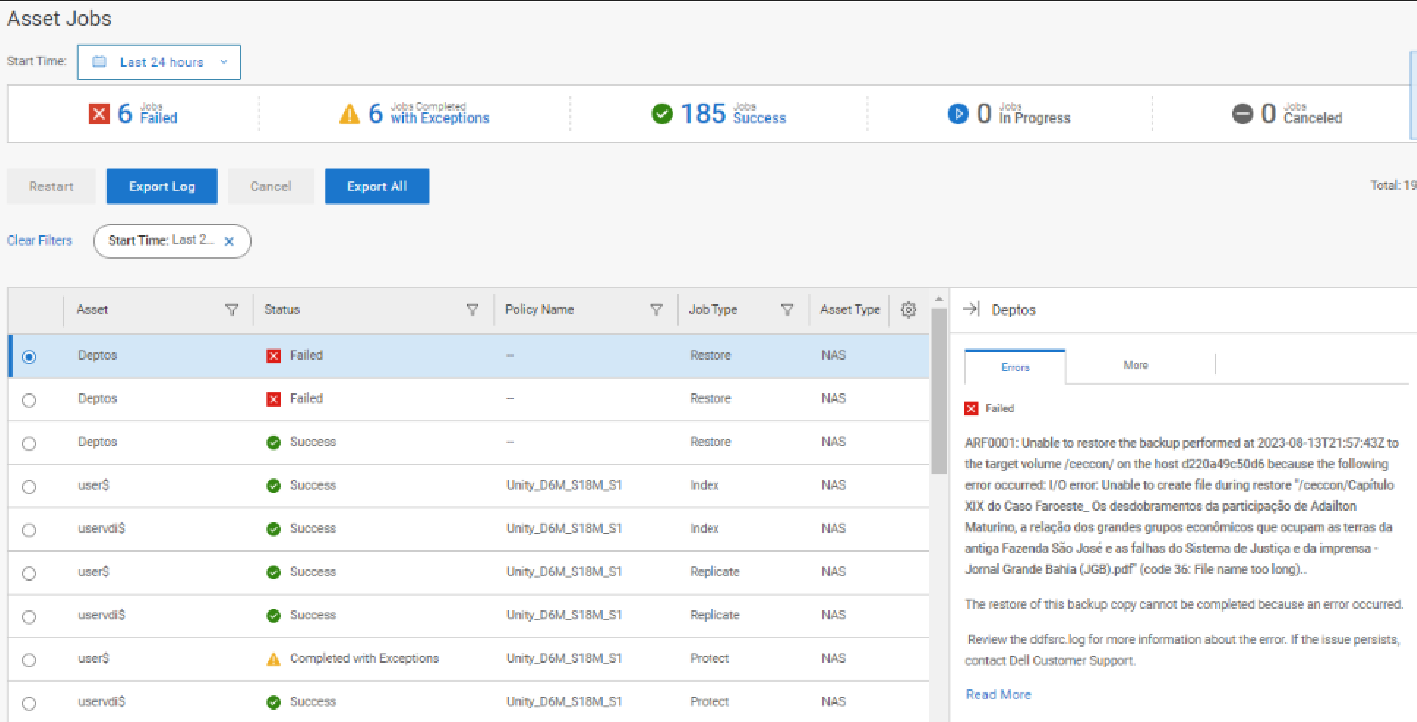
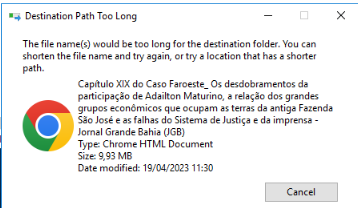
2. When the file is on Isilon OneFS 9.4,0.0 and Unity VSA 5.3.0, the file is recovered successfully. The recovery truncates the 400 character file name to 255 characters automatically, and it completes successfully.
The behavior varies depending on the filer and its operating system versions:
1. When the file is on filer Unity version 5.2.2.0.5.004, the recovery of files with long names (400 characters) fails with the error:
Unable to create files during restore (Code 36: File name too long)
Screenshot:
2. When the file is on Isilon OneFS 9.4,0.0 and Unity VSA 5.3.0, the file is recovered successfully. The recovery truncates the 400 character file name to 255 characters automatically, and it completes successfully.
Cause
PPDM supports backing up files with long names (over 255 characters) in the share. But we cannot guarantee that we can write them back to the share at recovery time as this depends on the NAS type and version.
Resolution
Rename the files with long names to shorter file names and avoid any special characters in the file names for backup and restore.
Article Properties
Article Number: 000217004
Article Type: Solution
Last Modified: 14 Sep 2023
Version: 1
Find answers to your questions from other Dell users
Support Services
Check if your device is covered by Support Services.