PowerStore: SDNAS mapping failure due to an unsupported IP address swap procedure
Summary: Unsupported operation of swapping IPs between Data Protection Network interfaces, resulted in the following errors: 1. IP cannot be reassigned from one Data Protection Network interface to another (0xE08010240411). 2. Modify File Mobility Network operation failed due to internal error (0xE08010240017). ...
This article applies to
This article does not apply to
This article is not tied to any specific product.
Not all product versions are identified in this article.
Symptoms
Failure to map FMN (File Mobility Network) IP addresses.
In PowerStore Manager UI: The following error is displayed when navigating to "File Mobility" and choosing "map network”: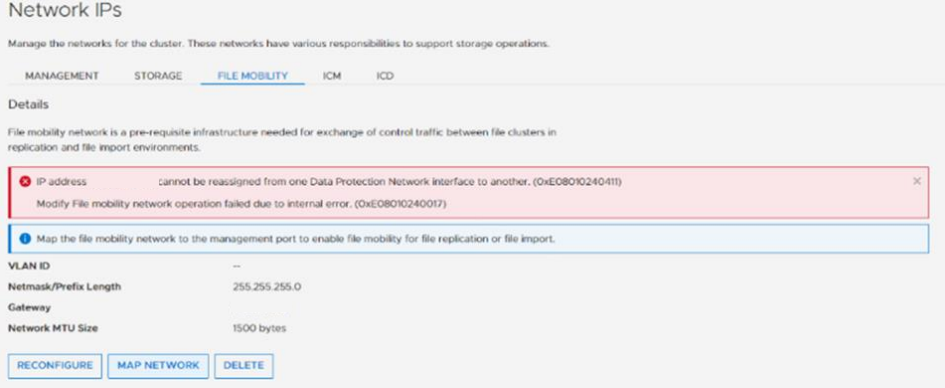
Cause
In case of replication or migration, IP addresses are configured for FMN (file mobility network).
If an IP address swap between Data Protection Network interfaces is not performed according to protocol, the client will receive the above-mentioned errors.
If an IP address swap between Data Protection Network interfaces is not performed according to protocol, the client will receive the above-mentioned errors.
Resolution
In order to swap IP addresses between Data Protection Network interfaces, perform the following procedure instead of attempting a single modify operation.
Allocate a new temporary IP address and break the modify operation into multiple steps.For example, to swap address1 and address2, currently assigned to interface1 and interface2, perform the following three steps:
- Assign address3 to interface1,
- Assign address1 to interface2,
- Assign address2 to interface1.
Affected Products
PowerStoreArticle Properties
Article Number: 000219700
Article Type: Solution
Last Modified: 08 Mar 2024
Version: 2
Find answers to your questions from other Dell users
Support Services
Check if your device is covered by Support Services.