Data Domain: IDPA Certificate replacement "OpenSSL Error. Error changing password for PKCS12 file."
Summary: DD certificate replacement may fail when uploading a PKCS12 certificate file using the DD CLI or GUI.
This article applies to
This article does not apply to
This article is not tied to any specific product.
Not all product versions are identified in this article.
Symptoms
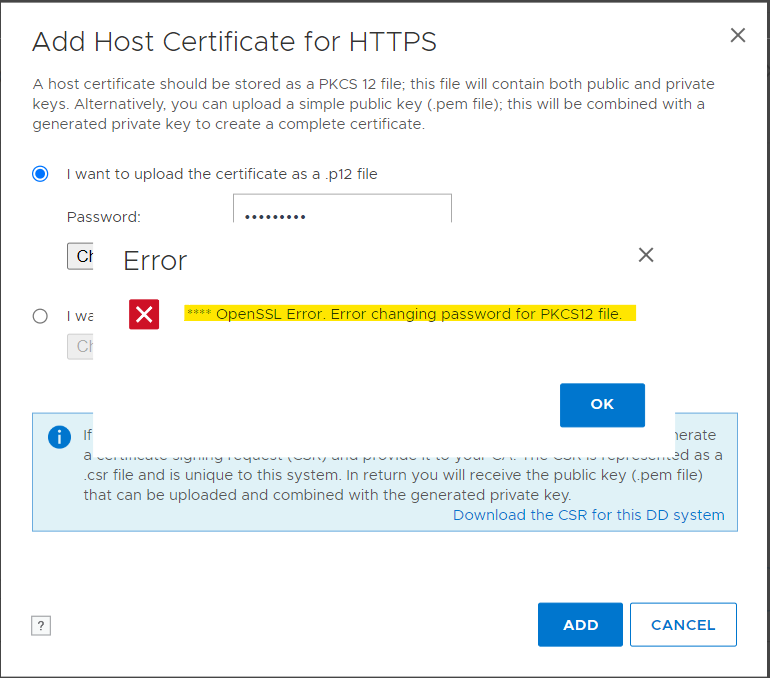
When attempting to upload a PKCS12 certificate file through either the Data Domain command-line interface (CLI) or GUI may fail with the following error message:
**** OpenSSL Error. Error changing password for PKCS12 file
Cause
This issue occurs because Data Domain only supports the pbeWithSHA1And3-KeyTripleDES-CBC (PBE-SHA1-3DES) encryption algorithm.
To verify the PKCS12 file encryption algorithm, copy the file to an ACM machine and run:
# openssl pkcs12 -info -in keystore.p12 -noout
Replace keystore.p12 with pkcs12 file name. A sample output looks like the following. If the output does not show PBE-SHA1-3DES, then DD does not supported it:
Enter Import Password: xxxx
MAC Iteration 1024
MAC verified OK
PKCS7 Data
Shrouded Keybag: PBES2, PBKDF2, DES-EDE3-CBC, Iteration 1024, PRF hmacWithSHA1
PKCS7 Encrypted data: PBES2, PBKDF2, DES-EDE3-CBC, Iteration 1024, PRF hmacWithSHA1
Certificate bag
Resolution
Workaround
As a workaround, copy this noncompliant PKCS12 file to an ACM machine, then convert the PKCS12 file to a compliant file using the following steps:
Step 1: Export the key pair from the noncompliant PKCS12 keystore file to a PEM format file named temp.pem:
openssl pkcs12 -in nonCompliantkeystore.p12 -out temp.pem
Step 2: Convert the temp.pem keypair file to a compliant PKCS12 file with PBE-SHA1-3DES algorithm:
openssl pkcs12 -export -in temp.pem -out Compliantkeystore.p12 -name "new" -macalg SHA256 -keypbe PBE-SHA1-3DES -certpbe PBE-SHA1-3DES -passout pass:Idpa_1234
Step 3: (Optional) Validate the converted file algorithm:
openssl pkcs12 -info -in Compliantkeystore.p12 -noout
Resolution
This issue has been addressed in the following DDOS versions:
- 8.4.0.0 and later
- 8.3.1.10 and later
- 7.10.1.70 and later
- 7.13.1.40 and later
The fix updates the encryption method used for PKCS#12 files, transitioning from PBE-SHA1-3DES to AES-256-CBC. To resolve the issue, ensure that the DD is running one of the versions listed above.
Affected Products
Data Domain, PowerProtect Data Protection Appliance, PowerProtect Data Manager ApplianceArticle Properties
Article Number: 000220150
Article Type: Solution
Last Modified: 19 Aug 2025
Version: 4
Find answers to your questions from other Dell users
Support Services
Check if your device is covered by Support Services.