PowerEdge: Intel 100G 2P E810-2C Adapter only has one port enumerated
Summary: PowerEdge Servers installed with Intel Ethernet 100G 2P E810-2C Adapter have only one port being enumerated under device settings.
This article applies to
This article does not apply to
This article is not tied to any specific product.
Not all product versions are identified in this article.
Symptoms
For PowerEdge systems that shipped with Intel(R) Ethernet 100G 2P E810-2C Adapter, the network interface controller (NIC) should have two ports enumerated.
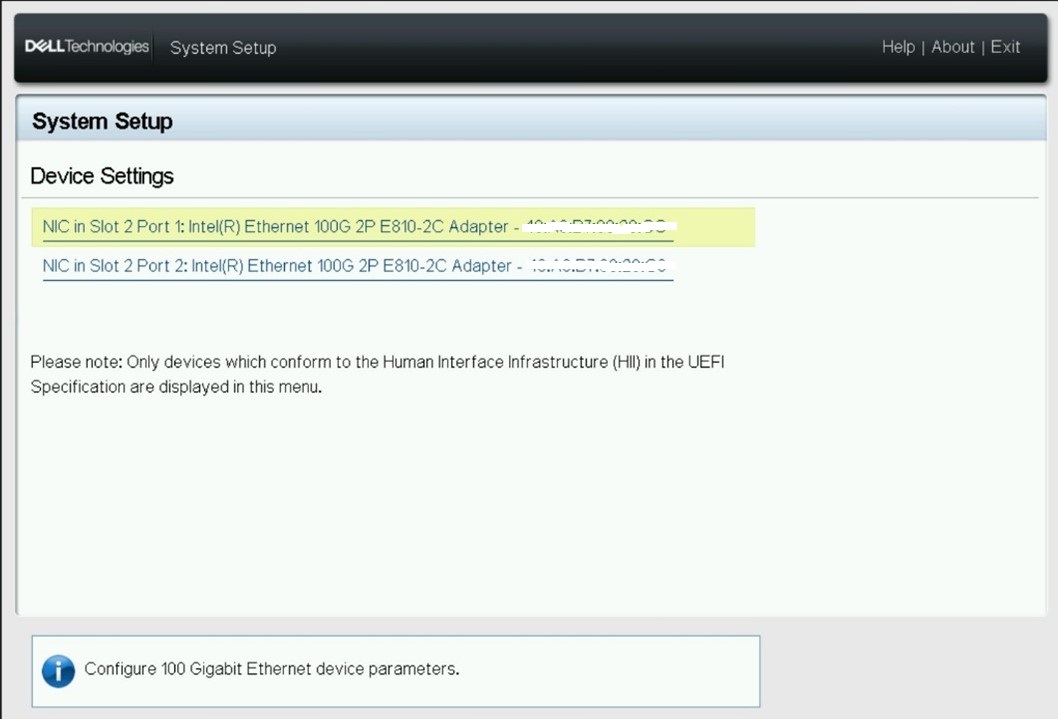
Under certain BIOS setup conditions, only one port is displayed.
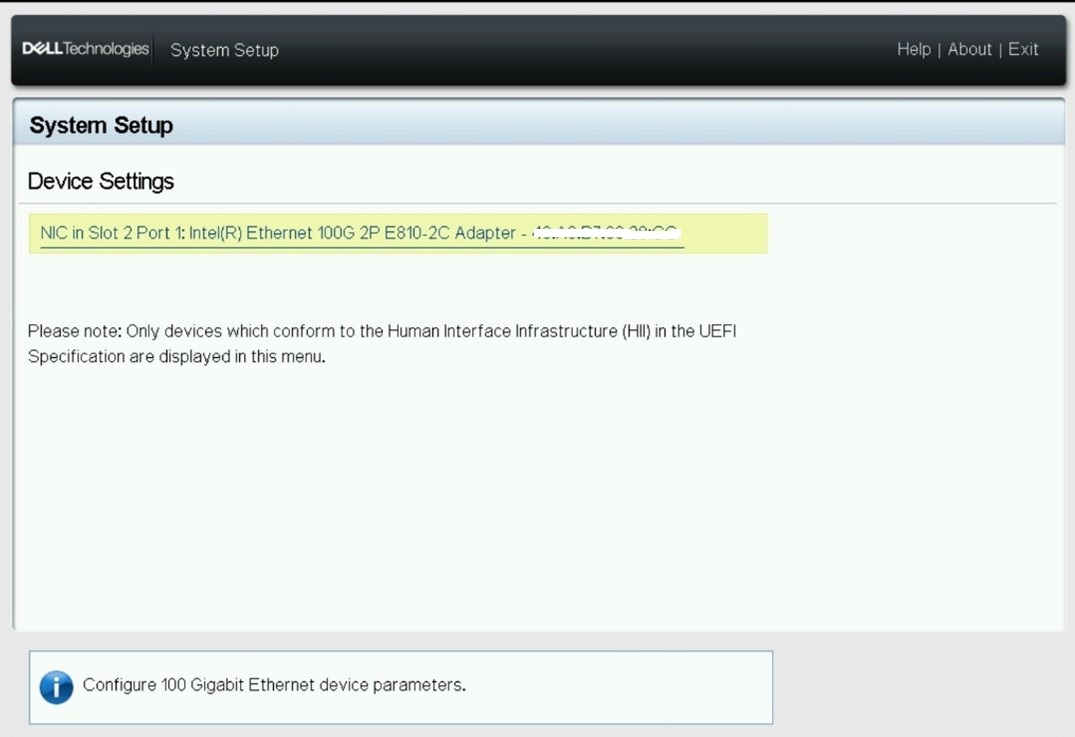
Cause
Dell Intel Ethernet 100G 2P E810-2C Adapter is a PCIe x16 card, but it requires 2x8 bifurcation for both controller ports to be enumerated.
The BIOS default setting on PowerEdge systems is "Platform Default Bifurcation," which does not support both ports simultaneously.
For PowerEdge systems that shipped with Dell Intel Ethernet 100G 2P E810-2C Adapter from Dell, the BIOS setting is configured to "Auto Discovery of Bifurcation" during the factory build process. However, this setting might change if a "Load BIOS Default" is performed or if the Bifurcation setting is manually changed in the system Bios.
The BIOS default setting on PowerEdge systems is "Platform Default Bifurcation," which does not support both ports simultaneously.
For PowerEdge systems that shipped with Dell Intel Ethernet 100G 2P E810-2C Adapter from Dell, the BIOS setting is configured to "Auto Discovery of Bifurcation" during the factory build process. However, this setting might change if a "Load BIOS Default" is performed or if the Bifurcation setting is manually changed in the system Bios.
Resolution
Follow the below steps and switch to the "Auto Discovery of Bifurcation" setting in the BIOS:
- System Setup (F2)
- System BIOS
- Integrated Devices
- Slot Bifurcation
- Auto Discovery Bifurcation Settings
- set to "Auto Discovery of Bifurcation.
Or through iDRAC:
- Configuration -> BIOS Settings
- Integrated Devices
- Slot Bifurcation
- Auto Discovery Bifurcation Settings
- Set to "Auto Discovery of Bifurcation."
Affected Products
XR Servers, PowerEdge R660, PowerEdge R660xs, PowerEdge R760, PowerEdge R760XA, PowerEdge R760xd2, PowerEdge R760xs, PowerEdge XR5610, PowerEdge XR8610t, PowerEdge XR8620tArticle Properties
Article Number: 000221187
Article Type: Solution
Last Modified: 05 Sep 2025
Version: 4
Find answers to your questions from other Dell users
Support Services
Check if your device is covered by Support Services.