No Power, No Display, or Alert About Undersized Power Adapter on OptiPlex Micro Form Factor
Summary: This article provides information about OptiPlex 7010 micro form factor no power, no display, or displaying an alert about an undersized power adapter.
This article applies to
This article does not apply to
This article is not tied to any specific product.
Not all product versions are identified in this article.
Symptoms
Affected Platforms:
- OptiPlex Micro 7010
- OptiPlex Micro 7020
- OptiPlex Micro Plus 7020
Symptoms:
- No power
- No display
- A warning Message is displayed about an undersized power adapter.
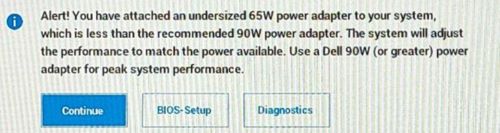
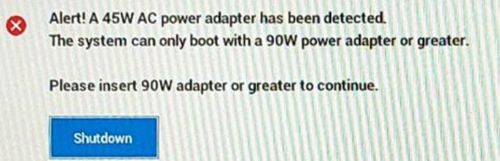
The user may encounter these symptoms when using a type-c AC adapter or a USB charger with a type-c cable configured with less current than the recommended 90W.
Cause
An insufficient wattage adapter attached causes these alerts.
Resolution
The Dell engineering team is aware of this behavior, and this is working as designed when an insufficient wattage adapter is attached.
- OptiPlex 7010 micro form factor offers a no adapter option on Dell.com.
- Customers use a type-c adapter or a USB charger with type-c cable configured as a power source, and they do not use the barrel AC adapter.
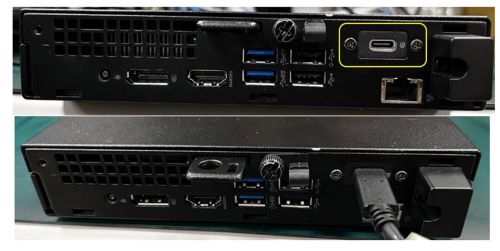
Dell engineering team recommends using 90W or higher wattage power adapter or USB-C charger with a type-c cable that carries 90W or higher current on OptiPlex 7010 micro form factor.
Affected Products
OptiPlex Micro 7010, OptiPlex Micro 7020, OptiPlex Micro Plus 7020Article Properties
Article Number: 000221342
Article Type: Solution
Last Modified: 19 Apr 2025
Version: 7
Find answers to your questions from other Dell users
Support Services
Check if your device is covered by Support Services.