ECS - Grafana Advanced Monitoring - Data Access Performance shows No data points after upgrade
Summary: Grafana Advanced Monitoring - Data Access Performance shows "No data points" after upgrade when the ECS is DR only with no I/O.
This article applies to
This article does not apply to
This article is not tied to any specific product.
Not all product versions are identified in this article.
Symptoms
After an ECS code upgrade the ECS UI is not showing any data in Grafana/Advanced Monitoring/Data Access Performance - Overview.
The counter stopped to draw the line in the graph during the upgrade.
Probably the counter is showing Min: 0, Max: 0, Avg:0 already as shown below.
Later it is only showing "No data points":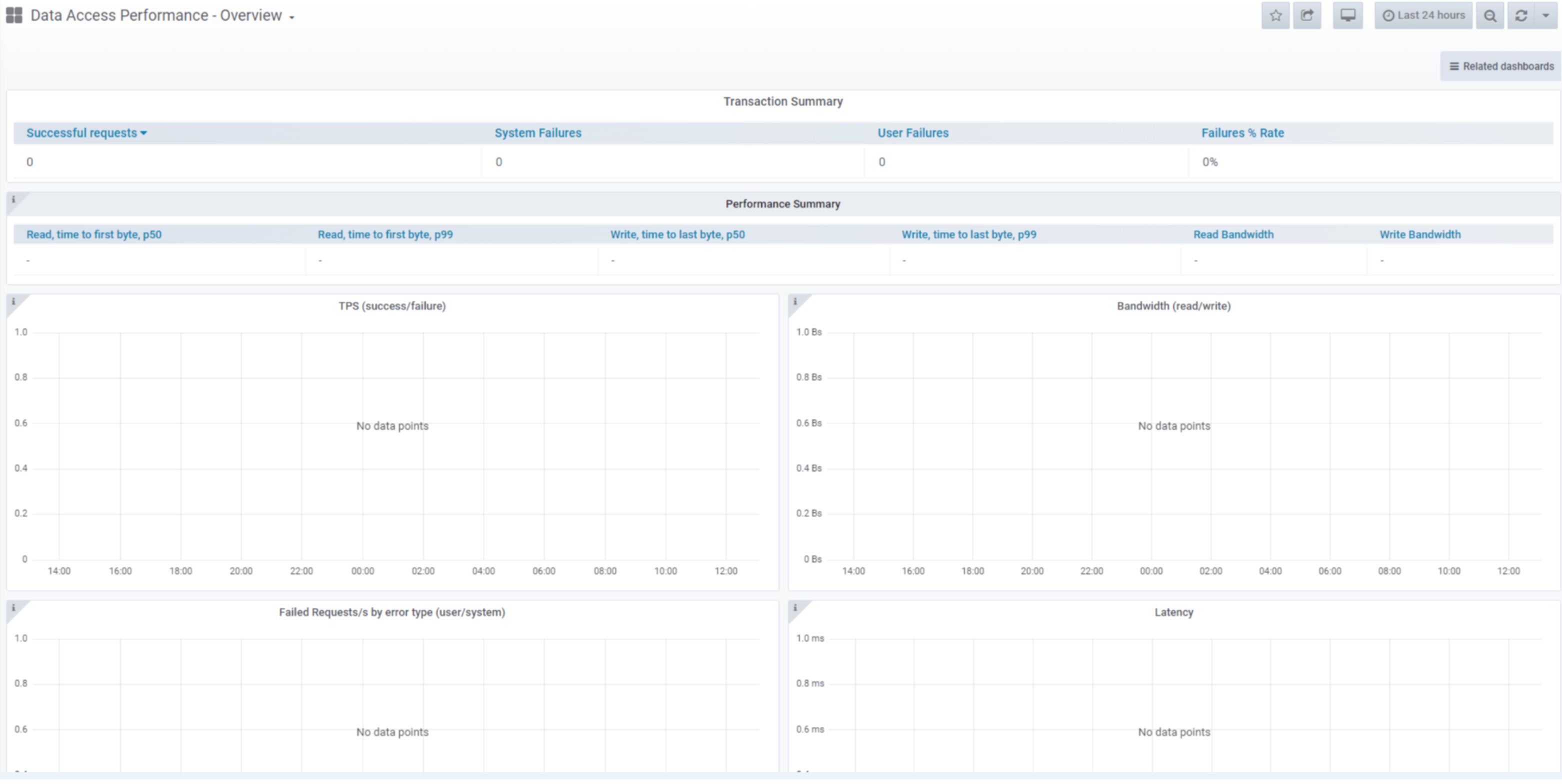
Cause
The ECS is used as DR site only and no I/O is made to the ECS since the upgrade.
Database monitoring_main Performance metrics in this database are raw, each is split by data node, that is all have node and node_id tags. Most of the integer fields are increasing counters that are values that increase over time. Increasing counters restart from zero after datahead service restart.
Database monitoring_main Performance metrics in this database are raw, each is split by data node, that is all have node and node_id tags. Most of the integer fields are increasing counters that are values that increase over time. Increasing counters restart from zero after datahead service restart.
Resolution
Verify if there is any I/O using kpi tool for checking if this ECS is DR/passive only.
Command:
Example:
If there is no I/O, the "ECS Monitoring Guide" is showing the reason for "No data points".
https://dl.dell.com/content/manual30979383-ecs-3-8-monitoring-guide.pdf?language=en-us
At page 72, it explains that the counter is reset after dataheadsvc restart. If no I/O, the counter is not populated.
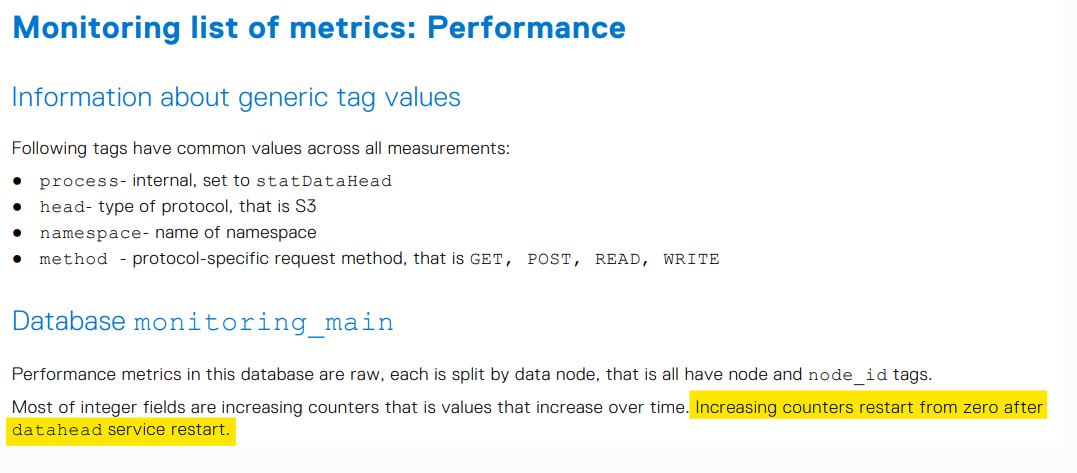
If temporarily putting I/O to the ECS, the counter gets populated again.
Command:
kpi -start 5d
Example:
admin@ecsnode-1:~> kpi -start 5d
kpi v1.3.1 (svc_tools v2.15.0)                 Started 2024-02-14 14:23:05

Time range:                    2024-02-09 14:23:05 - 2024-02-14 14:23:05


                                     All Requests                                                   500 Errors
Node                 GETs      PUTs      POSTs     DELETEs   HEADs    Total       GETs    PUTs    POSTs   DELETEs  HEADs   Total     % Fail

r1n1                 0         0         0         0         0        0           0       0       0       0        0       0         0.00
r1n2                 0         0         0         0         0        0           0       0       0       0        0       0         0.00
r1n3                 0         0         0         0         0        0           0       0       0       0        0       0         0.00
r1n4                 0         0         0         0         0        0           0       0       0       0        0       0         0.00
r1n5                 0         0         0         0         0        0           0       0       0       0        0       0         0.00

Totals               0         0         0         0         0        0           0       0       0       0        0       0         0.00
Req Error %:                                                                      0.00    0.00    0.00    0.00     0.00    0.00

--------------------------------------------------------------------------------------------------------------------
Non-200 Response codes
--------------------------------------------------------------------------------------------------------------------

Resp Code  Description            GETs    PUTs    POSTs   DELETEs  HEADs   Total   % Total Reqs
-----------------------------------------------------------------------------------------------
500        Internal Server Error  0       0       0       0        0       0       0.00

admin@ecsnode-1:~> kpi -start 48d -cas
kpi v1.3.1 (svc_tools v2.15.0)                 Started 2024-02-14 14:23:14

Time range:                    2024-02-09 14:23:14 - 2024-02-14 14:23:14


                               All Requests                                                       -10005 Errors
Node                 READs   WRITEs   DELETEs   EXIST_CHECKs   Total            READs   WRITEs  DELETEs  EXIST_CHECKs      Total     % Fail

r1n1                 0          0        0         0             0                0       0        0         0              0         0.00
r1n2                 0          0        0         0             0                0       0        0         0              0         0.00
r1n3                 0          0        0         0             0                0       0        0         0              0         0.00
r1n4                 0          0        0         0             0                0       0        0         0              0         0.00
r1n5                 0          0        0         0             0                0       0        0         0              0         0.00

Totals               0          0        0         0             0                0       0        0         0              0         0.00
Req Error %:                                                                      0.00    0.00     0.00      0.00           0.00

--------------------------------------------------------------------------------------------------------------------
Non-200 Response codes
--------------------------------------------------------------------------------------------------------------------

Resp Code  Description    READs   WRITEs  DELETEs  Total   % Total Reqs
-----------------------------------------------------------------------
-10005     FP_SERVER_ERR  0       0       0        0       0.00

admin@ecsnode-1:~>
If there is no I/O, the "ECS Monitoring Guide" is showing the reason for "No data points".
https://dl.dell.com/content/manual30979383-ecs-3-8-monitoring-guide.pdf?language=en-us
At page 72, it explains that the counter is reset after dataheadsvc restart. If no I/O, the counter is not populated.
If temporarily putting I/O to the ECS, the counter gets populated again.
Affected Products
ECSProducts
ECS Appliance Gen 1, ECS Software, Elastic Cloud StorageArticle Properties
Article Number: 000222136
Article Type: Solution
Last Modified: 20 Feb 2024
Version: 1
Find answers to your questions from other Dell users
Support Services
Check if your device is covered by Support Services.