Avamar:如果代理遺失,如何變更代理的根密碼
Summary: 本文概述在 Avamar 代理遺失時變更其根密碼的程序。
This article applies to
This article does not apply to
This article is not tied to any specific product.
Not all product versions are identified in this article.
Symptoms
Avamar 代理可正常運作。但是,由於根帳戶的密碼未知,因此無法存取 root 登入。
Cause
人為過失或安全性違規
Resolution
若要在 Avamar Proxy 上使用單一模式開機來變更密碼,請按照下列步驟操作:
- 檢查是否有任何備份正在執行並使用代理。如果是這樣,請等待它們完成,因為代理必須重新開機。
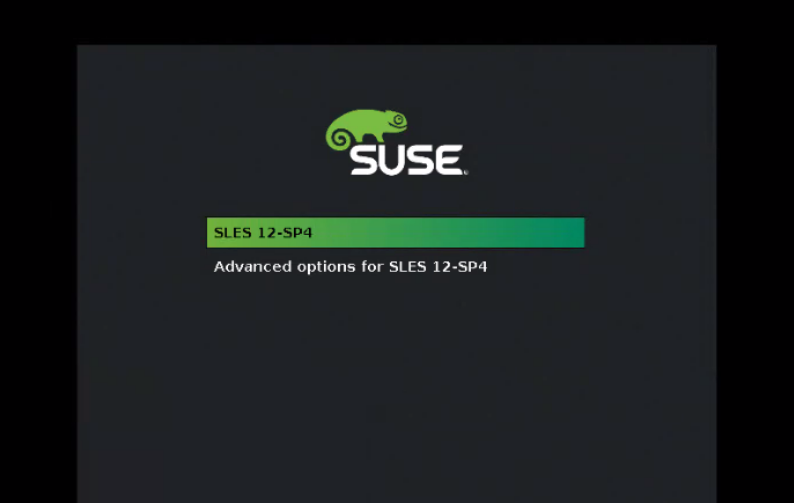
- 在代理閒置時重新啟動虛擬機器 (VM)。開啟 VM 主控台 ,看到類似以下內容的畫面:
按下 ESC 鍵停止倒計時並編輯開機選項項目。
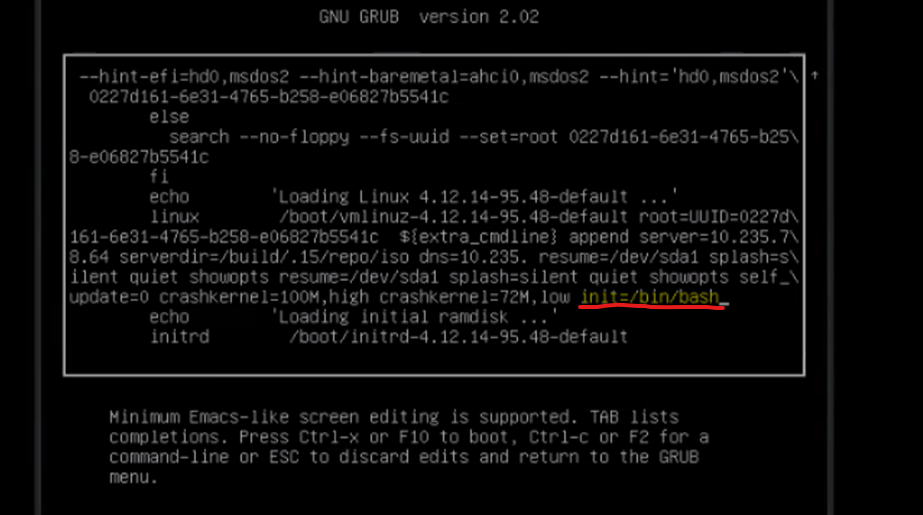
- 按 「e」鍵 進行編輯,然後在下一行的末尾:
linux /boot/vmlinuz-xxx
新增 下列項目:
init=/bin/bash
請參閱下面的螢幕截圖:
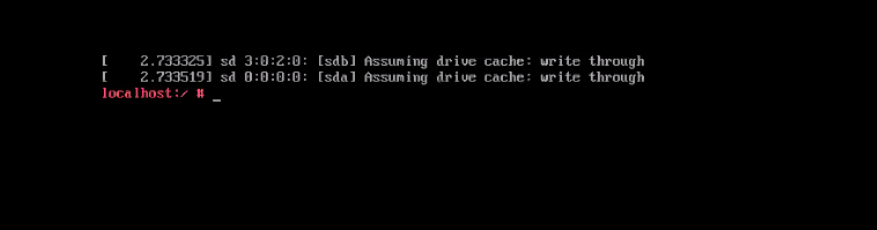
- 按下 F-10 或 Ctrl-x ,以使用新的設定項目啟動主控台。隨即顯示 bash 命令列:
- 使用下列命令掛接根磁碟分割:
mount -o remount.rw /
- 變更 root 的密碼:
passwd root
- 將代理重新開機 。
Affected Products
Avamar Client for VMwareArticle Properties
Article Number: 000222356
Article Type: Solution
Last Modified: 08 May 2024
Version: 2
Find answers to your questions from other Dell users
Support Services
Check if your device is covered by Support Services.