Avamar:如果代理丢失,如何更改代理的根密码
Summary: 本文概述了在 Avamar 代理丢失的情况下更改 root 密码的过程。
This article applies to
This article does not apply to
This article is not tied to any specific product.
Not all product versions are identified in this article.
Symptoms
Avamar 代理正常运行。但是,由于 root 帐户的密码未知,root 用户无法登录。
Cause
人为错误或安全漏洞
Resolution
要在 Avamar 代理上使用单模式启动更改密码,请执行以下步骤:
- 检查是否有任何备份正在运行并使用代理。如果是这样,请等待其完成,因为必须重新启动代理。
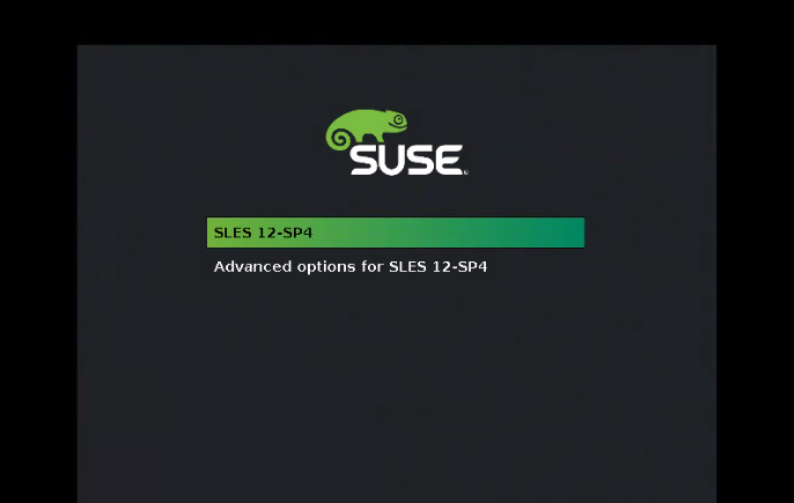
- 当代理处于空闲状态时,重新启动虚拟机 (VM)。打开 VM 控制台 ,查看类似于以下内容的屏幕:
按 ESC 键停止倒计时并编辑引导选项条目。
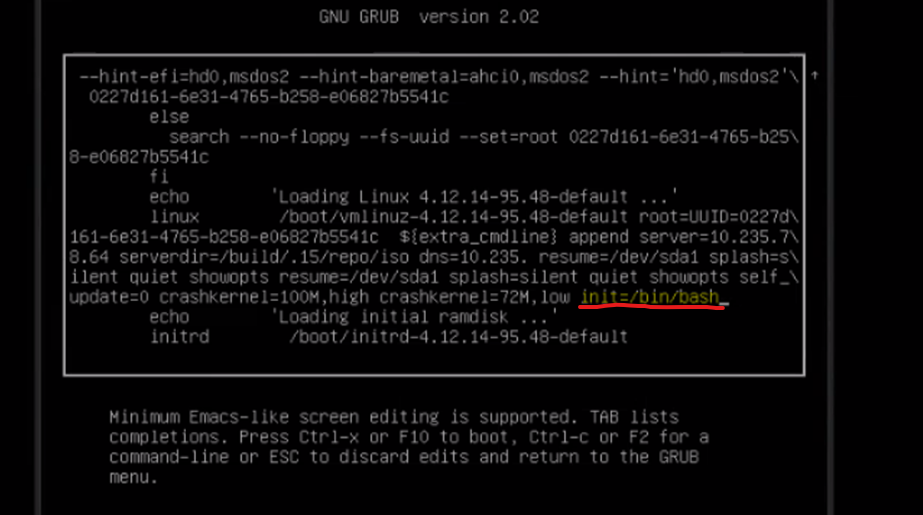
- 按 “e”键 进行编辑,并在以下行的末尾:
linux /boot/vmlinuz-xxx
添加 以下内容:
init=/bin/bash
请参见下面的屏幕截图:
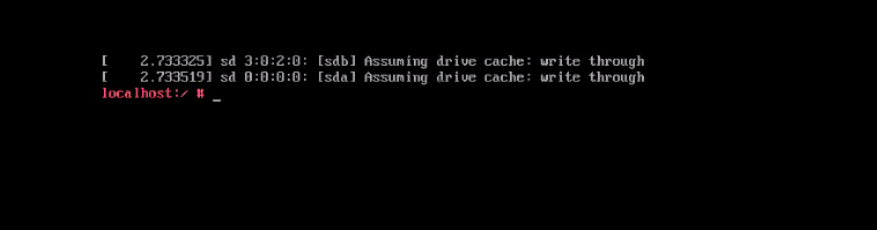
- 按 F-10 或 Ctrl-x 以使用新的设置条目启动控制台。此时将显示 bash 命令行:
- 使用以下命令挂载根分区:
mount -o remount.rw /
- 更改 root 的密码 :
passwd root
- 重新启动 代理。
Affected Products
Avamar Client for VMwareArticle Properties
Article Number: 000222356
Article Type: Solution
Last Modified: 08 May 2024
Version: 2
Find answers to your questions from other Dell users
Support Services
Check if your device is covered by Support Services.