NVP vProxy:VM 不會在 FLR Web 用戶端中顯示為目標
Summary: 虛擬機器 (VM) 由 NetWorker VMware Protection (NVP) vProxy 裝置備份。您可以在檔案層級還原 (FLR) Web 用戶端中選取 VM 作為來源;但是,VM 未列為目標。
This article applies to
This article does not apply to
This article is not tied to any specific product.
Not all product versions are identified in this article.
Symptoms
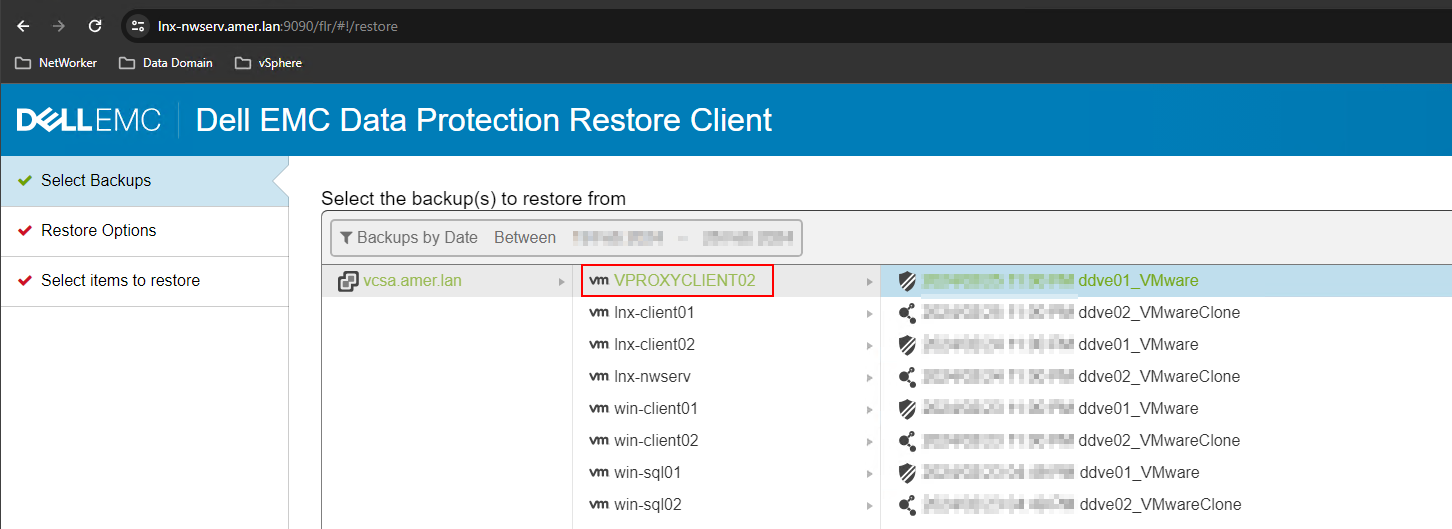
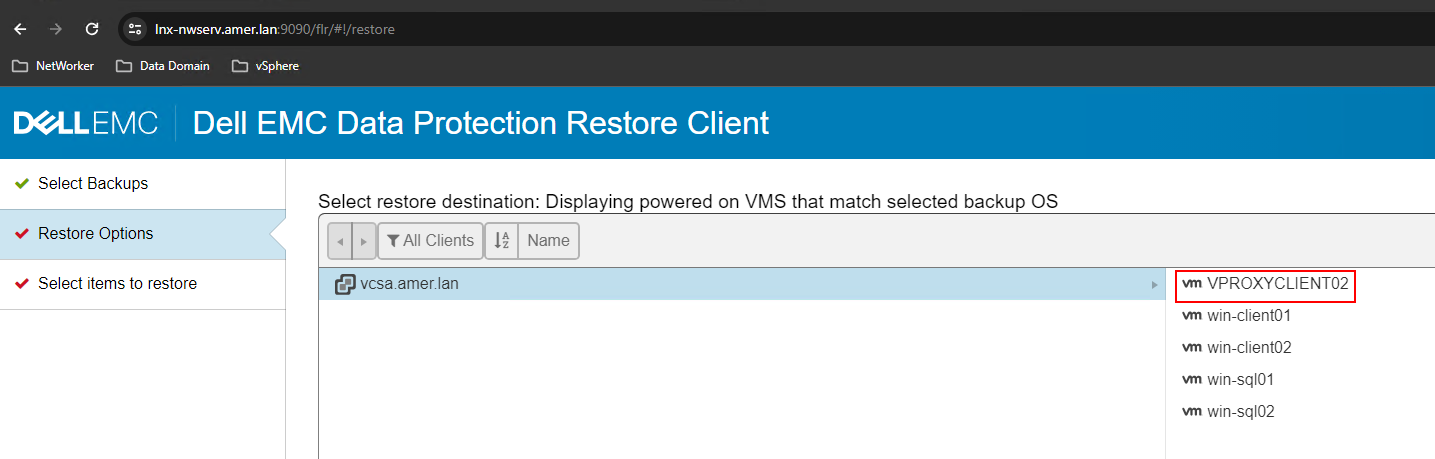
使用資料保護還原用戶端 (FLR 用戶端) 時,VM 可用於來源選擇:
VM 未列為可用的 FLR 目標:
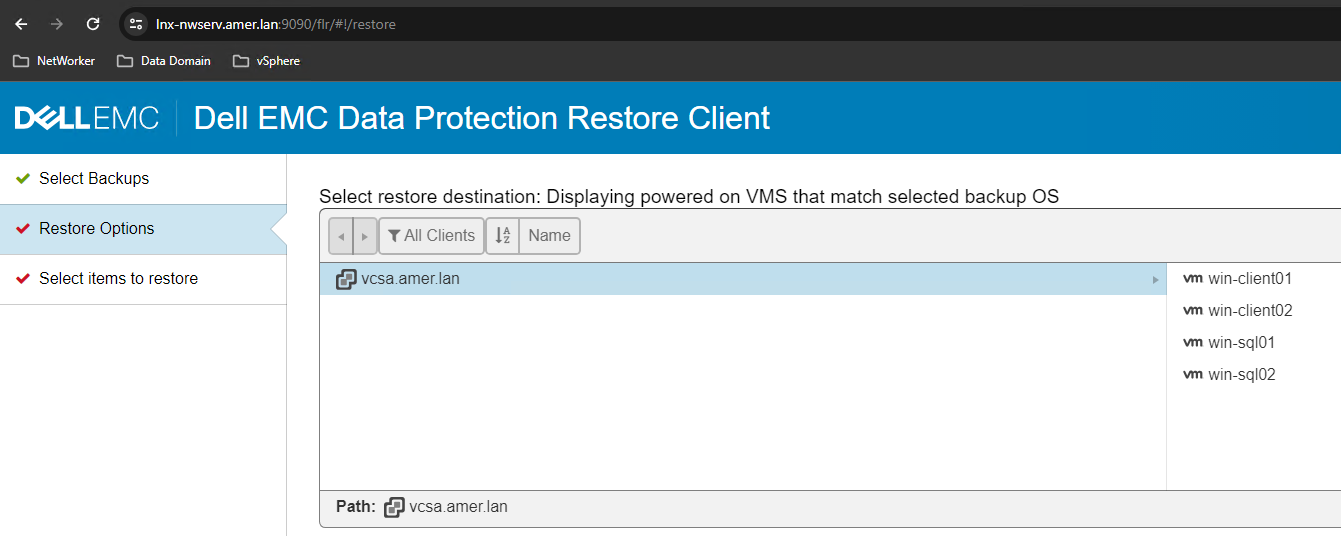
目標虛擬機器:
- 與來源 (或相同 VM) 採用相同的作業系統類型。
- 已在 VMware 中開啟電源。
- 從 NetWorker Management Console (NMC) 或 NetWorker Web 使用者介面 (NWUI) 執行 FLR 時,會列為可用目標。
Cause
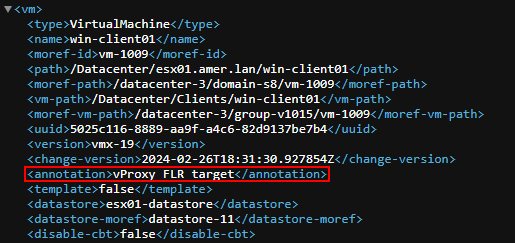
目標虛擬機器在 VMware 中包含一個「備註」,其中包含「vProxy」一詞
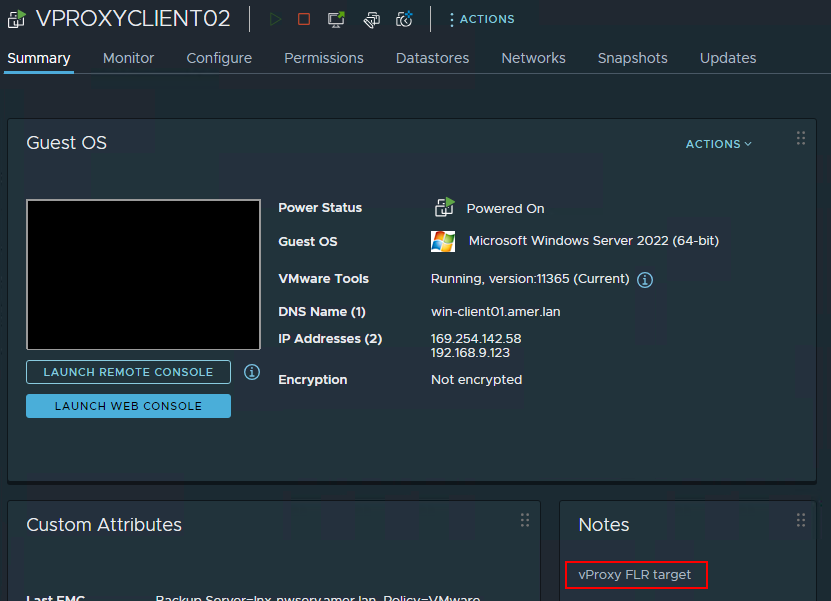
Resolution
- 從 VMware 中移除包含「vProxy」一詞的虛擬機器「備註」。
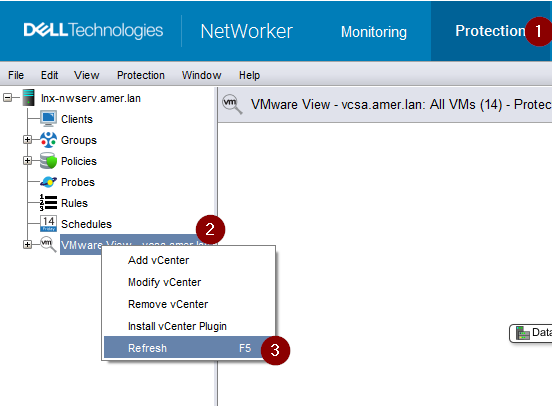
- 從 NetWorker Management Console (NMC) 執行 VMware 檢視重新整理:
- 登出 FLR Web 用戶端,然後重新登入。
- 只要 VM 也已開啟電源,並且與來源 VM 使用相同的作業系統平台,VM 就會列為 FLR 的目標。
注意:避免在非 NetWorker VMware Protection (NVP) vProxy 裝置的 VM 名稱或備註欄位中使用「vProxy」。
Additional Information
如果您無權存取 VMware vCenter,您可以從 NetWorker 伺服器執行下列命令。
nsrvim -d --names VCENTER_NAME
此命令會在 NetWorker 伺服器上產生三個.xml檔案,路徑為:
Linux:/nsr/cores/nsrvim
Windows:C:\Program Files\EMC NetWorker\nsr\cores\nsrvim
root@lnx-nwserv:~# ls -l /nsr/cores/nsrvim/
total 48
-rw-r--r--. 1 root root    47 Feb 26 13:27 VCENTER_NAME-cat_tags.xml
-rw-r--r--. 1 root root  2527 Feb 26 13:27 VCENTER_NAME-mapping.xml
-rw-r--r--. 1 root root 40242 Feb 26 13:27 VCENTER_NAME.xml
開啟VCENTER_NAME。嘩啦啦。這會顯示虛擬機器是否設定了任何備註(註解):
Affected Products
NetWorkerProducts
NetWorker Family, NetWorker SeriesArticle Properties
Article Number: 000222467
Article Type: Solution
Last Modified: 02 Apr 2025
Version: 2
Find answers to your questions from other Dell users
Support Services
Check if your device is covered by Support Services.