Connectrix SANnav: License installation fails with event code invalid license certificate
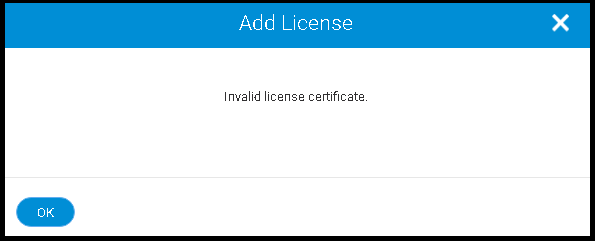
Summary: Connectrix SANnav License installation fails with the event code "invalid license certificate."
This article applies to
This article does not apply to
This article is not tied to any specific product.
Not all product versions are identified in this article.
Symptoms
SANnav License installation fails with the event code "invalid license certificate."
Cause
The Cause of this issue could be one of the following:
1. Transaction Key or Host UID is incorrect.
2. SANnav is installed on the cloned Virtual Machine (VM).
Resolution
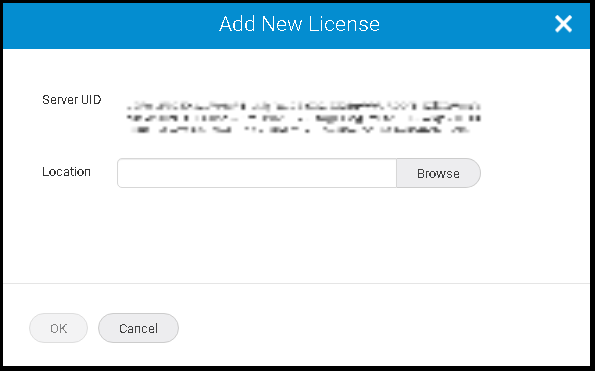
1. When a user installs SANnav, whether on a server or a VM, a server unique ID (UID) is generated for that SANnav instance. The server UID and the transaction key are used to generate a SANnav license.
The license is locked to that server UID and SANnav instance.
Ensure that the server UID is accurate when generating the license using the transaction key from the Brocade licensing portal.
Server UID be copied from SANnav -> Services -> SANnav Licensing ->View.
2. A user needs one license for every SANnav instance, and each license can be used on only one SANnav instance.
For example, if a user has multiple VMs on a single server and installs SANnav on every VM, each installation generates a separate server UID and requires a separate license. A user cannot clone a VM and use the same license on the cloned VM.
3. If a user must move a license from one SANnav instance to another, for example, if a user moves the installation to a different server,
The user does not have to purchase a new license; the user can "rehost" the license on the new SANnav instance.
The license is locked to that server UID and SANnav instance.
Ensure that the server UID is accurate when generating the license using the transaction key from the Brocade licensing portal.
Server UID be copied from SANnav -> Services -> SANnav Licensing ->View.
2. A user needs one license for every SANnav instance, and each license can be used on only one SANnav instance.
For example, if a user has multiple VMs on a single server and installs SANnav on every VM, each installation generates a separate server UID and requires a separate license. A user cannot clone a VM and use the same license on the cloned VM.
3. If a user must move a license from one SANnav instance to another, for example, if a user moves the installation to a different server,
The user does not have to purchase a new license; the user can "rehost" the license on the new SANnav instance.
Affected Products
Connectrix SANnavArticle Properties
Article Number: 000224011
Article Type: Solution
Last Modified: 16 Apr 2024
Version: 1
Find answers to your questions from other Dell users
Support Services
Check if your device is covered by Support Services.