PowerProtect Data Manager: Discovery issue for Windows File Cluster, Message: ASDS0009
Summary: PowerProtect Data Manager: Discovery issue for Windows File Cluster, error message "ASDS0009: An exception occurred while discovering Applications System for AddOn FILE_SYSTEM_CLUSTER on host XXX." ...
This article applies to
This article does not apply to
This article is not tied to any specific product.
Not all product versions are identified in this article.
Symptoms
PowerProtect Data Manager shows the following error while trying to discover a host from Windows File Cluster:
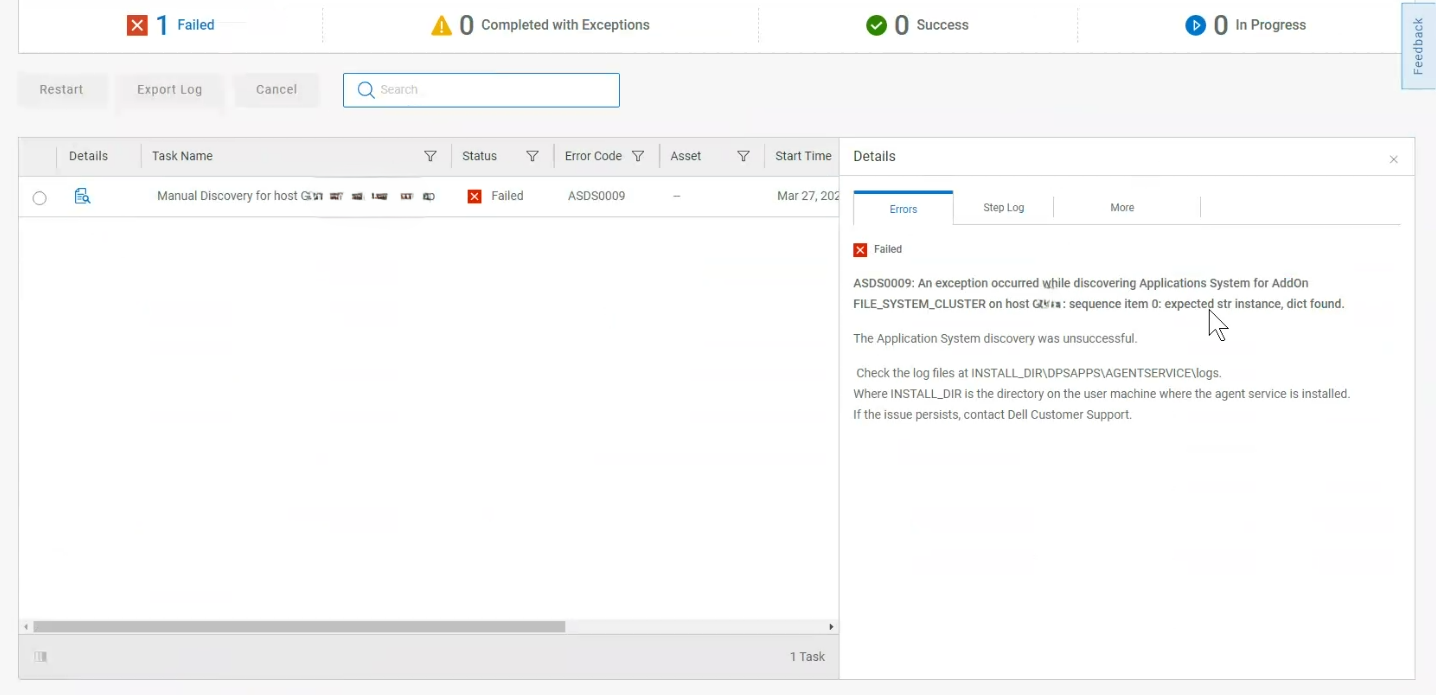
DPSAPPS agent service logs show the following errors:
"Windows File Cluster ASDS0009 : An exception occured while discovering Applications System for AddOn FILE_SYSTEM_CLUSTER on host XXX"
DPSAPPS agent service logs show the following errors:
    "errors": [
        {
            "type": "systemErr",
            "text": "Unable to get the IP address for the local host for {Clustername}"
        }
Cause
The host cannot resolve the cluster name.
Resolution
Check with the network team to add a domain name system (DNS) entry for the cluster name.
Article Properties
Article Number: 000224216
Article Type: Solution
Last Modified: 24 Apr 2024
Version: 1
Find answers to your questions from other Dell users
Support Services
Check if your device is covered by Support Services.