VxRail: Physical Disk SAS Hard Drive was Recognized as SSD Media Type in iDRAC Version 7.10.30.05
Summary: The 7.10.30.05 iDRAC incorrectly identified physical SAS hard drives as SSDs on a VS-760, VP-760 or VE-660 node. It causes various of issues on VxRail.
This article applies to
This article does not apply to
This article is not tied to any specific product.
Not all product versions are identified in this article.
Symptoms
A VS-760, VP-760 or VE-660 node with a physical SAS hard drive installed can have the iDRAC indicate that it is a Solid-State Disk (SAS SSD) media type.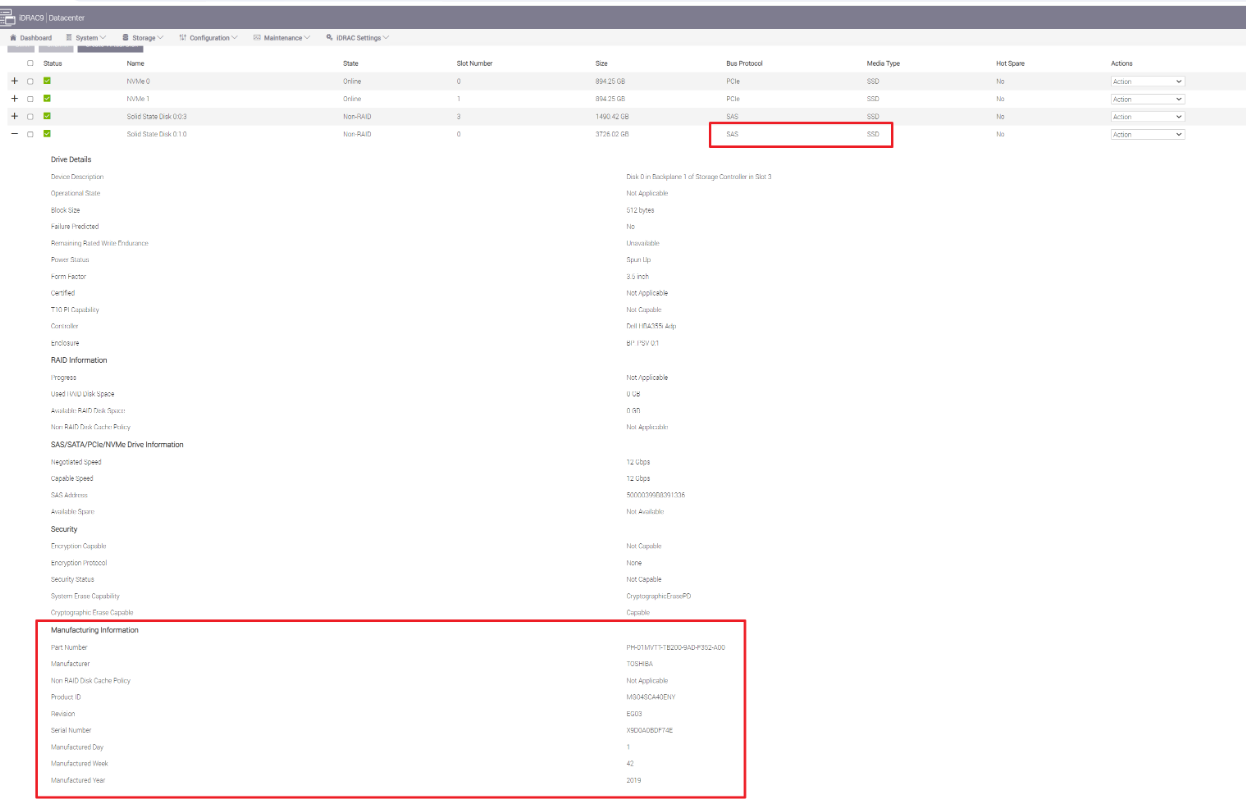
VxRail releases using VS-760, VP-760 or VE-660 nodes running iDRAC version 7.10.30.05 can be affected by this issue.
Affected VxRail releases:
- 7.0.520
- 8.0.240
- 8.0.230
All nodes in a VxRail cluster should have the same disk configuration. If cluster deployment or cluster expansion is attempted while this issue is occurring, there would be issues.
Cause
In iDRAC version 7.10.30.05, there is a known issue where the iDRAC may display hard drives as SSDs after warm or cold reboots when a mix of hard drives and SSDs is connected to HBA355i, HBA355e, HBA345, HBA330 controllers. There is an existing Product Support Quick Note (PSQN 000223316) from Dell on this issue.
Resolution
The workaround is to reset the iDRAC.
There are two options to reset the iDRAC:
Option 1: Reset the iDRAC using the iDRAC Web User Interface.
- Log in to the iDRACs Web User Interface
- Go to Maintenance > Diagnostics >Reset iDRAC to Factory Defaults > Discard all settings, but preserve user and network settings
- Push Continue.
- After the reset is completed, confirm that the disk media type is displaying correctly.
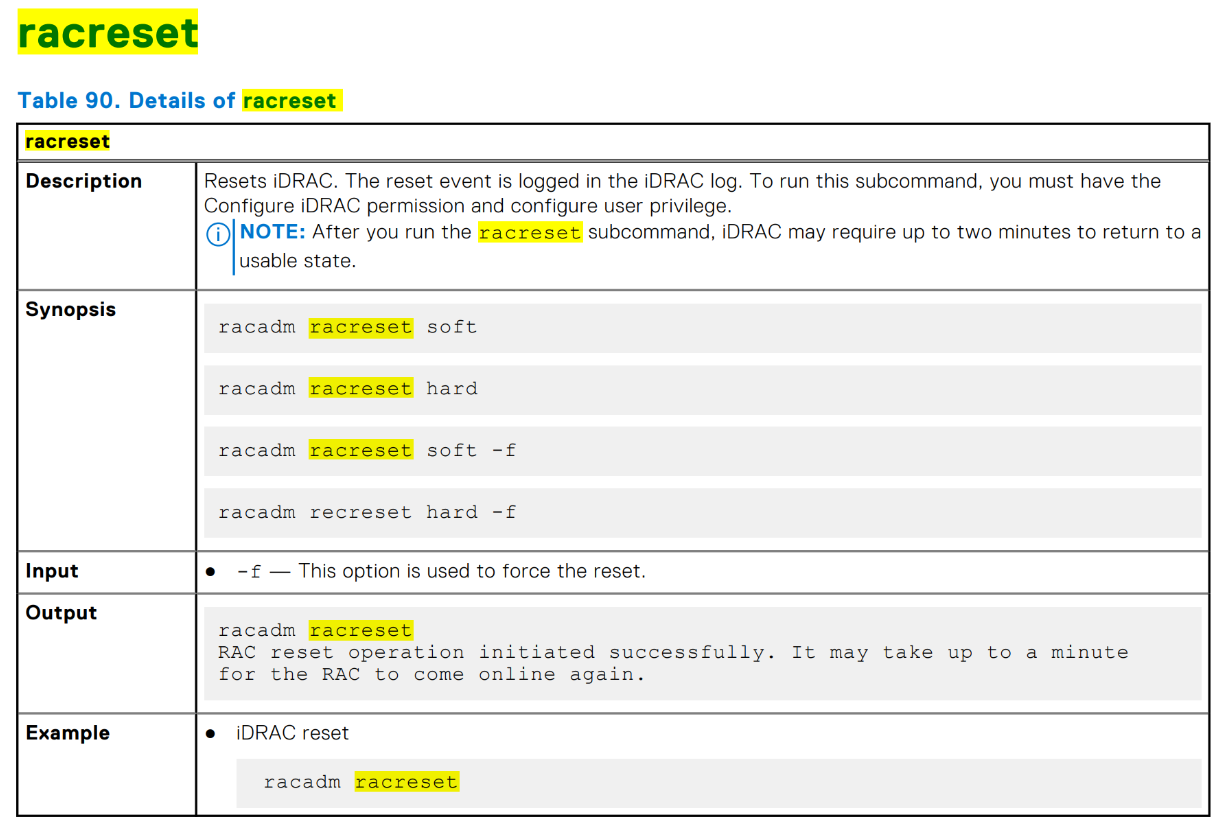
Option 2: Reset the iDRAC using RACADM.
- Connect to the servers iDRAC over SSH or Telnet
- Run the command
racadm racreset - After the reset is completed, confirm that the disk media type is displaying correctly
Affected Products
VxRail Software, VxRail VE-660, VxRail VP-760, VxRail VS-760Article Properties
Article Number: 000224275
Article Type: Solution
Last Modified: 20 Jun 2025
Version: 3
Find answers to your questions from other Dell users
Support Services
Check if your device is covered by Support Services.