PowerProtect DD: Dial Home process automation for Quick Alert Response
Summary: Dial Home process automation for PowerProtect DD
This article applies to
This article does not apply to
This article is not tied to any specific product.
Not all product versions are identified in this article.
Instructions
Dell is now leveraging cutting-edge automation tools to enhance the customer experience and provide faster responses. Once a dial-home service request (SR) is created, our system automatically sends out an email message to customers.
These email messages offer the option for customers to request Technical Support assistance from an Engineer or close the SR if no assistance is needed.
Note: If you are not receiving these emails on desired Email ID, please contact your Service Account Manager (SAM) or update the Primary Contact details for your Data Domain Asset by following the KB Update Dial Home Primary Contact for Your Asset
Dial Home SR Lifecycle:
The complete SR automation has been explained below with few Sample snippets that can help customers make the right decision. At any point, if the Form or embedded link seems broken or you have selected an incorrect response, please reach out to CST and quote the SR number for assistance.
1> Initial Response Email: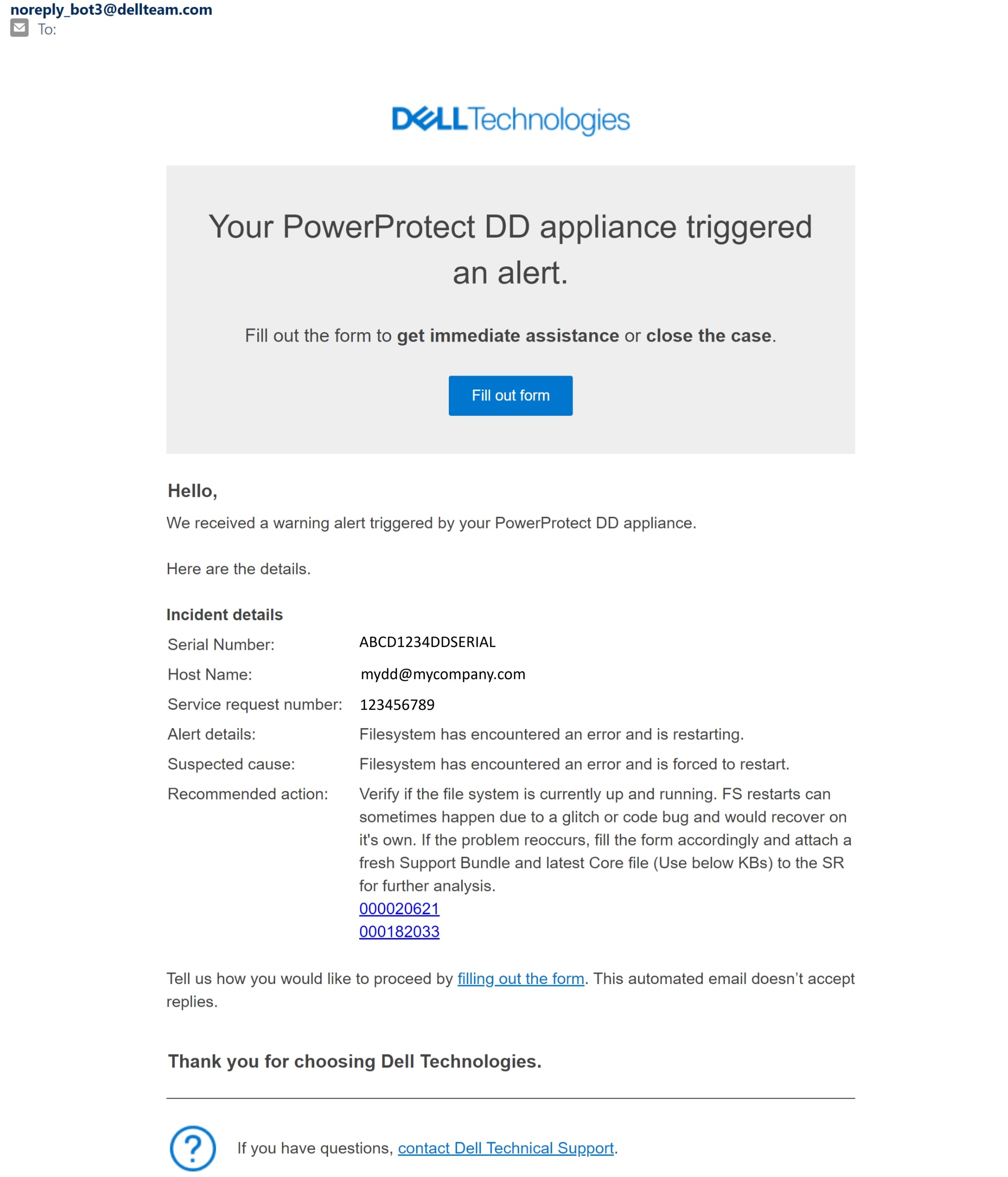
2> The Web Form:
3> Follow Up Email: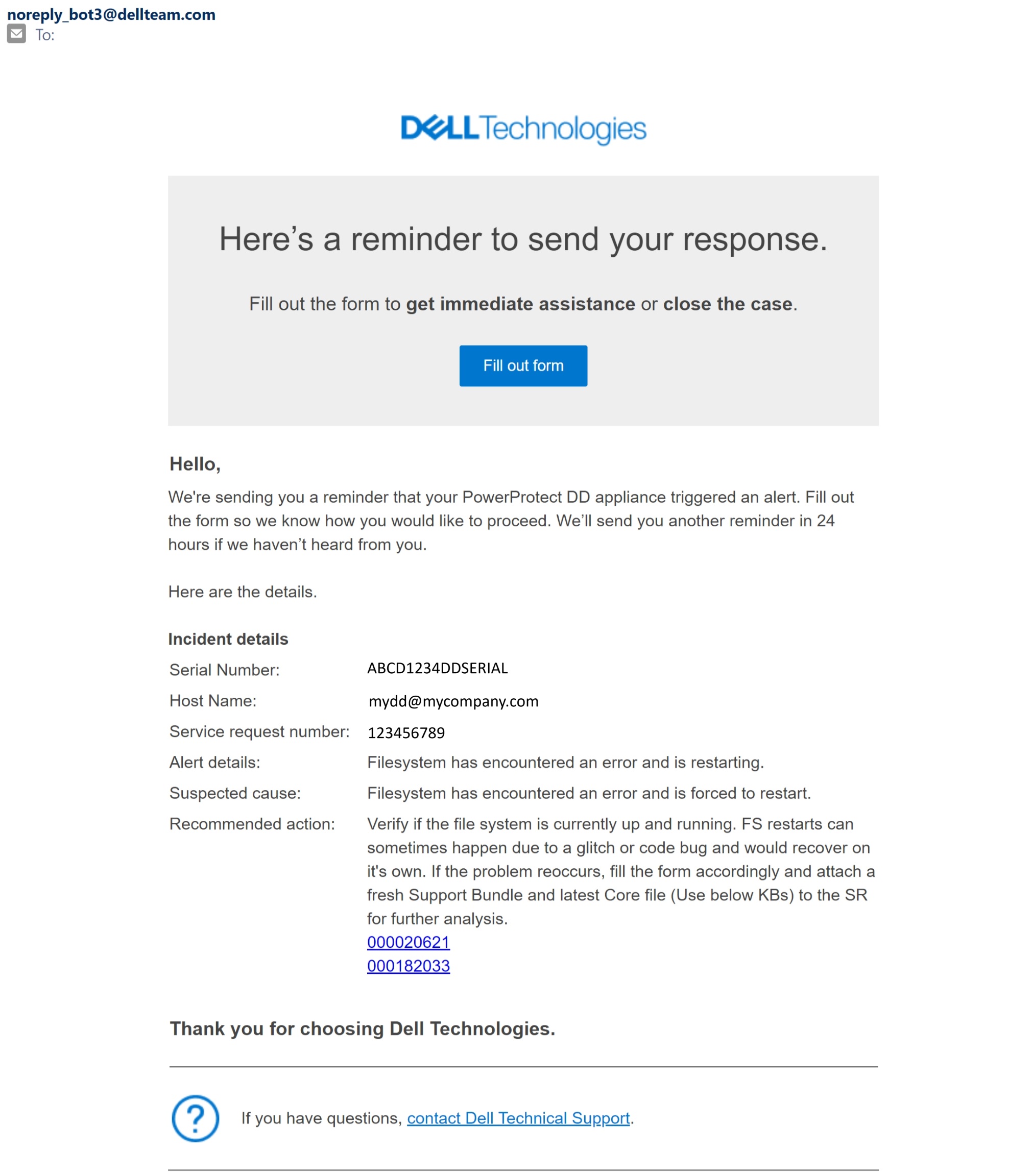
4> Support Engagement Intimation: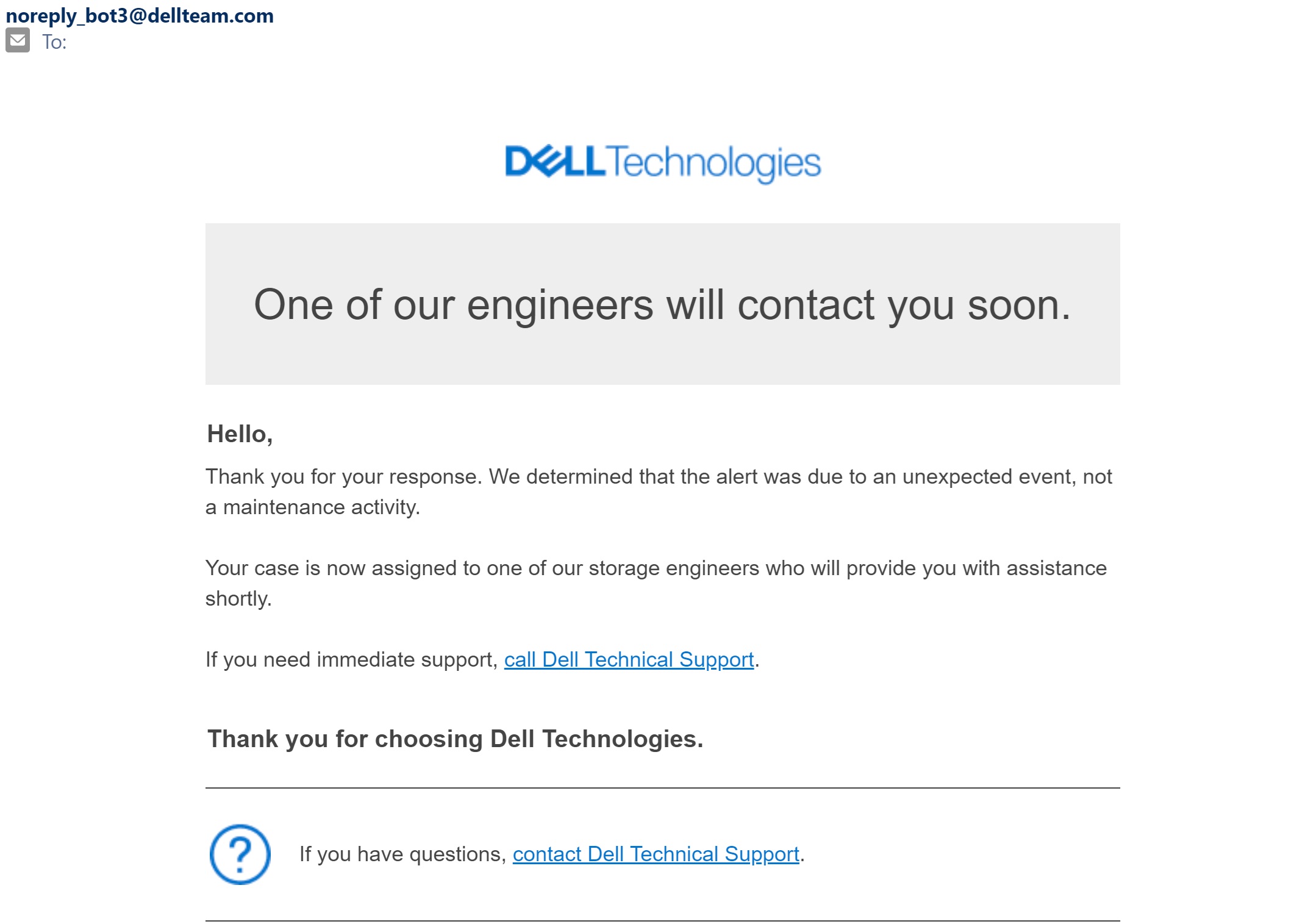
5> SR Closure Intimation: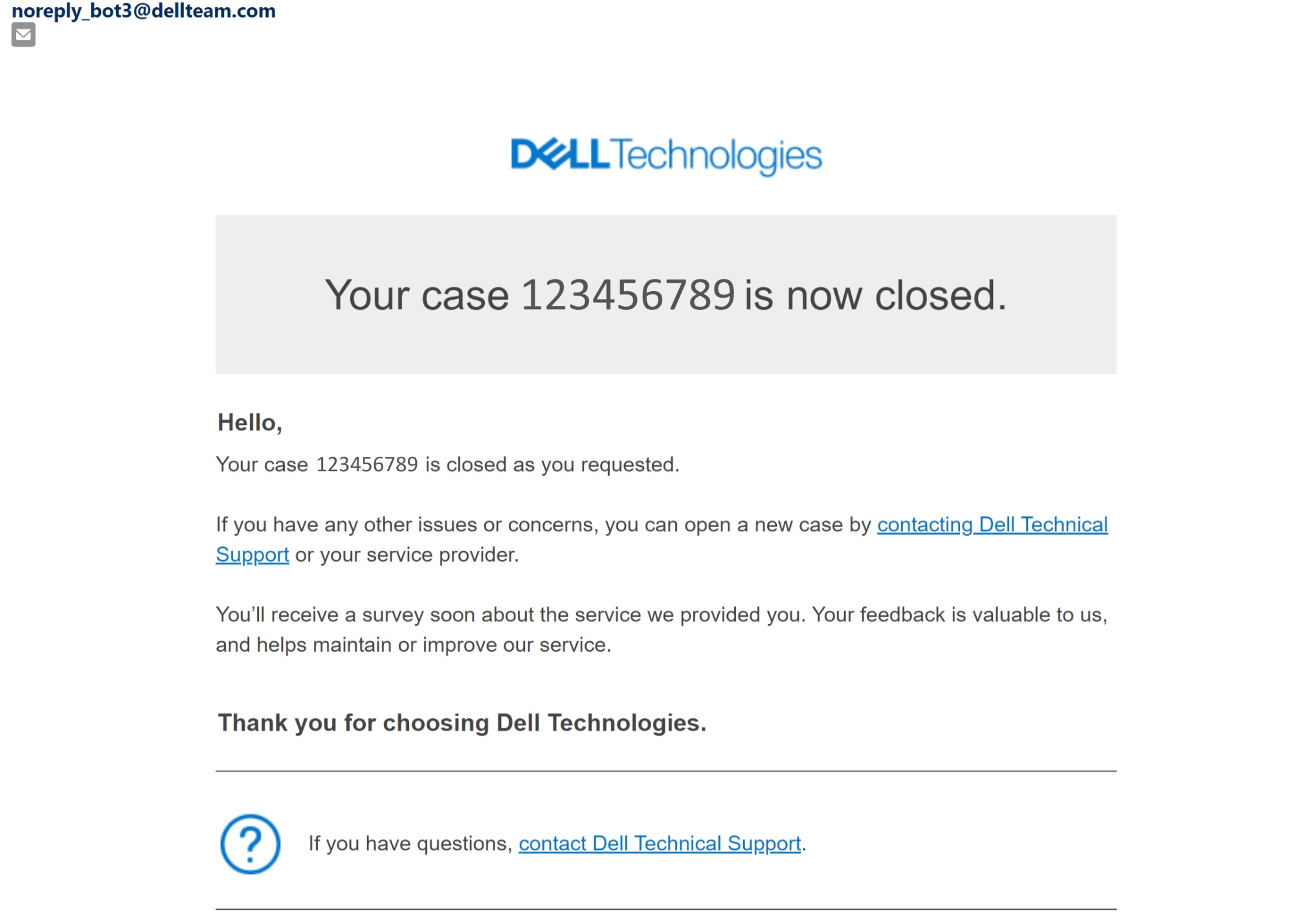
These email messages offer the option for customers to request Technical Support assistance from an Engineer or close the SR if no assistance is needed.
Note: If you are not receiving these emails on desired Email ID, please contact your Service Account Manager (SAM) or update the Primary Contact details for your Data Domain Asset by following the KB Update Dial Home Primary Contact for Your Asset
Dial Home SR Lifecycle:
The complete SR automation has been explained below with few Sample snippets that can help customers make the right decision. At any point, if the Form or embedded link seems broken or you have selected an incorrect response, please reach out to CST and quote the SR number for assistance.
- United States: +1-800-SVC-4EMC (+1-800-782-4362)
- Canada: +1-800-543-4782
1> Initial Response Email:
- This is sent to customer email within a few minutes of SR creation to the Email contact mapped with this Asset.
- Look for the DD Serial/Hostname to find which system is facing problems. Check the recommended action which can help with the current alert, or it could be a duplicate SR created during maintenance activity.
- To respond to this email, you need to Click on Fill out form and answer the question on Web Form.
2> The Web Form:
- Click on the Radio Button and Submit your response on the Web Form.
- Yes - If you acknowledge the alert and don't want a Technical Support Engineer to contact you for this SR.
- No - If this is an actual issue and you need a Support Engineer to further investigate this SR.
3> Follow Up Email:
We will be sending 2 Follow Up emails after the Initial email on alternate days throughout the week i.e. 5 weekdays.
Click on Fill out form and answer the question on Web Form or the SR gets auto closed on the 7th day.
Click on Fill out form and answer the question on Web Form or the SR gets auto closed on the 7th day.
4> Support Engagement Intimation:
- If you selected No on the Web Form you would receive an Intimation email to inform you about support engagement.
- Please upload the Support Bundle or Core file to the SR as instructed in Initial Response email. A support engineer will contact you shortly.
5> SR Closure Intimation:
- If you selected Yes on the Web Form you would receive an Intimation email to inform that the SR has now been closed.
Affected Products
Data DomainArticle Properties
Article Number: 000225466
Article Type: How To
Last Modified: 27 Jun 2024
Version: 5
Find answers to your questions from other Dell users
Support Services
Check if your device is covered by Support Services.