Das Update des PowerProtect vSphere-Installations-Bundles schlägt mit ABV0032 fehl
Summary: Die PowerProtect-Appliance wurde erfolgreich aktualisiert, aber die Aktualisierung des vSphere Installation Bundle (VIB) schlägt für einige ESXi-Hosts mit ABV0032 fehl.
This article applies to
This article does not apply to
This article is not tied to any specific product.
Not all product versions are identified in this article.
Symptoms
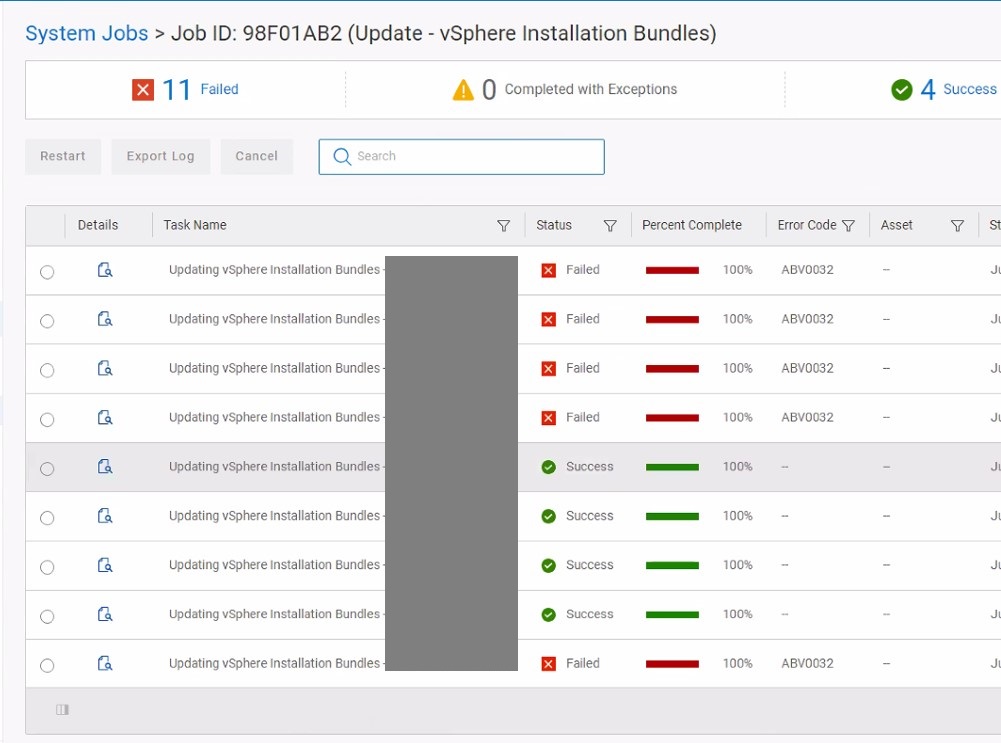
Die PowerProtect Data Manager-Suite wird verwendet, um die vSphere-Umgebung mit der TSDM-Lösung (Transparent Snapshot Data Mover) zu schützen. Die PowerProtect-Appliance wurde erfolgreich aktualisiert, aber das Update des vSphere-Installationspakets schlägt für einige ESXi-Hosts mit ABV0032 fehl.
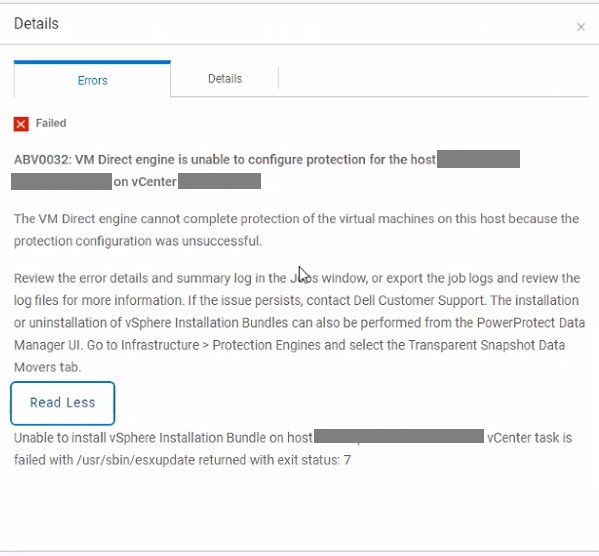
ABV0032: VM Direct engine is unable to configure protection of the host my-esx.my-domain.com on vCenter my-vcenter.my-domain.com.

The VM Direct Engine cannot complete protection of the virtual machines on this host because the protection configuration was unsuccessful.

Review the error details and summary log in the Jobs window, or export the job logs and review the log files for more information.  If the issue persists, contact Dell Customer Support.  The Installation or uninstallation of vSphere Installation Bundles can also be performed from the PowerProtect Data Manager UI. Go to Infrastructure > Protection Engines and select the Transparent Snapshot Data Movers tab.

Read Less

Unable to install vSphere Installation bundle on host my-esx.my-domain.com. vCenter task is failed with /usr/sbin/esxupdate returned with exit status: 7
In den Details des VIB-Updatejobs werden nur einige ESXi-Hosts angezeigt, die erfolgreich aktualisiert wurden.
Cause
Der VIB-Aktualisierungsworkflow kopiert die Installationsdatei (DEL_bootbank_tsdm_<new-version.vib>) in ein freigegebenes Datenspeicherverzeichnis (tsdmVib) im vSphere-Cluster. Bei Verwendung eines NFS-Datenspeichers (Network File System) muss die Exportkonfiguration allen ESXi-Hosts das Lesen der NFS-Daten ermöglichen. Eine Dateiauflistung (ls), die eine Secure Shell (SSH)-Verbindung zum ESXi-Host verwendet, schlägt auf dem freigegebenen tsdmVib-Verzeichnisinhalt mit "Stale file handle" fehl.
[root@my-esx.my-domain.com:/] cd /vmfs/volumes/my-volume/
[root@my-esx.my-domain.com:/vmfs/volumes/my-volume/5264d80f832a40c3-cfcc43a631e25cdc/tsdmVib] ls
ls: .: Stale file handle
sh: getcwd: Stale file handle
Resolution
Konfigurieren Sie den NFS-Export so, dass Lese- oder Lese-/Schreibzugriff auf alle ESXi-Hosts im vSphere-Cluster möglich ist.
Article Properties
Article Number: 000225868
Article Type: Solution
Last Modified: 04 Nov 2025
Version: 2
Find answers to your questions from other Dell users
Support Services
Check if your device is covered by Support Services.