Échec de la mise à jour de l’offre groupée d’installation de PowerProtect vSphere avec ABV0032
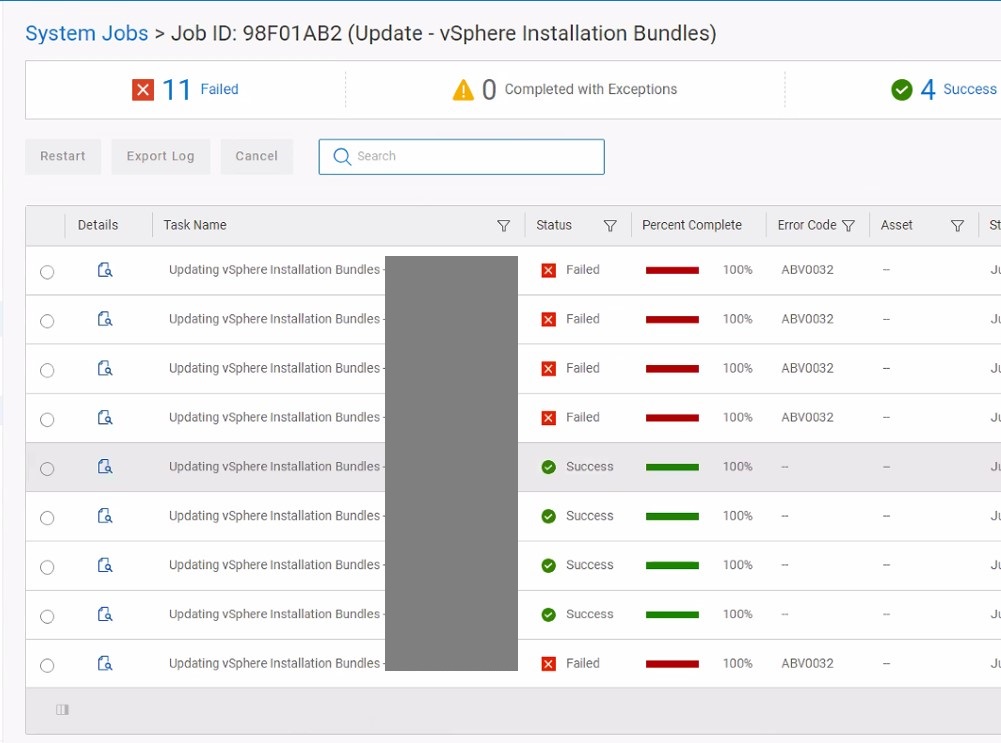
Summary: L’appliance PowerProtect a été mise à niveau avec succès, mais la mise à jour vSphere Installation Bundle (VIB) échoue pour certains hôtes ESXi avec ABV0032.
This article applies to
This article does not apply to
This article is not tied to any specific product.
Not all product versions are identified in this article.
Symptoms
La suite PowerProtect Data Manager est utilisée pour protéger l’environnement vSphere avec la solution TSDM (Transparent Snapshot Data Mover). L’appliance PowerProtect a été mise à niveau avec succès, mais la mise à jour du bundle d’installation vSphere échoue pour certains hôtes ESXi avec ABV0032.
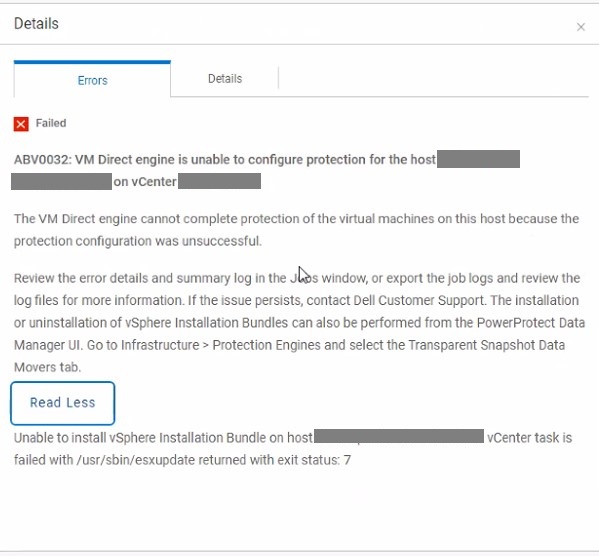
ABV0032: VM Direct engine is unable to configure protection of the host my-esx.my-domain.com on vCenter my-vcenter.my-domain.com.

The VM Direct Engine cannot complete protection of the virtual machines on this host because the protection configuration was unsuccessful.

Review the error details and summary log in the Jobs window, or export the job logs and review the log files for more information.  If the issue persists, contact Dell Customer Support.  The Installation or uninstallation of vSphere Installation Bundles can also be performed from the PowerProtect Data Manager UI. Go to Infrastructure > Protection Engines and select the Transparent Snapshot Data Movers tab.

Read Less

Unable to install vSphere Installation bundle on host my-esx.my-domain.com. vCenter task is failed with /usr/sbin/esxupdate returned with exit status: 7
Les détails de la tâche de mise à jour VIB affichent uniquement certains hôtes ESXi mis à jour avec succès.
Cause
Le workflow de mise à jour du VIB copie le fichier d’installation (DEL_bootbank_tsdm_<new-version.vib>) dans un répertoire de datastore partagé (tsdmVib) dans le cluster vSphere. Lors de l’utilisation d’un datastore NFS (Network File System), la configuration d’exportation doit autoriser tous les hôtes ESXi à lire les données NFS. Une liste de fichiers (ls) utilisant une connexion shell sécurisée (SSH) à l’hôte ESXi échoue sur le contenu du répertoire partagé tsdmVib avec l’erreur « Descripteur de fichier obsolète ».
[root@my-esx.my-domain.com:/] cd /vmfs/volumes/my-volume/
[root@my-esx.my-domain.com:/vmfs/volumes/my-volume/5264d80f832a40c3-cfcc43a631e25cdc/tsdmVib] ls
ls: .: Stale file handle
sh: getcwd: Stale file handle
Resolution
Configurez l’exportation NFS pour autoriser l’accès en lecture ou en lecture/écriture à tous les hôtes ESXi du cluster vSphere.
Article Properties
Article Number: 000225868
Article Type: Solution
Last Modified: 04 Nov 2025
Version: 2
Find answers to your questions from other Dell users
Support Services
Check if your device is covered by Support Services.