NetWorker:NMC 无法浏览过去两周的存储集
Summary: 使用 NMC 浏览时,NMC 存储集浏览不显示过去两周的信息。
This article applies to
This article does not apply to
This article is not tied to any specific product.
Not all product versions are identified in this article.
Symptoms
NMC 存储集浏览不显示过去两周的信息。
执行以下操作时:NMC --> 介质 --> 存储集
如果日期范围为两周或更少,则会显示错误“未找到与指定查询匹配的存储集”: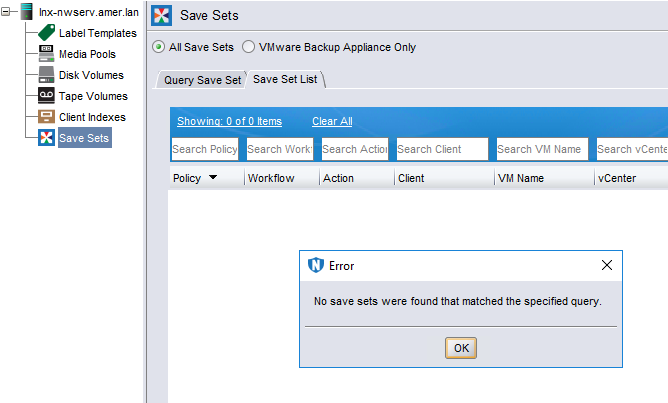
如果日期范围超过两周,则仅显示两周或更早的存储集。
使用 mminfo 可以浏览存储集而不会出现任何问题。
Cause
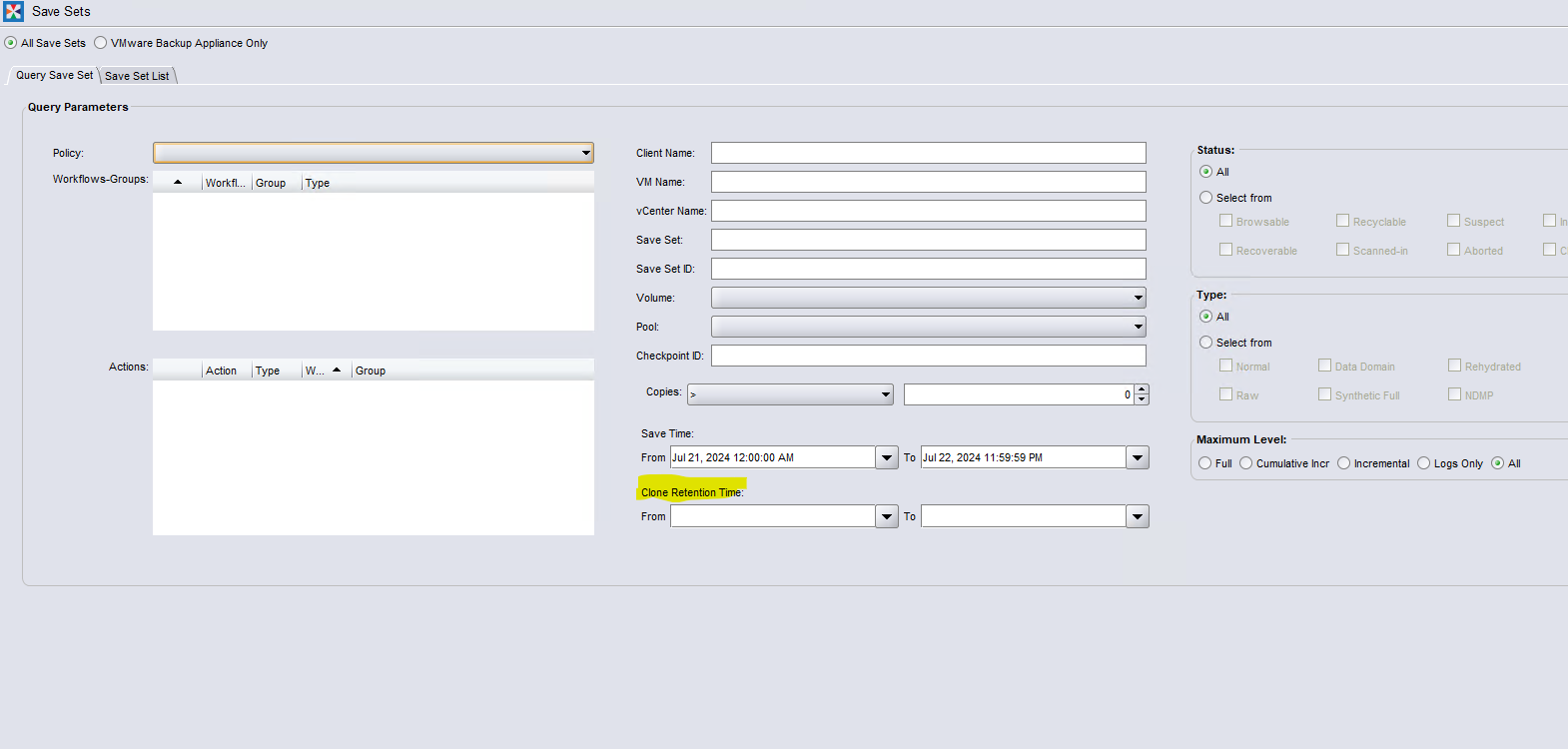
当设置了“克隆保留时间”字段时,会发生此问题。查询可能无法在提供的时间之间找到设置了克隆保留时间的存储集。
根据逻辑,这是可以的,但在查询存储集时会产生问题。
Resolution
修复:
此问题的修复可在 NetWorker 19.9.0.7 和 19.11 (或更高版本)中找到。
19.10 分支的修复程序预计将在 NetWorker 19.10.0.5 中提供。
此问题的修复可在 NetWorker 19.9.0.7 和 19.11 (或更高版本)中找到。
19.10 分支的修复程序预计将在 NetWorker 19.10.0.5 中提供。
解决办法:
- 清除两个 Clone Retention Time字段,或将值更改为要搜索的存储集的某个范围。
- 重新运行搜索。
Article Properties
Article Number: 000226390
Article Type: Solution
Last Modified: 20 Aug 2024
Version: 4
Find answers to your questions from other Dell users
Support Services
Check if your device is covered by Support Services.