VxRail: 호스트에서 비 vSAN 디스크를 구성하지 못하여 배포 실패
Summary: 호스트에서 비 vSAN 또는 관리되지 않는 디스크를 구성하지 못했습니다.
This article applies to
This article does not apply to
This article is not tied to any specific product.
Not all product versions are identified in this article.
Symptoms
다음 오류로 인해 VxRail을 배포하지 못했습니다.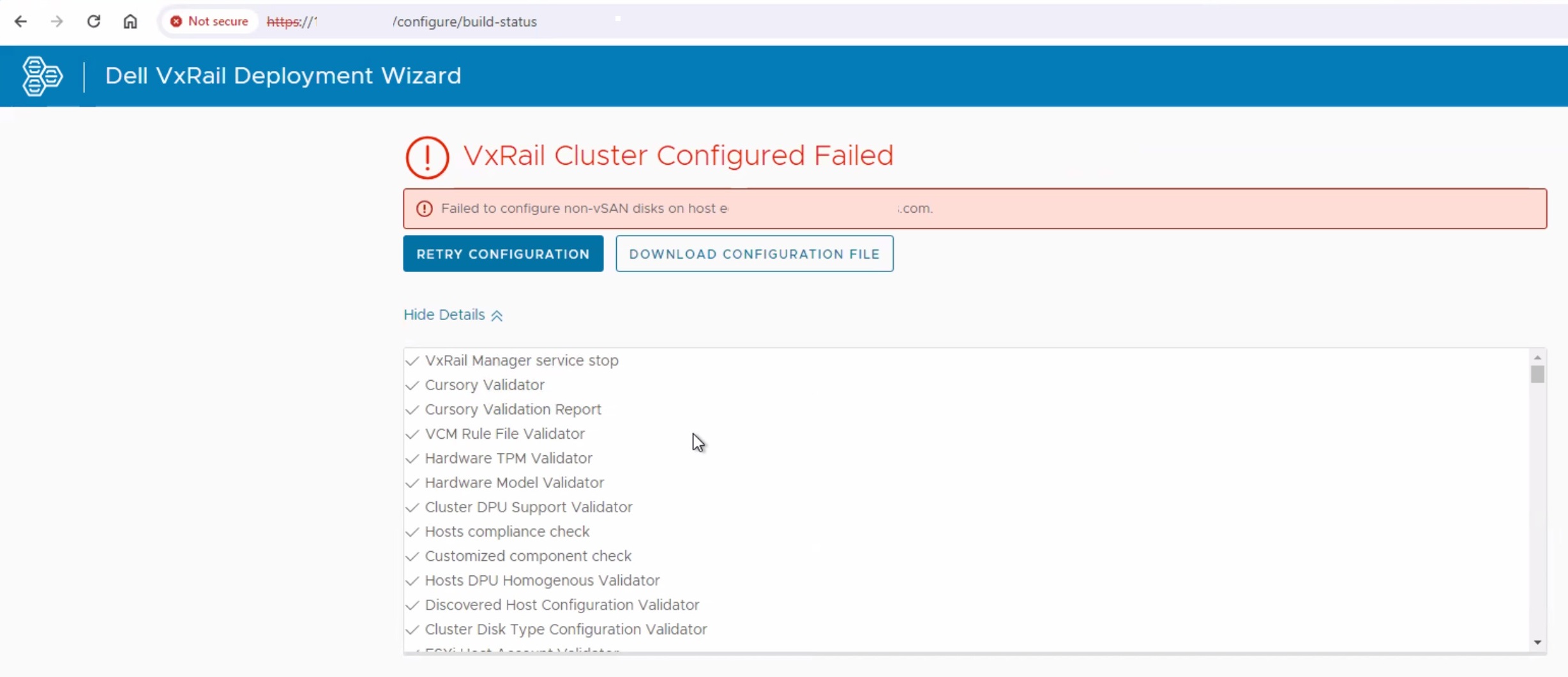
Dayone.log:
"2024-06-04 04:57:43,992" microservice.do-host "2024-06-04T04:57:43.306854319Z stderr F 2024-06-04 04:57:43,306 [ERROR] <Dummy-9:139912387842120> http_client.py get() (53): failed to GET https://0.0.144.80:9090/rest/ps/private/v1/hwinventory with error: ('Connection aborted.', ConnectionResetError(104, 'Connection reset by peer'))"
"2024-06-04 04:57:43,992" microservice.do-host "2024-06-04T04:57:43.306960272Z stderr F 2024-06-04 04:57:43,306 [WARNING] <Dummy-9:139912387842120> utils.py call() (213): Retryed 57 times, spending 285.3580 seconds, raise ConnectionError(ProtocolError('Connection aborted.', ConnectionResetError(104, 'Connection reset by peer')),) error"

"2024-06-04 04:57:58,981" microservice.storage-service "2024-06-04T04:57:58.323242867Z stdout F common.nano_exception.NanoException: {""code"": ""E3100_Storage_10"", ""params"": [""servervxr001.domain""], ""message"": ""Failed to configure non-vSAN or unmanaged disks on host servervxr001.domain""}"
아래 명령을 실행할 때 호스트에 IP 주소가 없었습니다.
esxcli network ip connection list | grep 9090

example output:
tcp         0       0  :: 9090                 0.0.0.0:0            LISTEN        2103568  newreno  python
아래 파일을 수정하고 vmk2의 IP를 추가한 다음 플랫폼 서비스를 다시 시작해 보았습니다.
/etc/config/vxrail/platform.conf
서비스 재시작"vxrail-pservice"를 입력하고 이제 IP 주소와 포트에서 수신 대기해야 합니다.
VxRail Manager에서 다음 명령을 실행합니다.
curl -vk --user root:Passw0rd! https://IPADDRESS:9090/rest/ps/private/v1/hwinventory | jq
유사한 응답 "Connection reset by peer" 메시지가 표시될 수 있습니다.
Cause
포트 9090이 내부 고객 방화벽에 의해 차단되고 있습니다.
Resolution
이 문제를 해결하려면 방화벽에서 포트 9090의 차단을 해제합니다.
배포를 다시 시작하려면 클러스터의 첫 번째 노드가 RASR이어야 할 수 있습니다.
Affected Products
VxRail Appliance Family, VxRail Appliance Series, VxRail SoftwareArticle Properties
Article Number: 000226490
Article Type: Solution
Last Modified: 08 Sep 2025
Version: 3
Find answers to your questions from other Dell users
Support Services
Check if your device is covered by Support Services.